Murphy Aquaculture keeps a freshwater propagation facility: mussel cohorts from infestation through excystment to juveniles, the host fish that carry them, fish cohorts by life stage with biomass from real weighings, and the tanks, raceways and water that hold all of it. Every count carries its certainty, and every number on screen is arithmetic over records you entered. Free, offline, on your device.
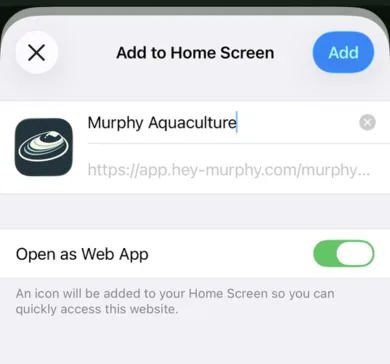
Open app.hey-murphy.com/murphy-aquaculture.html, tap the Share button and choose Add to Home Screen. On Android and desktop Chrome, Murphy offers the install itself when you arrive. Once installed it opens full screen from its own shell icon and works fully offline. A PIN for the device is optional; set one or remove it from the gear menu.
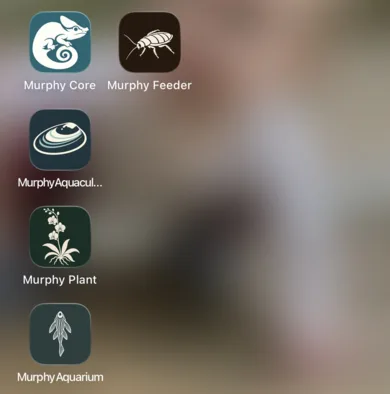
Share, then Add to Home Screen. Murphy Aquaculture then opens from its own icon, beside the other Murphy apps.
The map
How Aquaculture is laid out
Five buttons along the bottom:
Home: what is due today, the collection's numbers, and the sync line.
Animals: Cohorts, Broodstock, the Glochidia Pipeline, Spawn Events and Mortality.
Systems: Tanks, Water Quality, Feeding, and Fish.
Analytics: survival by cohort, water quality summaries, mortality, totals, a query builder and a timeline.
Bio: Today, Notes, How-tos, Time Mgmt, Reports, Settings and Help.
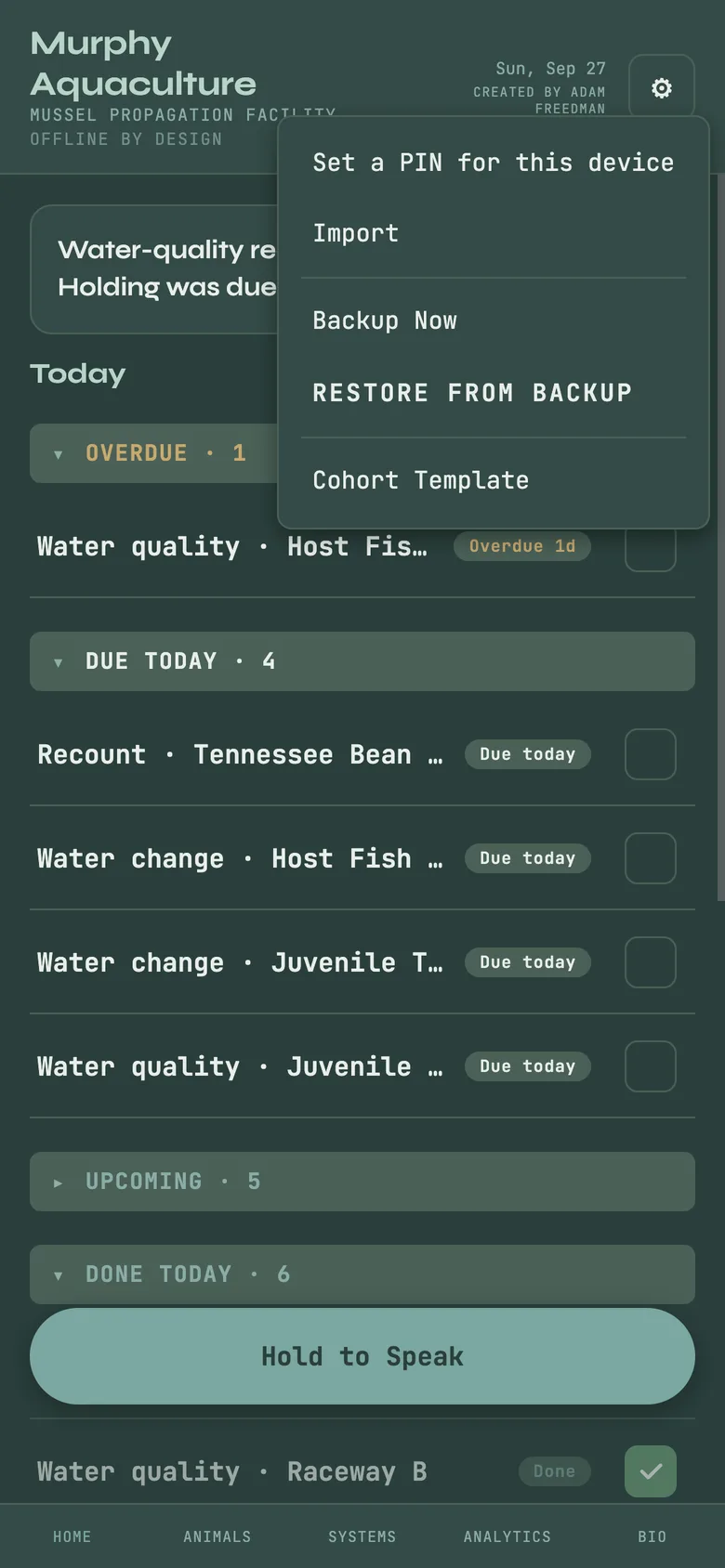
The gear in the top corner holds Import, Backup Now, Restore from Backup and a blank Cohort Template. Hold to Speak takes a field note or a hands-free water-change command.
Home with the five-button bar and the gear menu open.
Start here
Tanks, raceways and water quality
Systems → Tanks → + Add
Create the tanks and raceways first, so every cohort lands in one. Each carries its volume and its own water quality targets: a fish tank is flagged only against the numbers you set for it, never against the mussel bands, and a waste parameter has a goal of zero rather than a range.
Systems → Water Quality → + Log
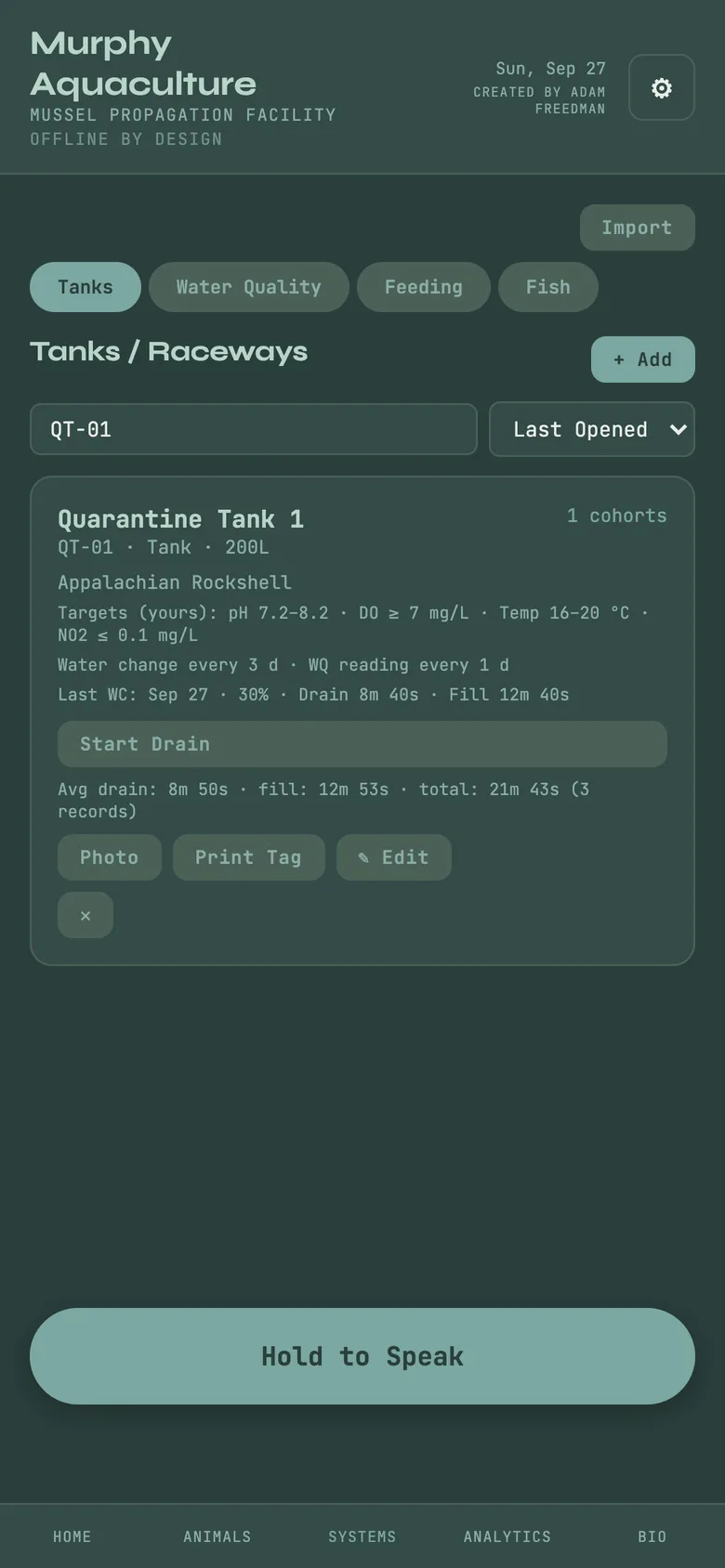
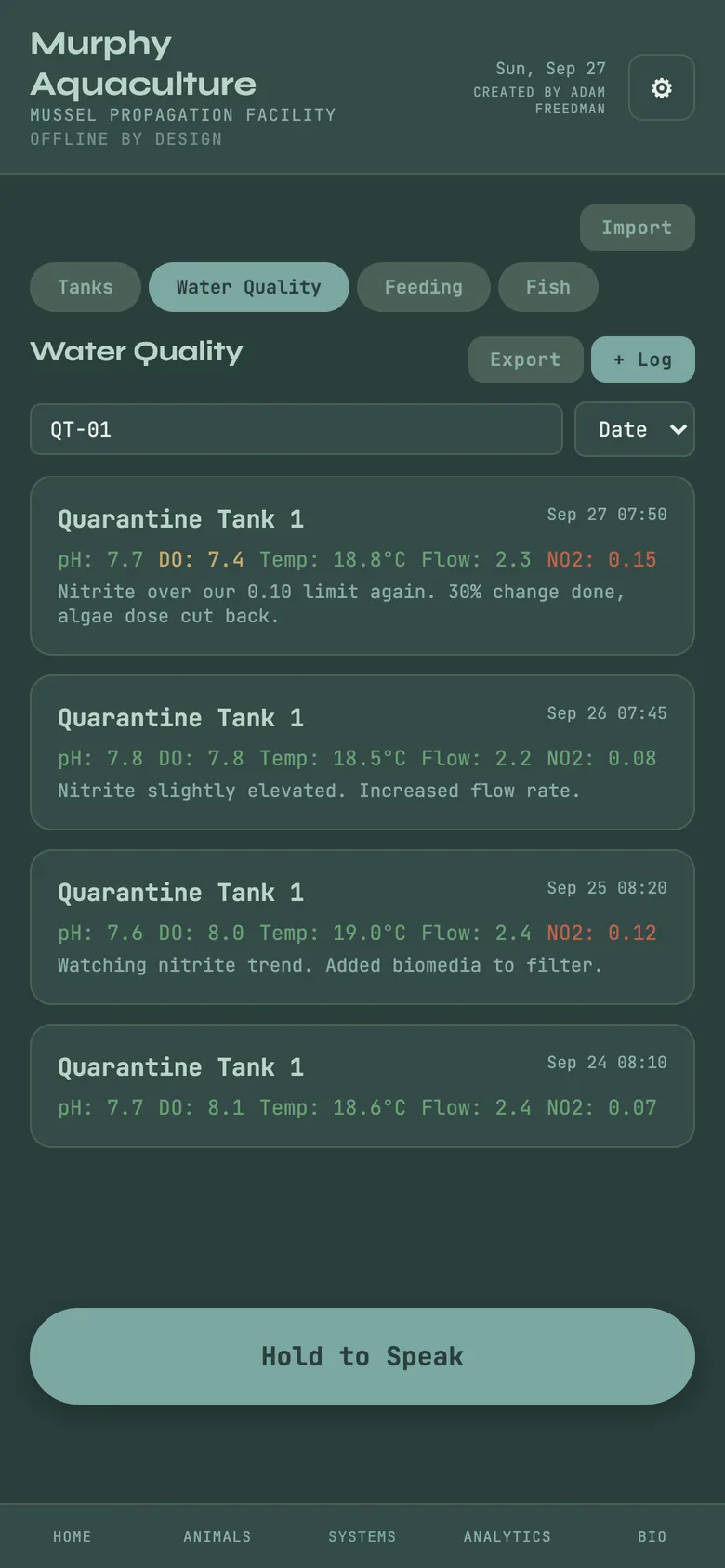
Log pH, dissolved oxygen, temperature, flow and nitrite, and each reading is flagged against its tank's targets. Each tank card has a two-phase water change timer: start the drain, mark it complete, fill, mark that complete; Murphy records the duration and the percentage changed and shows your averages per tank. Feeding records algae and feed dosing per tank.
A tank card with its targets, and its water-quality log with today's nitrite flagged.
The idea underneath
Cohorts and honest counts
Animals → Cohorts → + Add Cohort
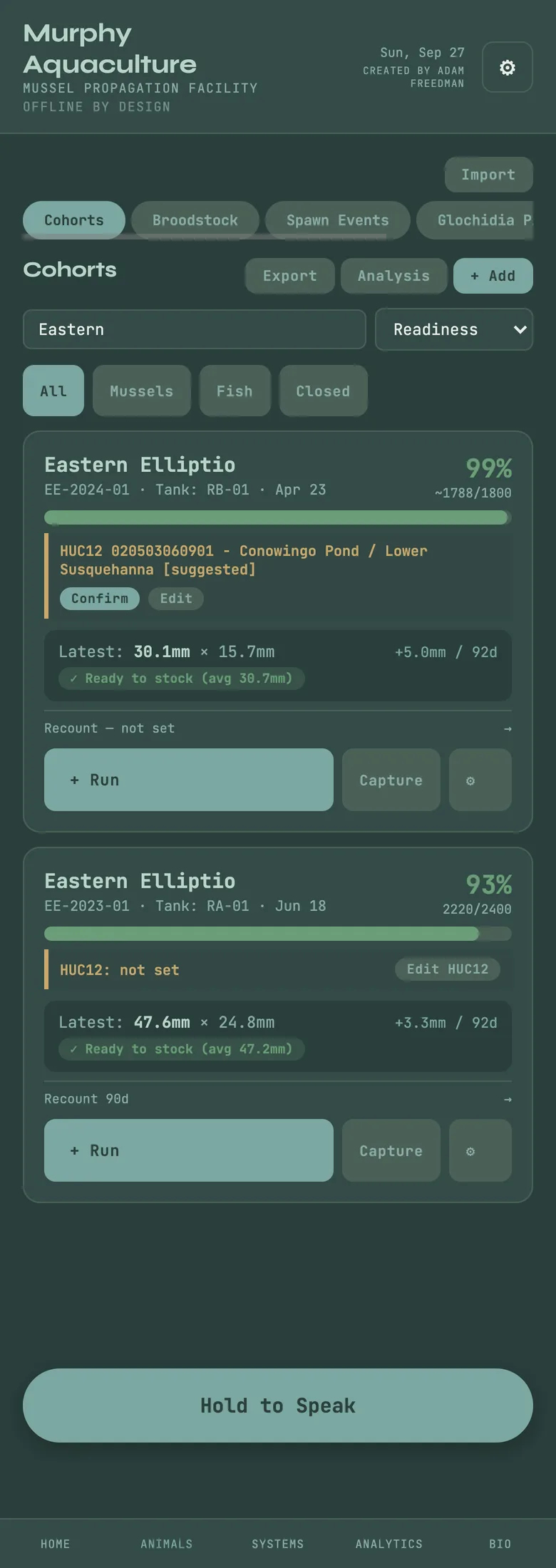
A cohort is a group of animals worked as one unit: species, the tank it is in, the watershed it came from as a HUC12 code (or unknown, with the reason), the number you started with and, the question most software skips, how that number was counted. Counted each, a sample extrapolated, or a visual estimate. The cohort card shows a survival bar, the count with its certainty, the latest measurement and the latest score.
How the count is written
A hand tally is a fact; a sample or a visual guess is an estimate. 400 was counted, ~400 was estimated, 400? nobody has said. Mortality subtracts from whatever certainty the count had; it never turns a guess into a fact, and a cohort that grew is never shown as more than 100% alive.
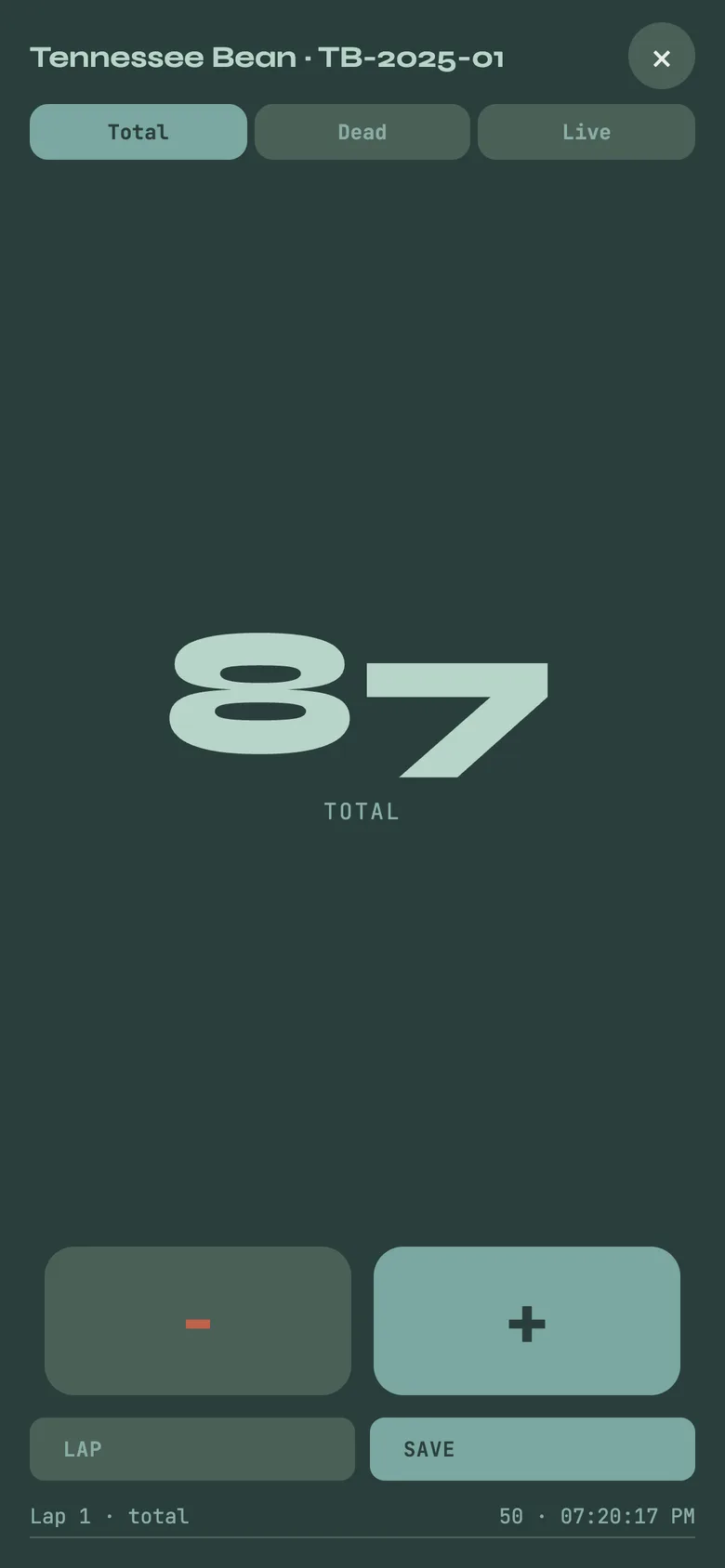
Count opens a full-screen tally with total, live and dead modes and laps. Measure records lengths, on the bench or through the phone's camera with AR Measure, and average length is the latest session, never a running blend. Grade sorts part of a cohort by size into a new, labelled cohort, and asks whether a sieve, a measurement or your judgement set the band. Merge puts cohorts back together while keeping graded bands side by side. Move transfers animals to another tank or stage as one record, so both sides stay in step.
Mortality is its own surface, searchable by cohort, species, cause and date, because survival-rate questions are answered by finding the events, not by a dashboard widget.
Cohort cards: survival bar, count (~ means estimated) and latest length; the tally screen.
Making mussels
Broodstock, spawns and the glochidia pipeline
Broodstock are the adults you hold for propagation, recorded like any cohort. Spawn Events record the species, the gravid count, the date and the host fish involved.
Animals → Glochidia Pipeline
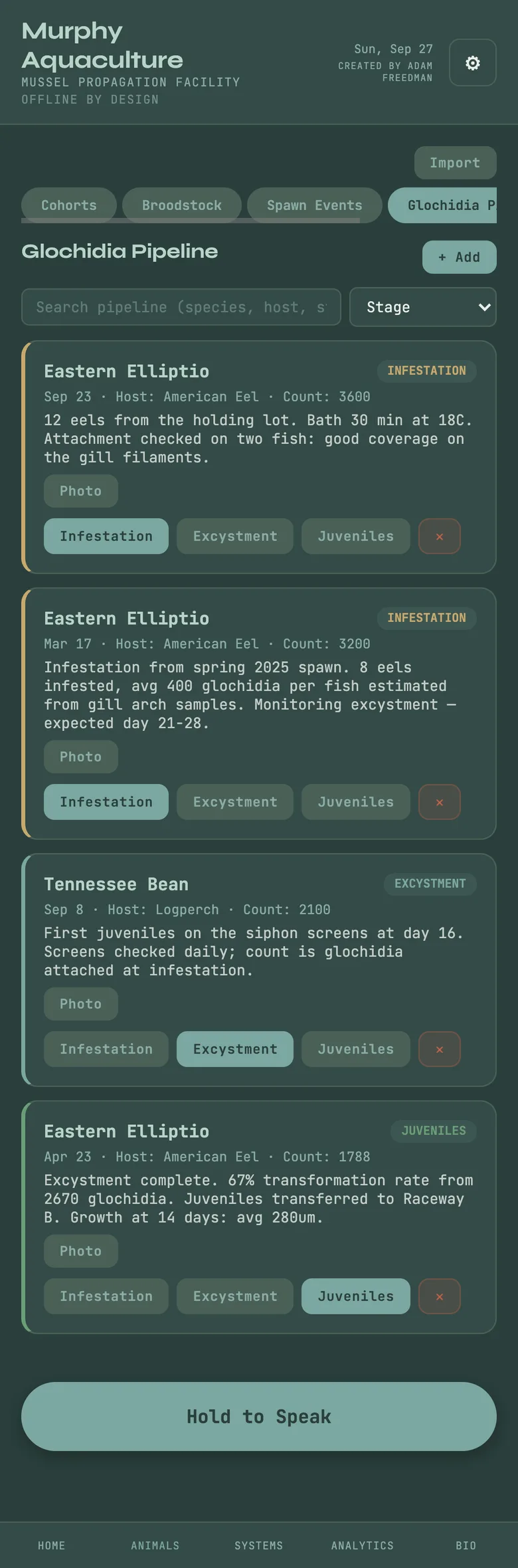
The pipeline follows a batch from infestation, where glochidia are put onto host fish and the host fish lot used is recorded, through excystment, where transformed juveniles drop off and are counted, to juveniles in their own tank. Each step is a record with its date and count, so the numbers between steps are a derivation you can read, not a figure someone remembered. A season transformation target in Settings lets the production report say how the season is running against it.
The Glochidia Pipeline with batches at each stage.
The other half of the room
Fish cohorts and host fish
Systems → Fish
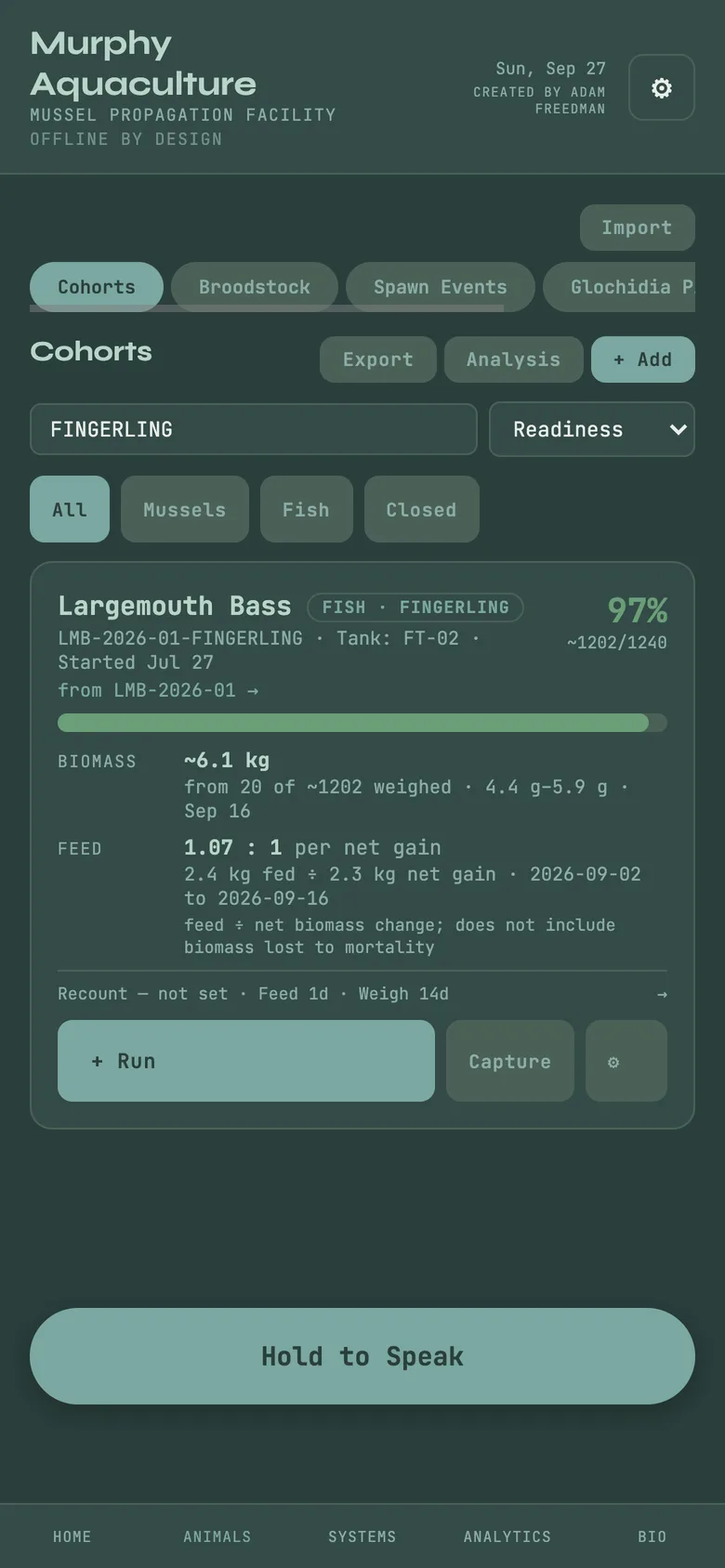
Fish are cohorts too, carried by development stage: larva, fry, fingerling, juvenile, adult. Move a cohort between stages or tanks as one transfer. Weigh a sample and Murphy gives biomass from the weighings, always saying how many were weighed; log feed by weight and it gives feed per net gain. A harvest can be recorded by weight.
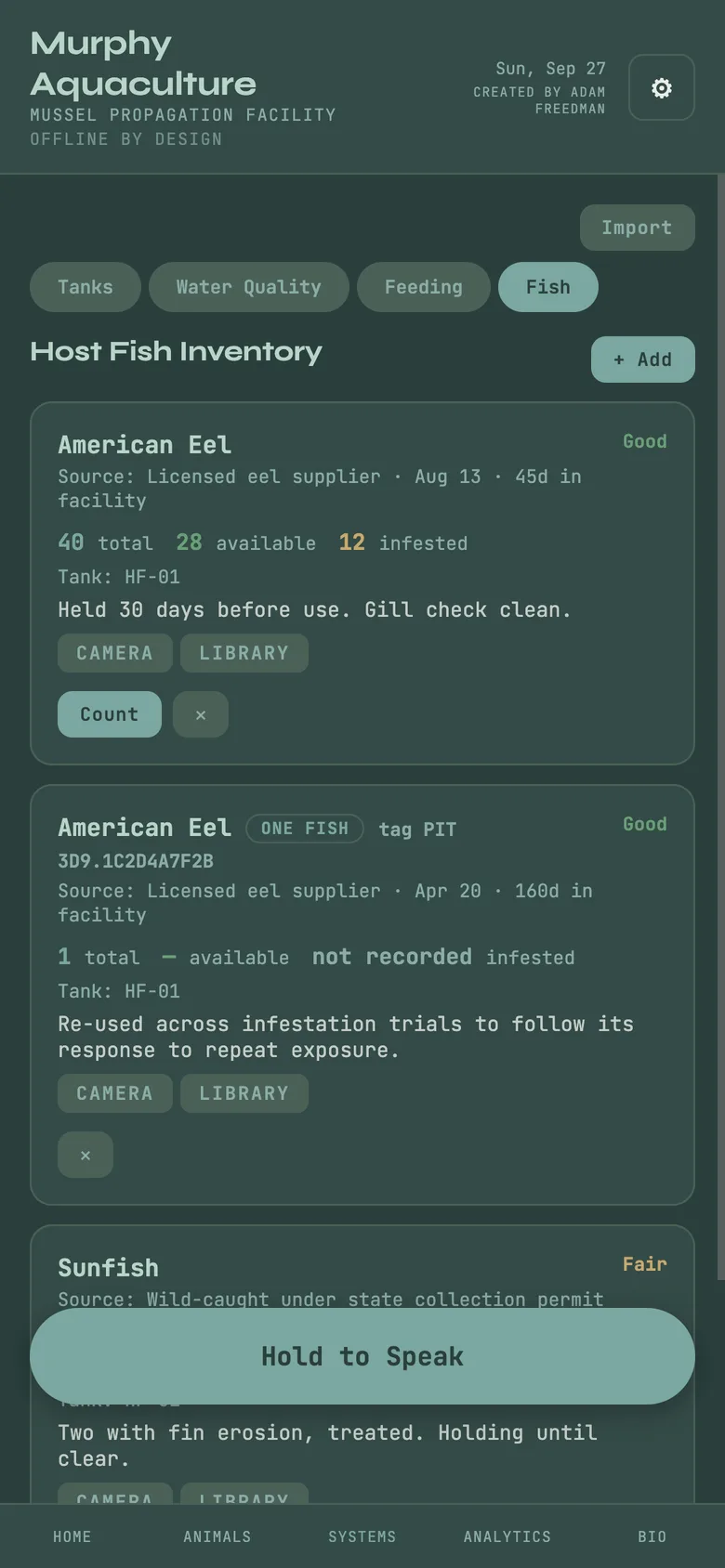
Host fish are tracked as a lot, or one fish by its tag or mark. When a batch is infested, the host fish lot used is recorded against it, and the production report's host fish utilization section shows what the lots have carried. Survival counts deaths, not departures: a stage move or a harvest never reads as mortality.
A fish cohort at a named stage with biomass from weighings; the host-fish inventory.
The first-coffee moment
Home and Today
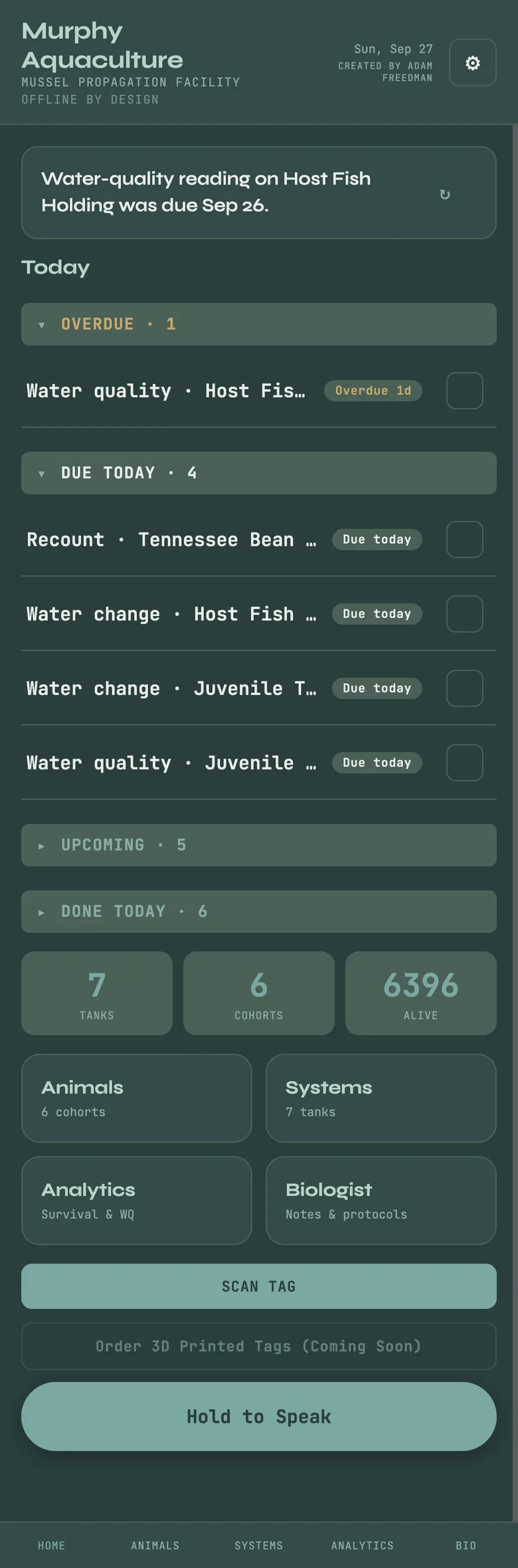
Home shows what is due, worked out from the cadences you set on tanks and cohorts, such as water quality checks, feeding and water changes, never from a schedule Murphy invented. Under it, the collection's numbers: cohorts, tanks, alive, initial, mortality, with count certainty carried through. The home sentence rotates through one thing worth doing as the day and the room change.
Home with the Today list and the KPI strip.
On the shell
Shell tags
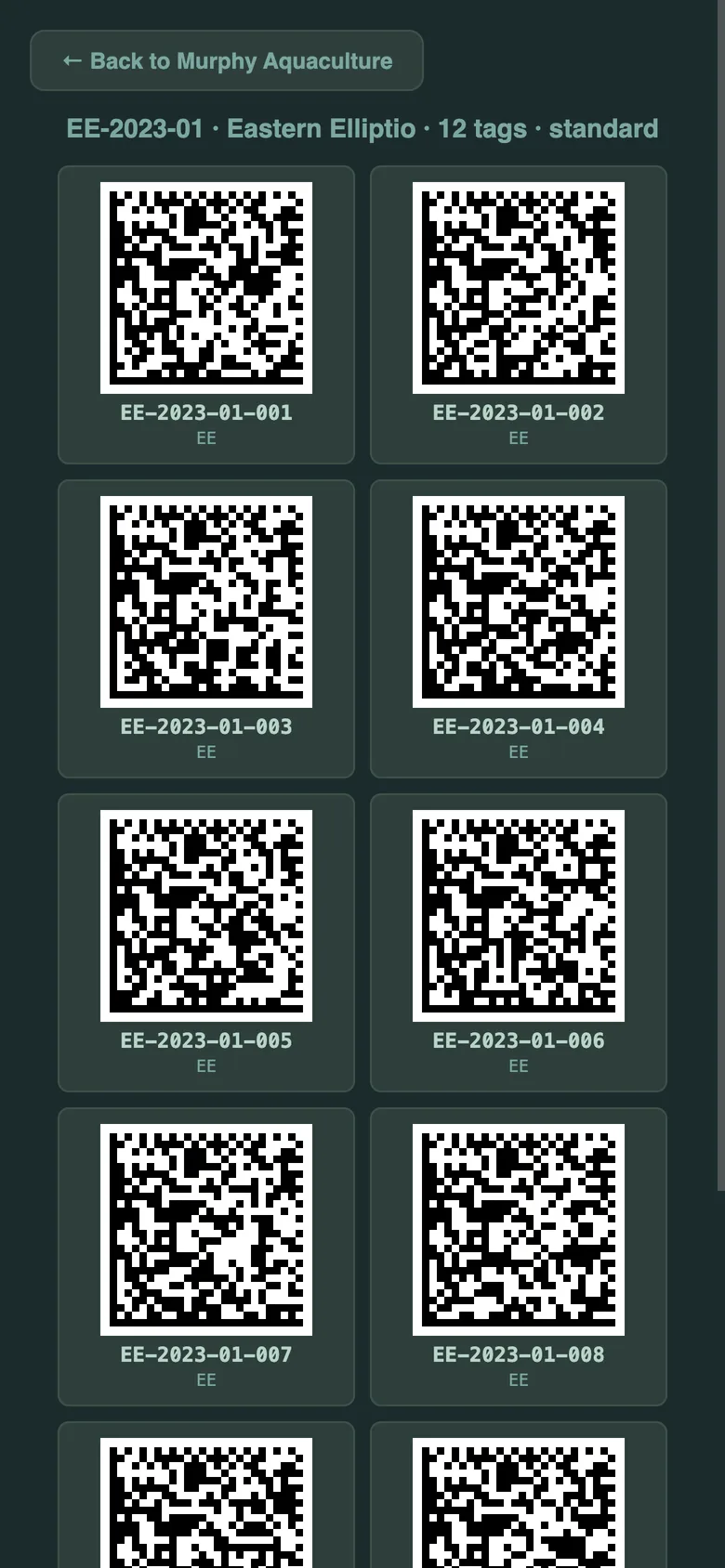
Print Tag on a cohort prints numbered Data Matrix tags small enough for a shell, in Standard, Micro or Ultra size, and in standard, inverted or high-contrast code style. Each tag is a short link, app.hey-murphy.com/m/[COHORT]-[NNN], that any reader which opens links lands on the cohort. The sheet prints offline. Scan Tag on Home reads a tag from inside the app.
The shell tag sheet Murphy generates for a cohort, ready to print.
The biologist's side
Bio: notes, how-tos, reports
Today: the due list, with this week's calendar under it.
Notes: field notes, typed or spoken, tagged and searchable.
How-tos: standing procedures, step by step.
Time Mgmt: the 5·2·1·20 rhythm and a facility calendar you can export to Apple, Google or Outlook.
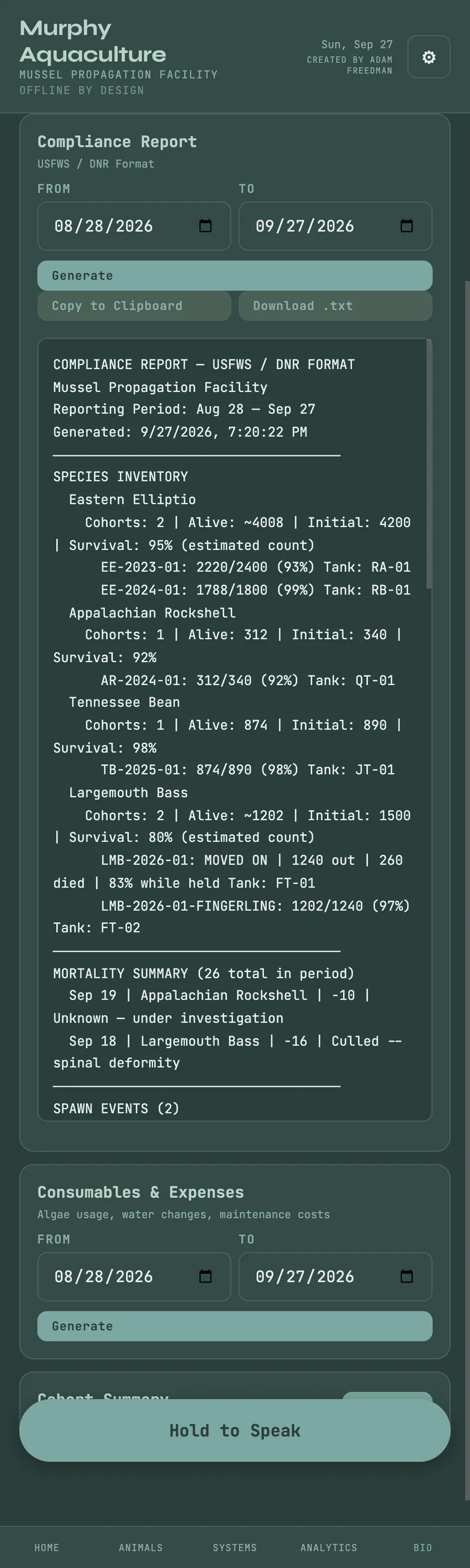
Reports: a daily report, a period report for compliance, and a cohort summary. Copy to the clipboard or download as text. CSV exports cover cohorts, the survival report, the glochidia pipeline, mortality, tanks and raceways, and water quality, with an analysis-ready variant for research.
Settings: facility and biologist names, exports, backup and account.
Bio, Reports, with a compliance report generated for a date range.
Optional · paid
Keeping your records safe
Everything above is free and lives on your device. Backup Now writes a complete file you can keep anywhere, and Restore from Backup brings it back onto any device after taking a safety copy. Aquaculture also keeps a human-readable Excel copy of the records as you work, so nothing depends on the app to be read.
Open Account in Settings signs you in and turns on Keep It Safe, which syncs the same records to your other devices. Syncing is optional and additive; the home screen says plainly whether it is caught up or saving locally. The watershed a cohort came from stays on the device at full precision. One subscription covers every Murphy program.
 Murphy Aquaculture · How-to guide