Murphy Aquarium is Murphy built for a fish room or a reef: the tank is the record you open first, with its targets, its equipment and its livestock on one card. Water changes and chemistry run on the cadence you set. Fish, inverts and corals get the same welfare record every Murphy animal gets, and a school is counted as a school, with its certainty stated. Free, offline, on your device.
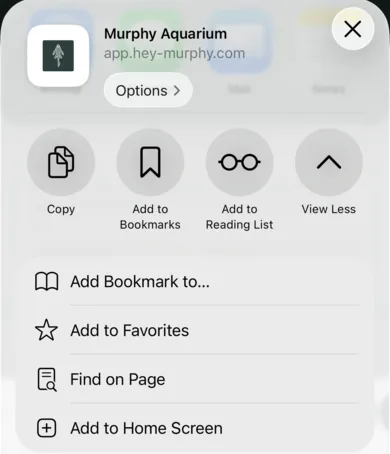
Open app.hey-murphy.com/murphy-aquarium.html, tap the Share button and choose Add to Home Screen. On Android and desktop Chrome, Murphy offers the install itself. Once installed it opens full screen from its own icon and works fully offline. Install before you enter much: a browser treats an installed app's storage as something to keep, and Murphy tells you on screen when records are not yet durable.
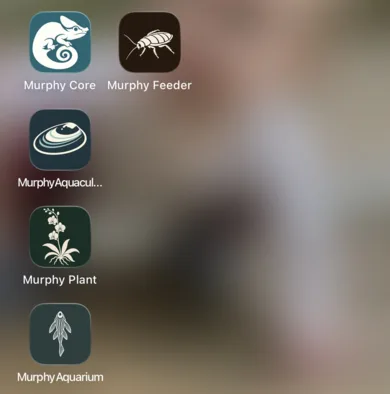
Share, then Add to Home Screen. Murphy Aquarium then opens from its own icon, beside the other Murphy apps.
The map
How Aquarium is laid out
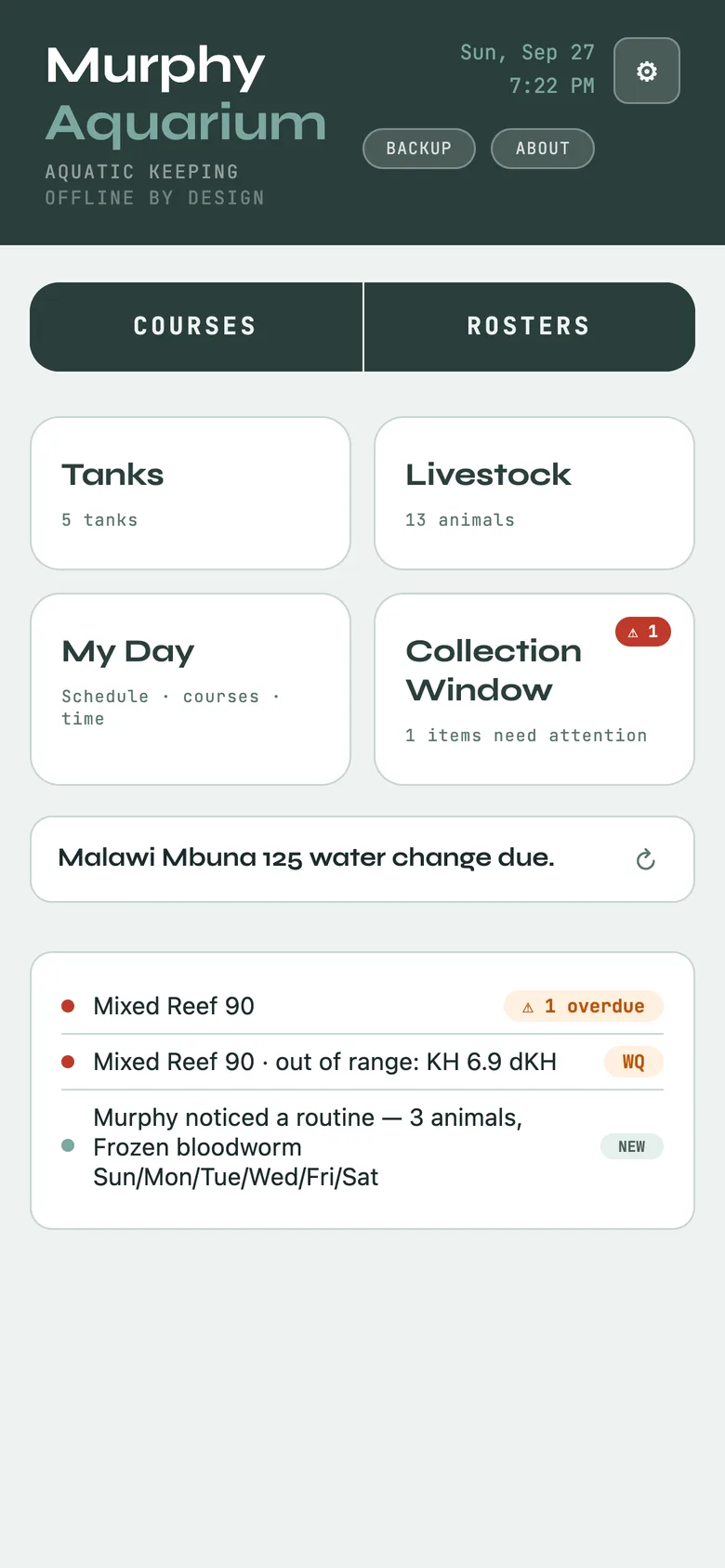
Home is a dashboard with four cards, and the order is the point: tanks come first.
Tanks: every system you run, each with targets, equipment, occupants and readings. How-tos and Settings live here too.
Livestock: the animals, with Feeding, Hydration, Health, Breeding, Training, Enrichment, Ambassador, Care and Placements across the top.
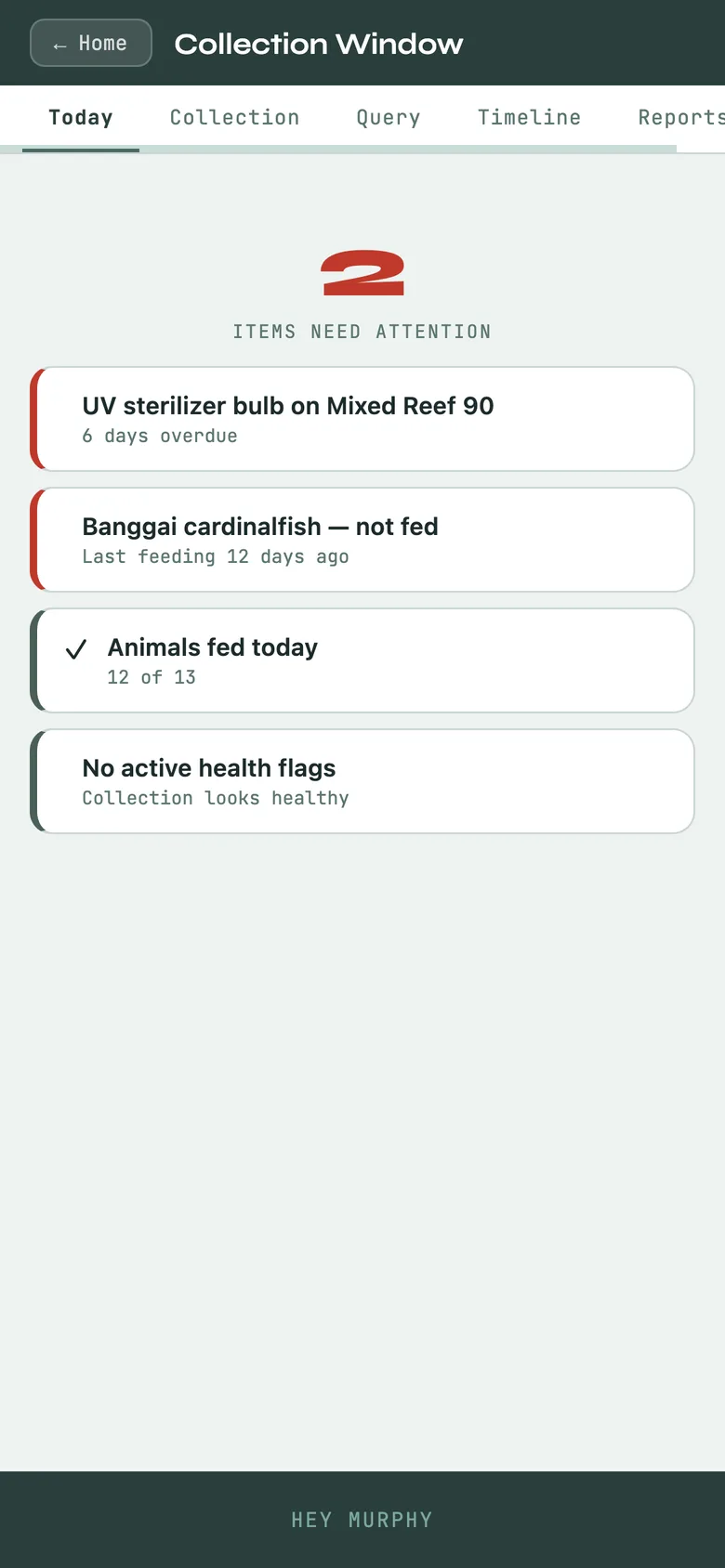
Collection Window: what needs attention now, and every way to slice the whole collection.
My Day: schedule, courses, daily rhythm, controls and reports.
Above the cards, Courses and Rosters: your recurring work and your named working lists. Aquarium shares Murphy Core's record model, so if you have used Core, everything is where you expect it, with fish words where Core has reptile ones.
Aquarium Home with the four cards, Tanks first.
Start here
Your first tank
Home → Tanks → + Add
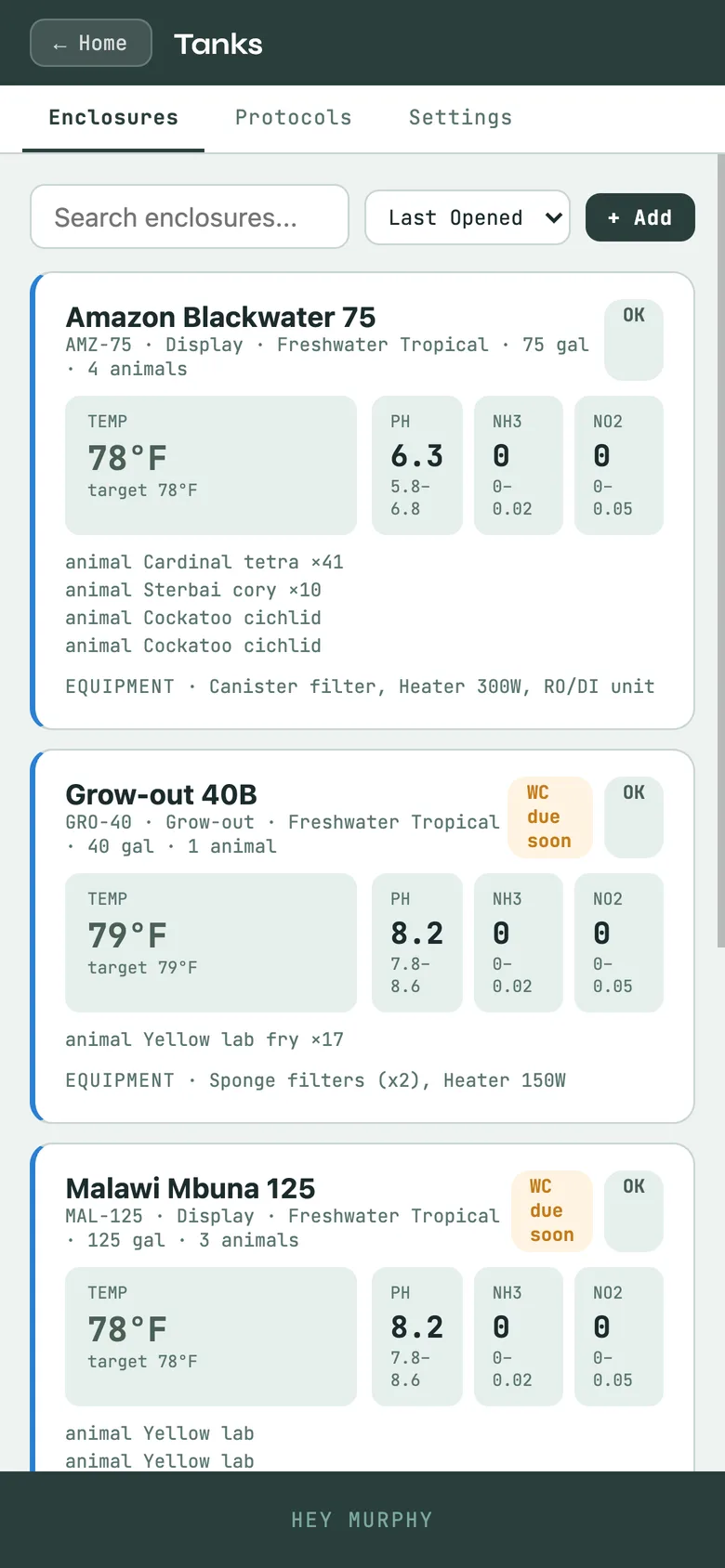
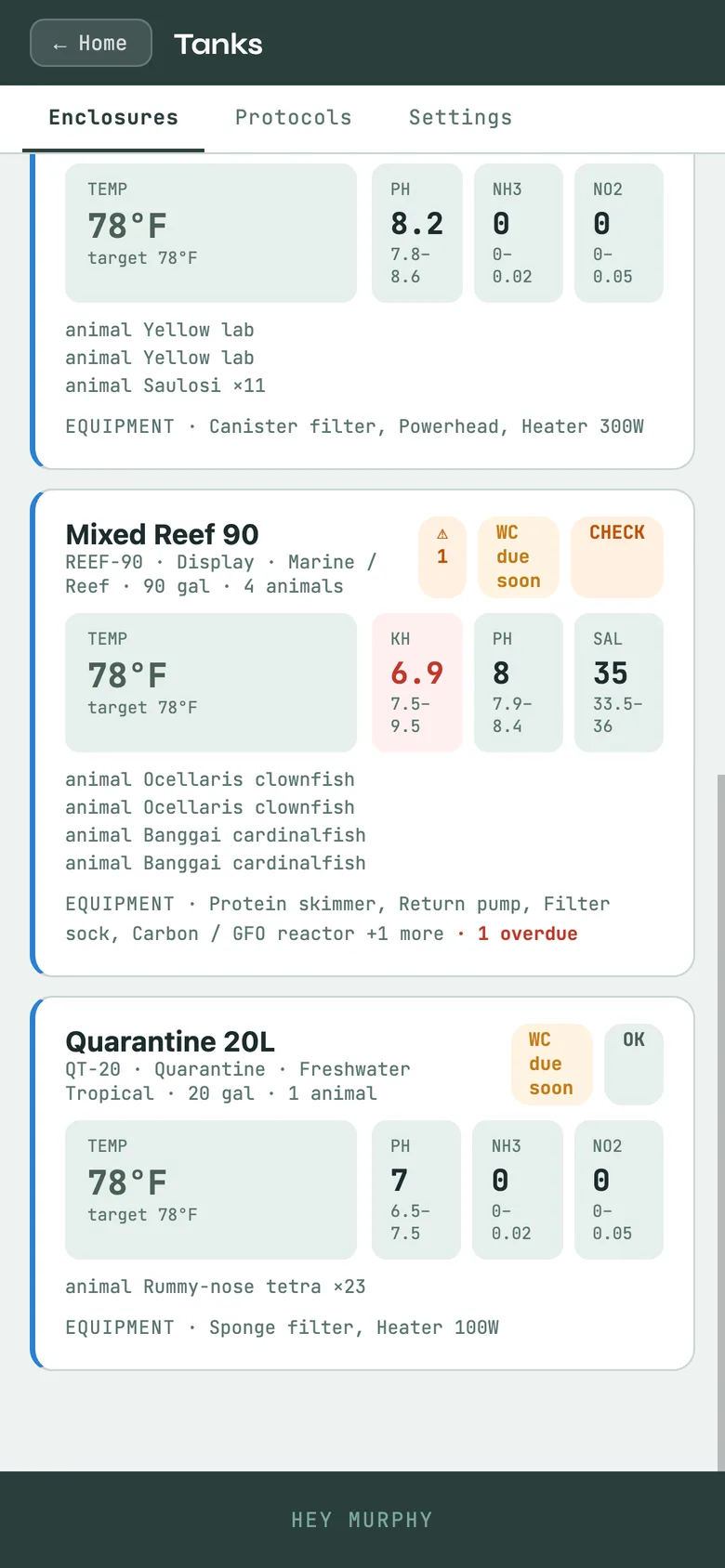
Name it, give its dimensions and volume, and set its targets: the temperature, pH and other parameters you are keeping it to. Readings are flagged against your targets for that tank, never against a generic band, because a brackish tank and a soft-water tank are not wrong for being different.
The tank card carries an editable equipment list (heater, filter, lights, pumps, dosers) with service dates, and the livestock in it. Add fish from the card and they land in the right tank. Every tank, animal and piece of equipment can print a QR tag that any phone camera opens.
A tank card with targets, the equipment list and the livestock in it.
The routine
Water changes and chemistry
Log readings against the tank: temperature, pH, ammonia, nitrite, nitrate and the rest. A waste parameter has a goal of zero, not a band, so a perfect nitrite reading never shows as a warning. Import a sensor log and view the graph against your targets.
Water changes, top-ups and filter service run on the cadence you set for each tank. They show up on the Collection Window when due, and overdue is never capped or hidden. Check one off and the record is written with the date; the schedule recalculates from the record, never from a tick box.
A tank card with its latest readings against targets, alkalinity flagged.
The animals
Livestock, schools and corals
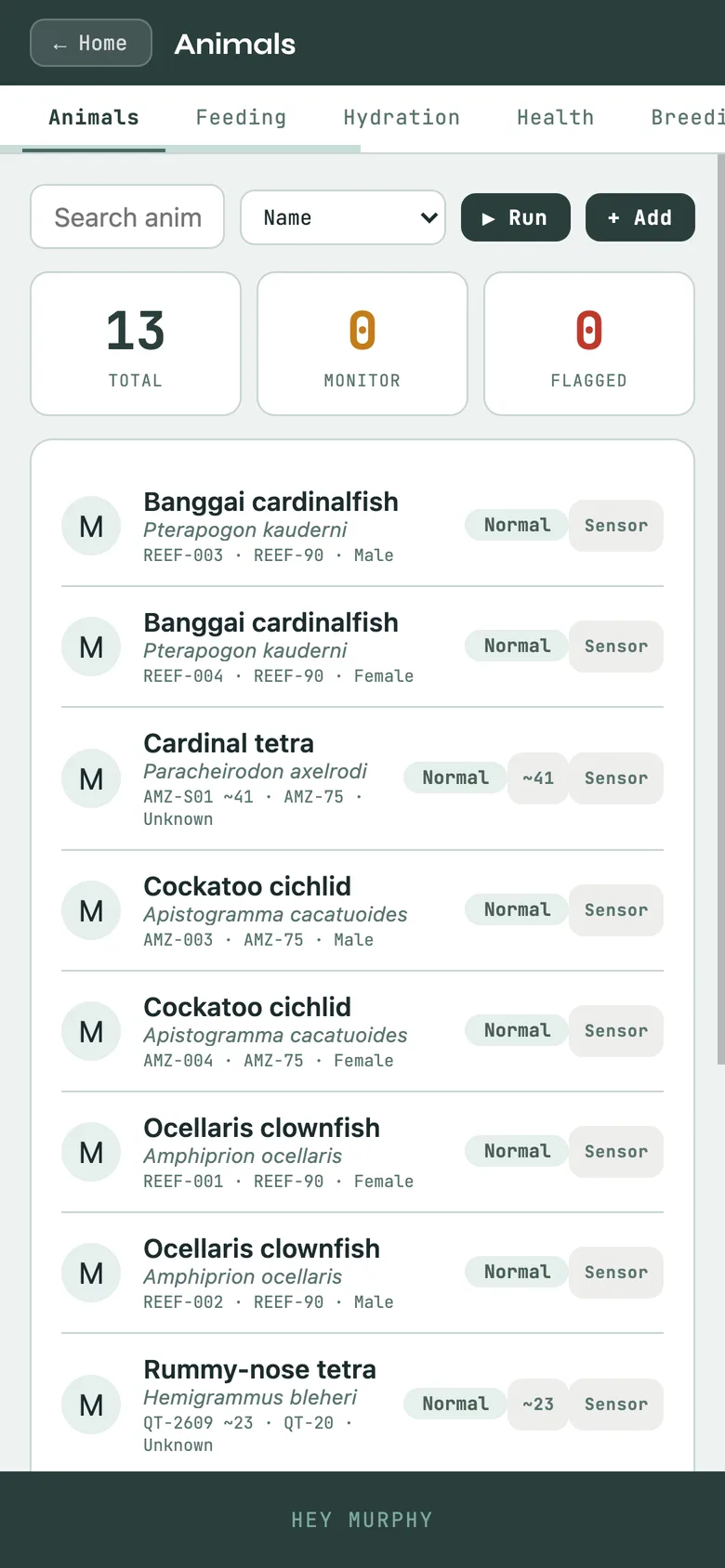
A single fish gets the full animal record: Info, Feeding, Hydration, Health with weights and medications, Enrichment, Training, Welfare and Score. A shoal of tetras does not need thirty records. Track as a group or school keeps one record with a count and, as everywhere in Murphy, the count's certainty: counted, estimated, or not yet said. Adjust the count from the card when you lose or add fish; graduate one out when an individual starts to matter on its own.
Grow-out can be graded by size into labelled groups and merged back; a school carries its development stage (larva, fry, fingerling, juvenile, adult) so a reading of "40 fry" and "40 adults" are never the same number.
Corals and frags: a frag is a propagation from a mother colony and knows where it came from. Sexual reproduction, for fish and for corals that spawn, is recorded as breeding and builds a pedigree.
The welfare floor
Score opens a 0 to 100 rubric: 50% body condition, 30% distinctive traits, 20% quality and finish. Body condition is the floor; an animal cannot score well on looks while its welfare lags. Fish do not shed, so nothing in Aquarium asks about a shed.
The Livestock list: a school shows its count (~ means estimated) beside individual fish.
If you breed
Spawning and brooding
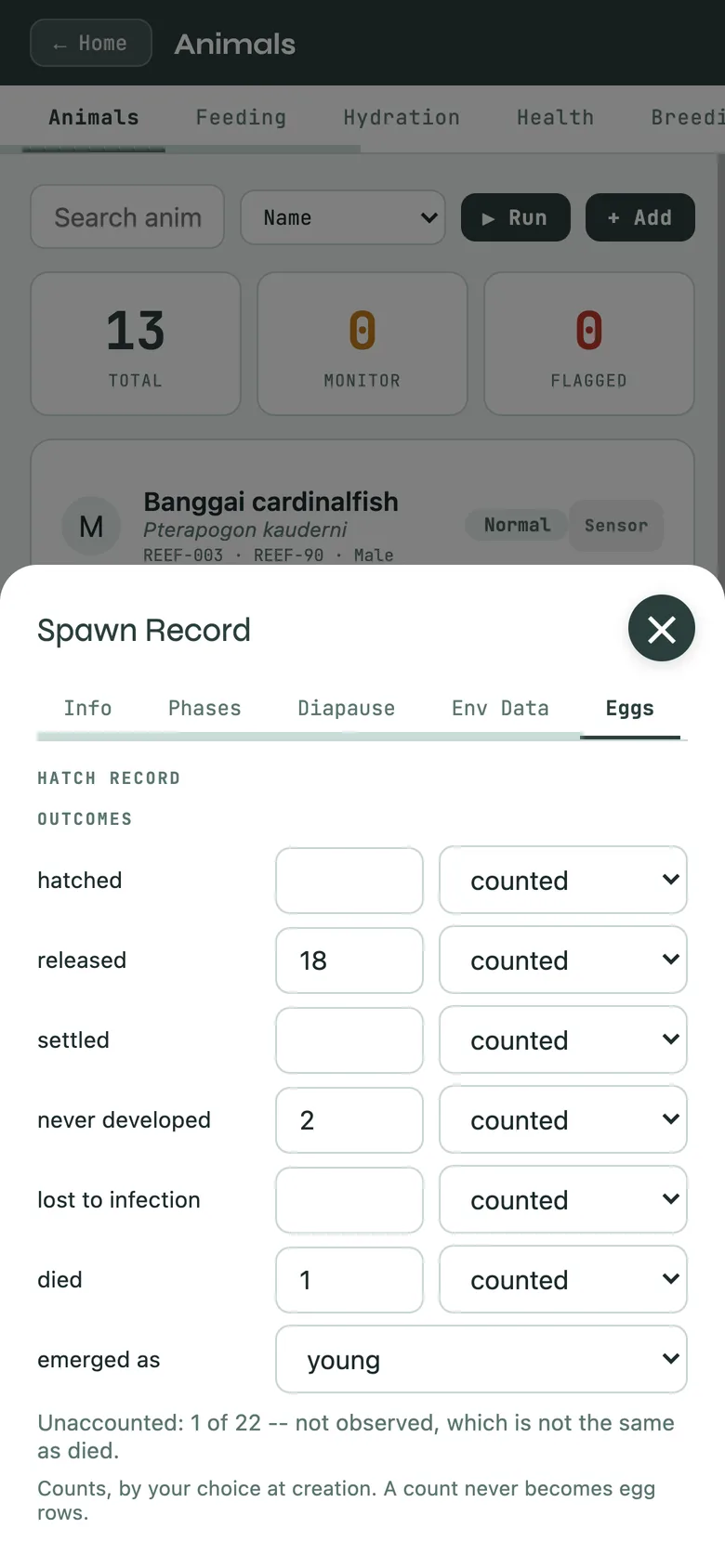
Where Core says clutch, Aquarium says spawn. Record a spawn with its date, its count and its days to hatch, and follow it to outcomes: hatched, released, settled, never developed, lost to infection, died. Offspring can be registered as a school straight from the spawn record, with its own count and certainty.
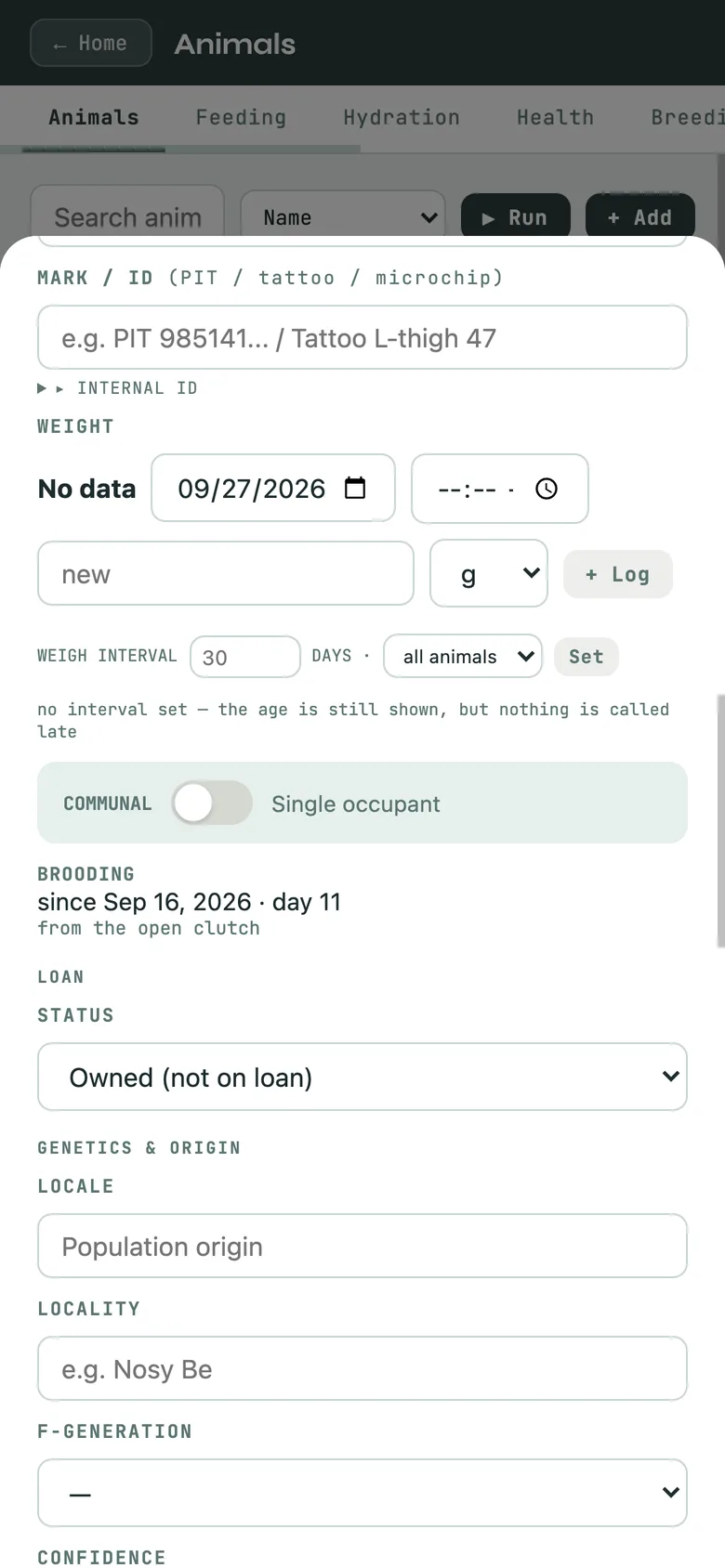
Mouthbrooders and males carrying young are their own thing. A parent holding eggs or fry is recorded as brooding, not gravid, with the date it started and the day count on its card. When they leave the parent, say what they left as: eggs, larvae or young.
Recorded, asserted, unknown
Every lineage entry states what it rests on: recorded, bred here with the chain intact; asserted, a named source said so; or unknown, stated plainly. The pedigree certificate prints the same way for a fish, a coral or a plant.
A spawn record's outcomes, and a brooding parent's card with its brooding line.
The first-coffee moment
The Collection Window and My Day
Collection Window → Today counts what needs you and lists it in plain language: equipment service overdue, an animal not fed, a health flag. Tap an item and it takes you there. Collection, Query, Timeline and Reports slice the whole room.
My Day holds the Schedule (day, week, month), Courses for recurring work across many tanks or animals at once (name it, set the action and days, add the tanks, Run it when you do the work), Time Mgmt, Controls and Reports. There is no separate task list: Courses run the recurring work, and what is due shows on Home and on Collection Window → Today.
Calendar. In My Day → Schedule, Export writes a file for Apple, Google or Outlook. Tick the kinds that go in: schedule events, care plan sessions, care cadences, prep make-by times, thaw pulls, placement due-back dates, course runs and medications. Each kind has its own reminder preset, and you set the morning time that "morning of" reminders use. Notes, staff, care providers, placement parties and fees go in only if you tick Include private details, which starts unticked every time. Import lists a calendar file's events with none ticked; tick the ones to add. When an event names one of your animals, Murphy suggests it and you confirm. Importing the same file again adds no duplicates.
When you save something with dates, such as a medication course, a care plan or a course with days, Murphy offers Add to calendar?Add downloads a file with just that item. Don't ask again turns the offer off; Ask "Add to calendar?" after I save something with dates, on the export sheet, turns it back on.
Collection Window, Today: what needs you, counted and listed.
Getting records out
Reports and exports
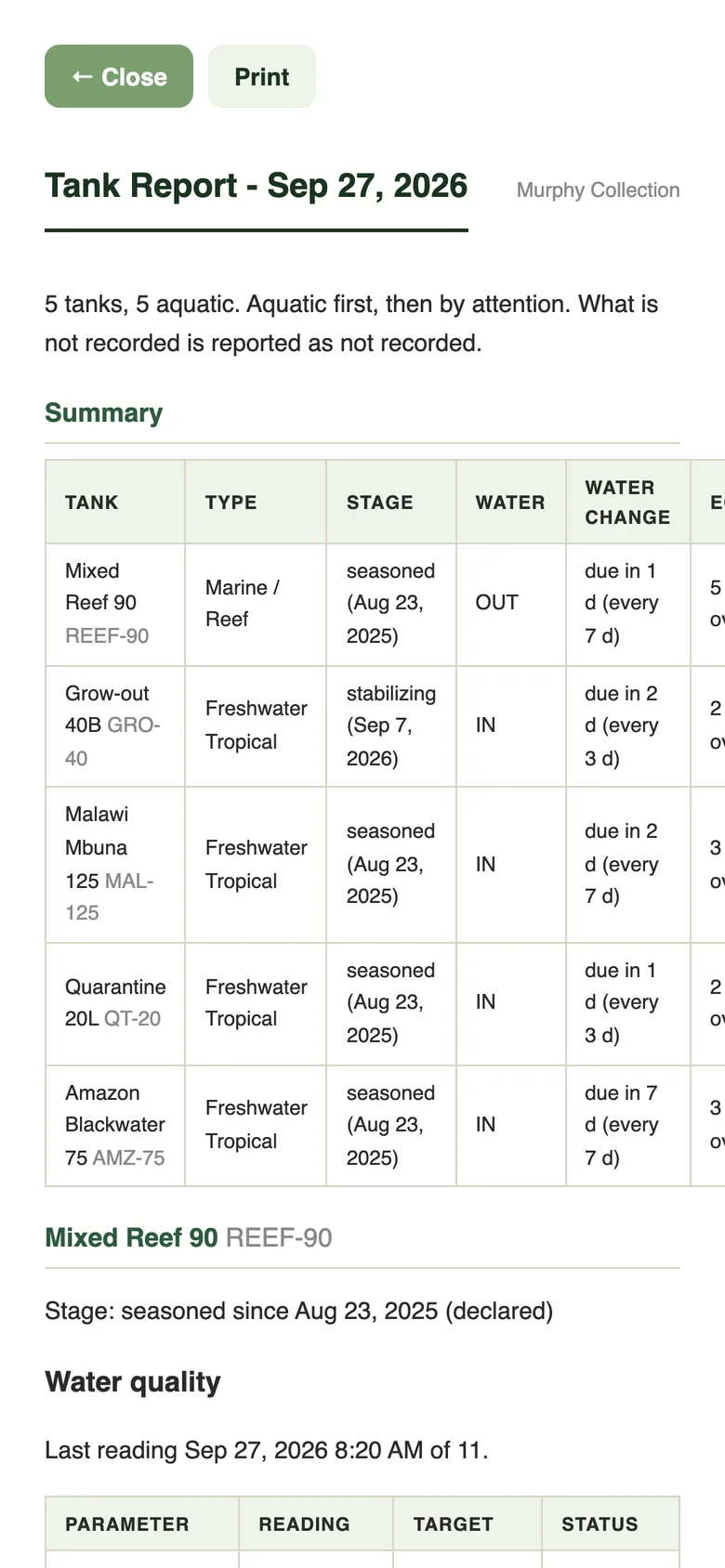
The Tank Report lists every system with its type, stage and water. Daily Rounds prints the day. CSV exports cover feeding, health, animals, training and water quality; the gear menu exports the animals list and the full record as JSON. ZIMS import and export work as in Core.
The Tank Report.
Optional · paid
Keeping your records safe
Everything above is free and lives on your device. Backup Now and Restore from Backup are in the gear menu. Account signs you in and turns on Keep It Safe, which syncs the same records to your other devices; it is optional and additive, and the home screen says plainly whether sync is caught up or saving locally. One subscription covers every Murphy program.
 Murphy Aquarium · How-to guide