Murphy Aviary keeps the records behind a bird collection, from a research flock that changes aviaries every week to a pair of hornbills raising a chick. It tracks who each bird is (band, chip, DNA), where it has been, the daily work each aviary needs, and the body and feather records that tell you how a bird is doing. Free, offline, no account.
Aviary runs in your browser, but you do not want to dig up a link every morning. Add it to your Home Screen once and it opens like any other app, full screen, with its own icon. It works fully offline once it is there.
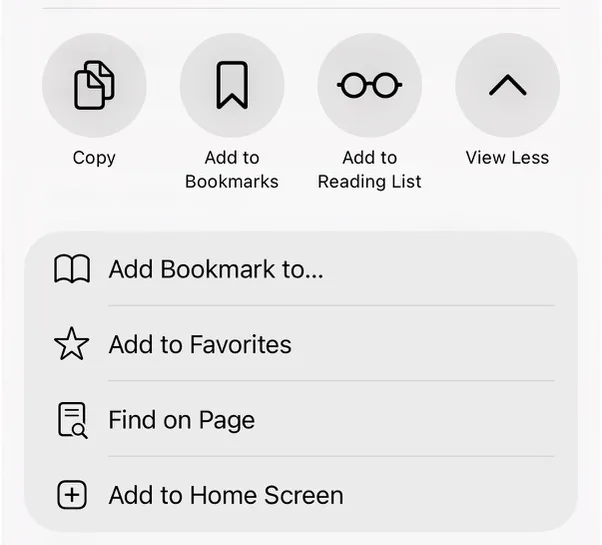
On an iPhone or iPad, open app.hey-murphy.com/murphy-aviary.html, tap Share (in newer Safari it sits under the ••• button) and choose Add to Home Screen. On Android and desktop Chrome, Murphy offers the install itself when you arrive.
The Safari share sheet: Add to Home Screen is near the bottom.
The map
How Aviary is laid out
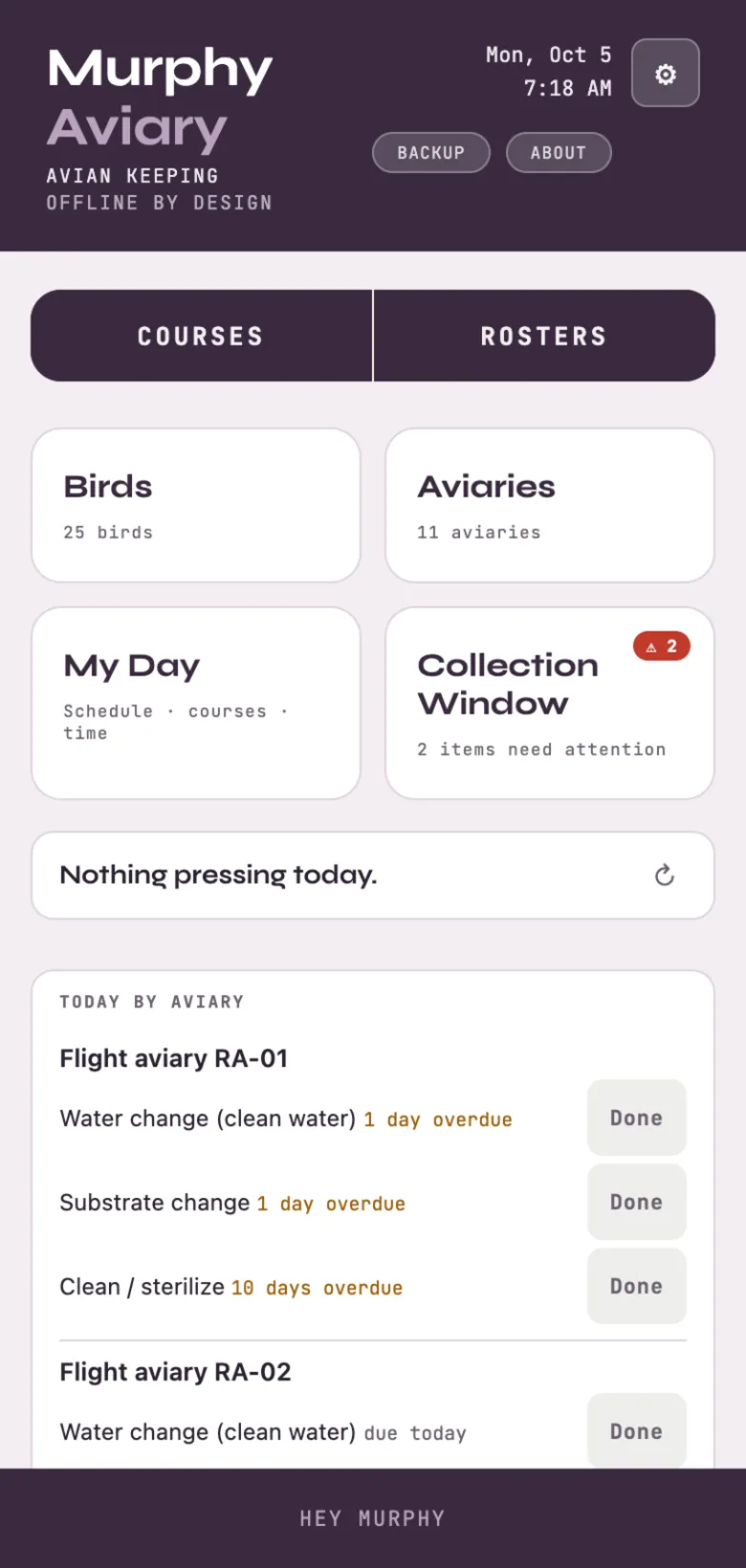
Home is the whole app at a glance.
Courses | Rosters: the routines you run (a course) and the saved groups you run them on (a roster).
Birds: every bird and flock, with Feeding, Health, Breeding and Training tabs across the top.
Aviaries: every aviary, with its equipment, furnishings, care schedule and move history.
My Day: your schedule, courses and time. Collection Window: everything that needs attention.
Today by aviary: what each aviary is due for today, with a Done button on each line.
Backup at the top writes a complete file of your records. The gear holds settings, your account and the Color choice.
Home, with Today by aviary below the cards.
Start here
Birds, bands and flocks
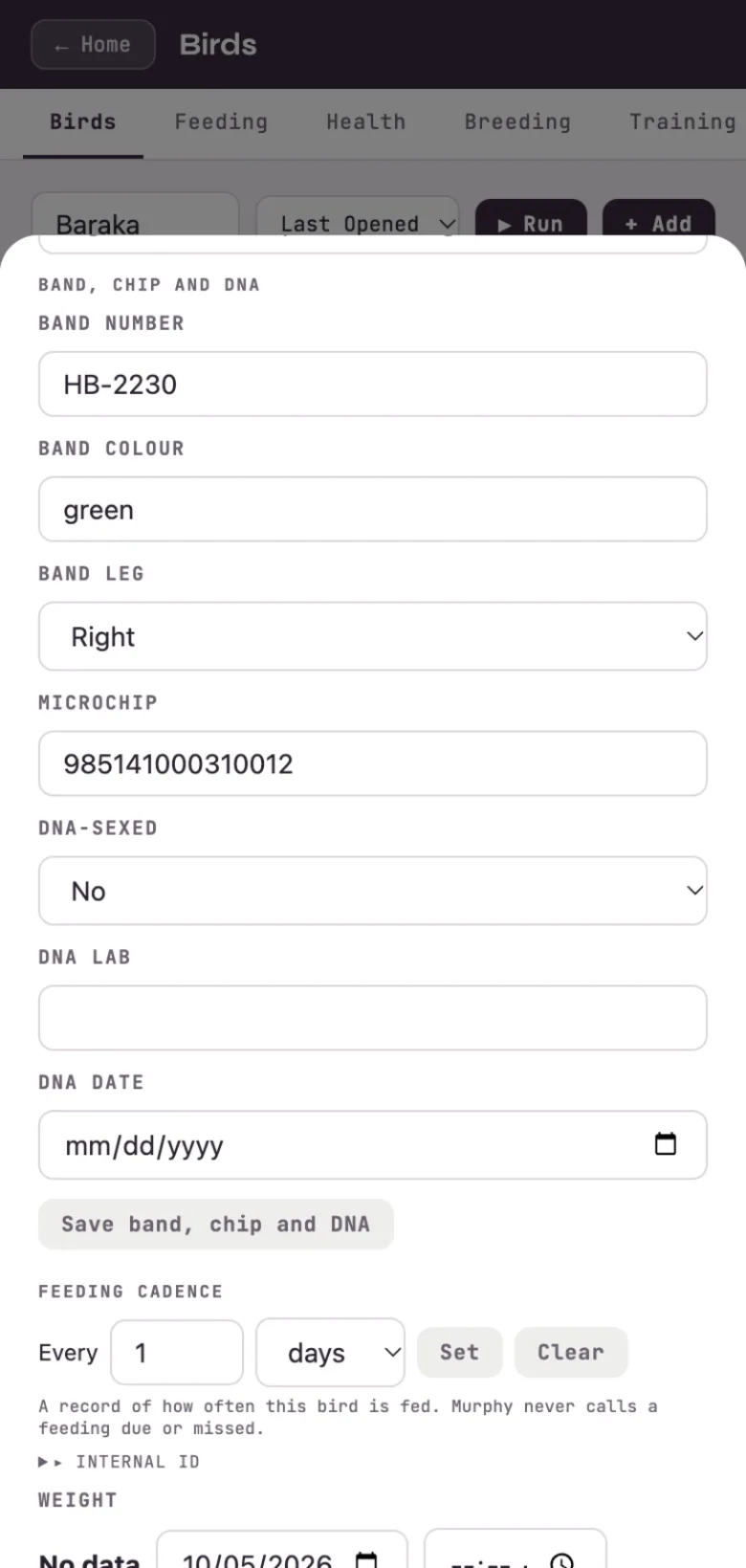
Add a bird with + Add on the Birds screen. Each bird's Info tab holds its names and species, its aviary, and a Band, chip and DNA section: band number, band color and leg, microchip, and whether it has been DNA-sexed, with the lab and date. Save band, chip and DNA keeps them.
A flock is one record with a count, for birds you manage together. When one bird needs its own record (a health issue, a pairing), pull it out of the flock and the flock's count goes down by one.
The feeding cadence on a bird is a record of how often it is fed. Birds are fed every day, often several times, so Aviary never calls a feeding due or missed.
Band, chip and DNA on a bird's Info tab.
Fast
Moving birds
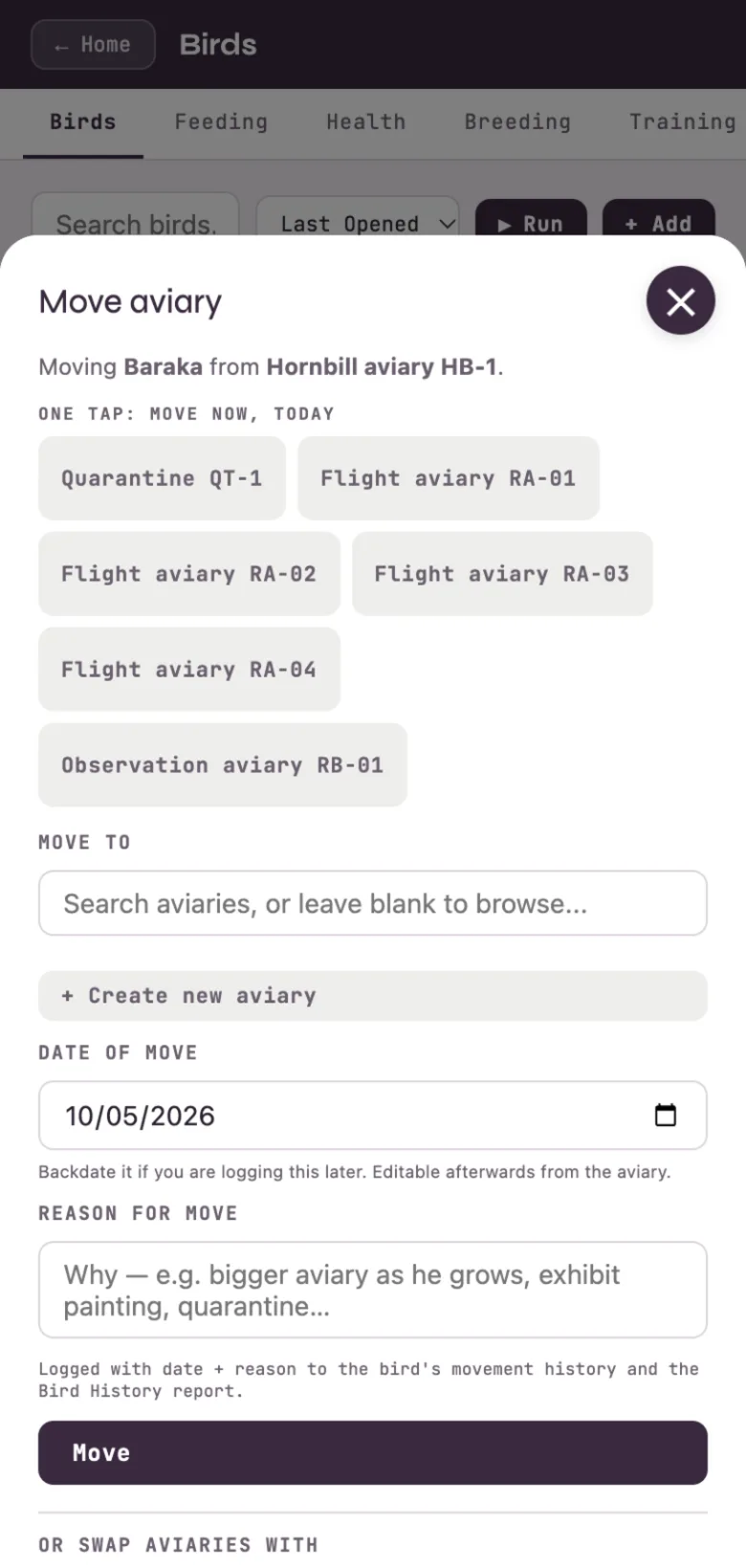
On a bird's Info tab, tap Move next to its aviary. The top of the sheet is a row of one-tap buttons: tap an aviary and the bird moves now, dated today. Or search for an aviary (or create one), set the date if you are logging it later, and add the reason.
Every move lands in the bird's movement history and the Bird History report, and the aviary's Recent moves shows who logged it. To move several birds at once, select them on the Birds screen and use Move there.
One tap moves the bird now; the date and reason are there when you need them.
Every day
Daily care by aviary
Each aviary has three care logs: Water change (clean water), Substrate change, and Clean / sterilize. Give each one how often you do it, in days, and it shows on Today by aviary when it is due. Tap Done to log it. A log with no schedule is never due.
Bathing, misting and showers are enrichment for birds, so they are logged on the Enrichment form, where one tap fills them in.
Condition
Body and feathers
A bird's Body tab keeps the records that tell you how it is doing:
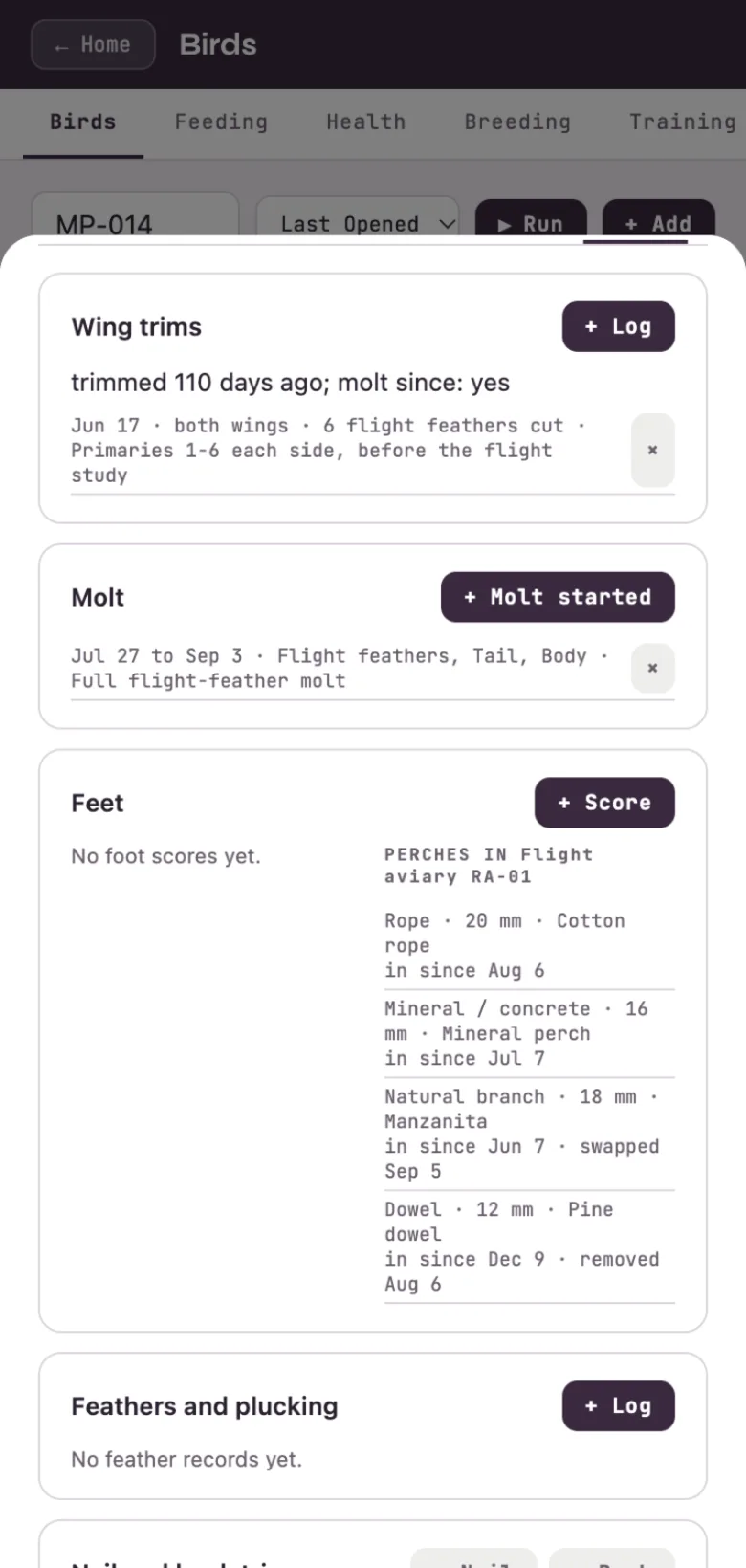
Wing trims: date, which wing and how many flight feathers. The top line says how long ago it was trimmed and whether it has molted since.
Molt: when it started and ended, and which feather areas.
Feet: a score for each foot from 1 (no concerns) to 5 (severe), in your own judgment, shown next to the perches in that bird's aviary.
Feathers and plucking: area, severity, and the trend over time.
Nail and beak trims.
Wing trim and molt, then the feet panel beside the aviary's perches.
The aviary itself
Perches and furnishings
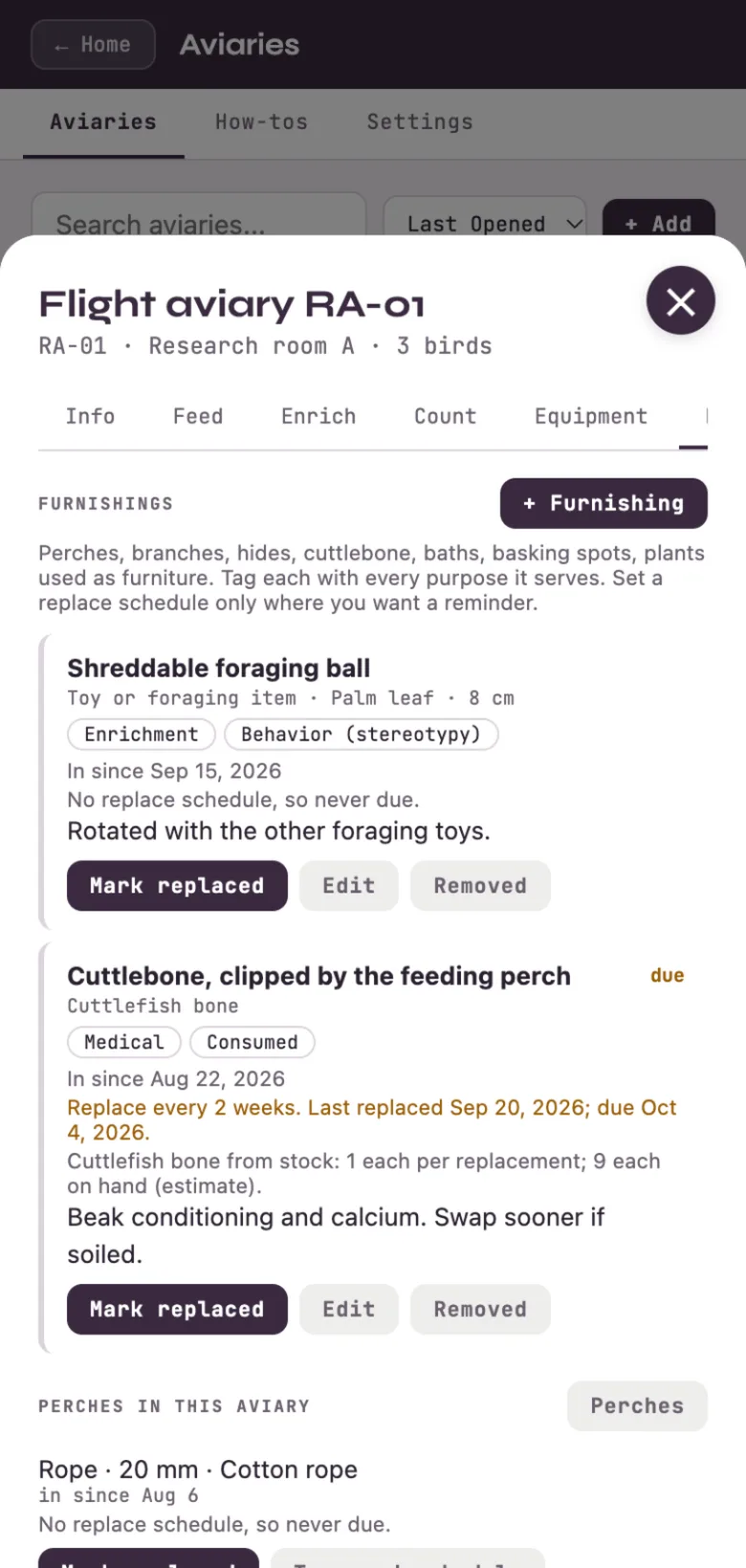
An aviary's Furnishings tab lists what is in it: perches, branches, foraging toys, cuttlebone, baths. Tag each item with every purpose it serves (enrichment, medical, behavior, cleaning, consumed). There is no single category, because a perch can be all of those.
Set a replace schedule only where you want a reminder, and Mark replaced when you swap it. A consumed item such as cuttlebone can draw from your ingredient stock, so each replacement takes one off the shelf. Perches keep their own Perches tab too, with diameter, material and swap history.
A cuttlebone tagged medical and consumed, due for its two-week swap.
Nectar on time
Food and prep
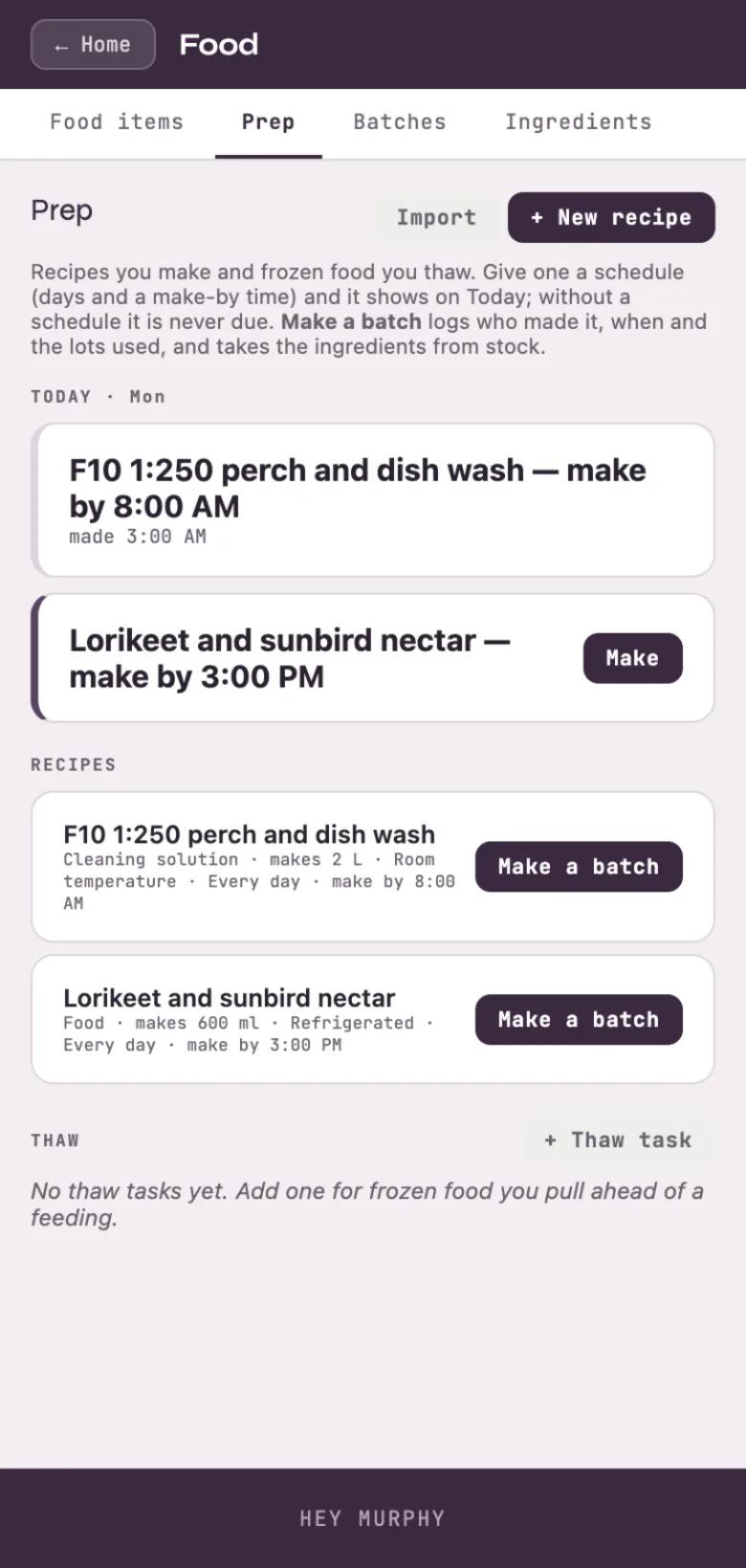
Open Birds → Feeding → Prep. A recipe holds its ingredients and amounts, how much a batch makes, and how it is stored. Give it a schedule (days and a make-by time) and it shows on Today; without one it is never due. Make a batch logs who made it, when, and the lot numbers used, and takes the ingredients from stock.
A food recipe joins the food menu, so a feeding can name the batch it came from. Cleaning solutions work the same way, with a dilution and a contact time. Import brings recipes in from a spreadsheet or pasted text; nothing saves until you tick the rows.
Nectar to make by 3:00 PM; the morning wash already made.
Repertoire
Training
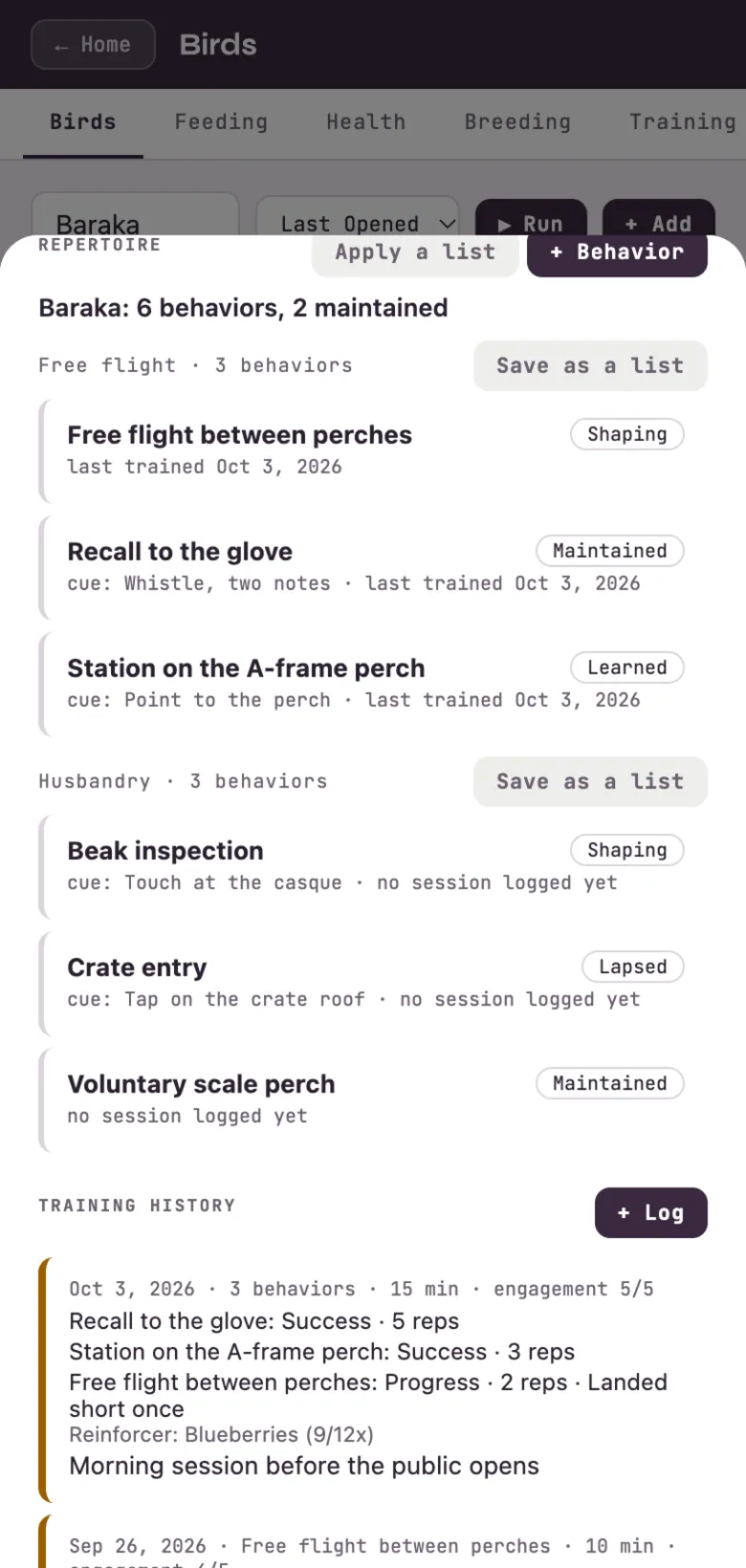
A bird's Training tab starts with its repertoire: every behavior it knows or is learning, grouped by discipline (free flight, husbandry, or any discipline you name). Each behavior has an optional cue and a stage you set: Shaping, Learned, Shared (another trainer can use the cue), Maintained or Lapsed. Every stage change is dated and kept.
One session can log several behaviors, each with its own result and reps. Save as a list turns a discipline into a list you can apply to the next bird, ticking only the lines you want.
Six behaviors in two disciplines, and a session that covered three of them.
Dates out and in
Calendar
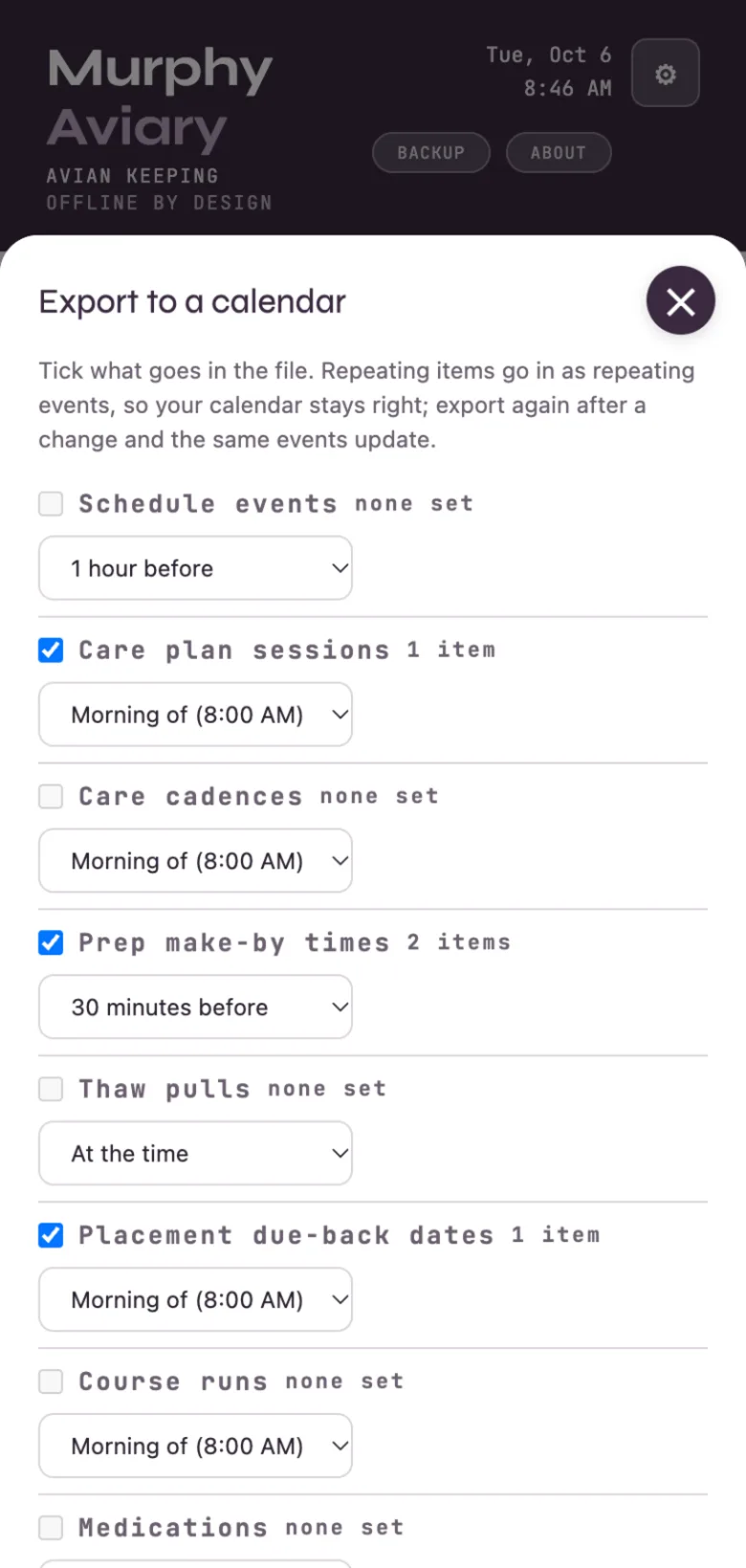
Calendar. In My Day → Schedule, Export writes a file for Apple, Google or Outlook. Tick the kinds that go in: schedule events, care plan sessions, care cadences, prep make-by times, thaw pulls, placement due-back dates, course runs and medications. Each kind has its own reminder preset, and you set the morning time that "morning of" reminders use. Notes, staff, care providers, placement parties and fees go in only if you tick Include private details, which starts unticked every time. Import lists a calendar file's events with none ticked; tick the ones to add. When an event names one of your birds, Murphy suggests it and you confirm. Importing the same file again adds no duplicates.
When you save something with dates, such as a medication course, a care plan or a course with days, Murphy offers Add to calendar?Add downloads a file with just that item. Don't ask again turns the offer off; Ask "Add to calendar?" after I save something with dates, on the export sheet, turns it back on.
The Aviary export: care plans, prep make-by times and a due-back, ticked.
Optional · paid
Keeping your records safe
Everything above is free and lives on your device. Backup writes a complete file you can keep anywhere, and Restore from Backup brings it back onto any device.
If you want the records to outlive the phone, open the gear and choose Account to sign in and turn on Keep It Safe. Syncing is optional and additive: your records keep saving on the device either way.
 Murphy Aviary · How-to guide