You do not need to read this front to back. The part that matters is the first section: add a few of your animals. Do that and Murphy stops feeling empty and starts feeling like your collection. Everything else you can come back to. Murphy works fully offline and lives on your device; nothing here needs a signal, a login or the cloud.
Murphy runs in your browser, but you do not want to dig up a link every morning. Add it to your Home Screen once and it opens like any other app: its own icon, full screen, no address bar. It works fully offline once it is there.
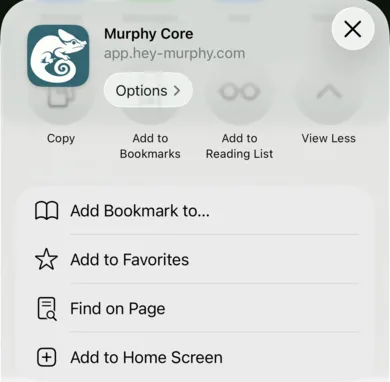
Open app.hey-murphy.com, tap the Share button, and choose Add to Home Screen. On Android and desktop Chrome, Murphy offers the install itself when you arrive.
Do it before you enter many animals. Records save in a plain browser tab too, but a browser can clear a tab's storage when space runs short, and it treats an installed app's storage as something to keep. Murphy tells you on screen when your records are living somewhere that is not yet durable, and the install is the fix.
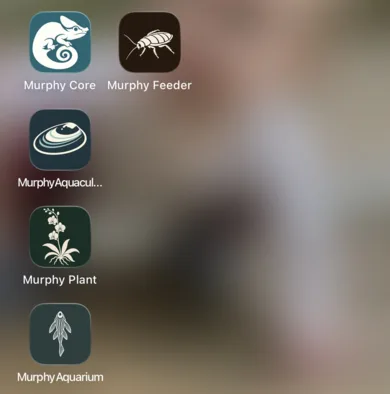
Share, then Add to Home Screen. Murphy Core then opens from its own icon, beside the other Murphy apps.
The map
How Murphy is laid out
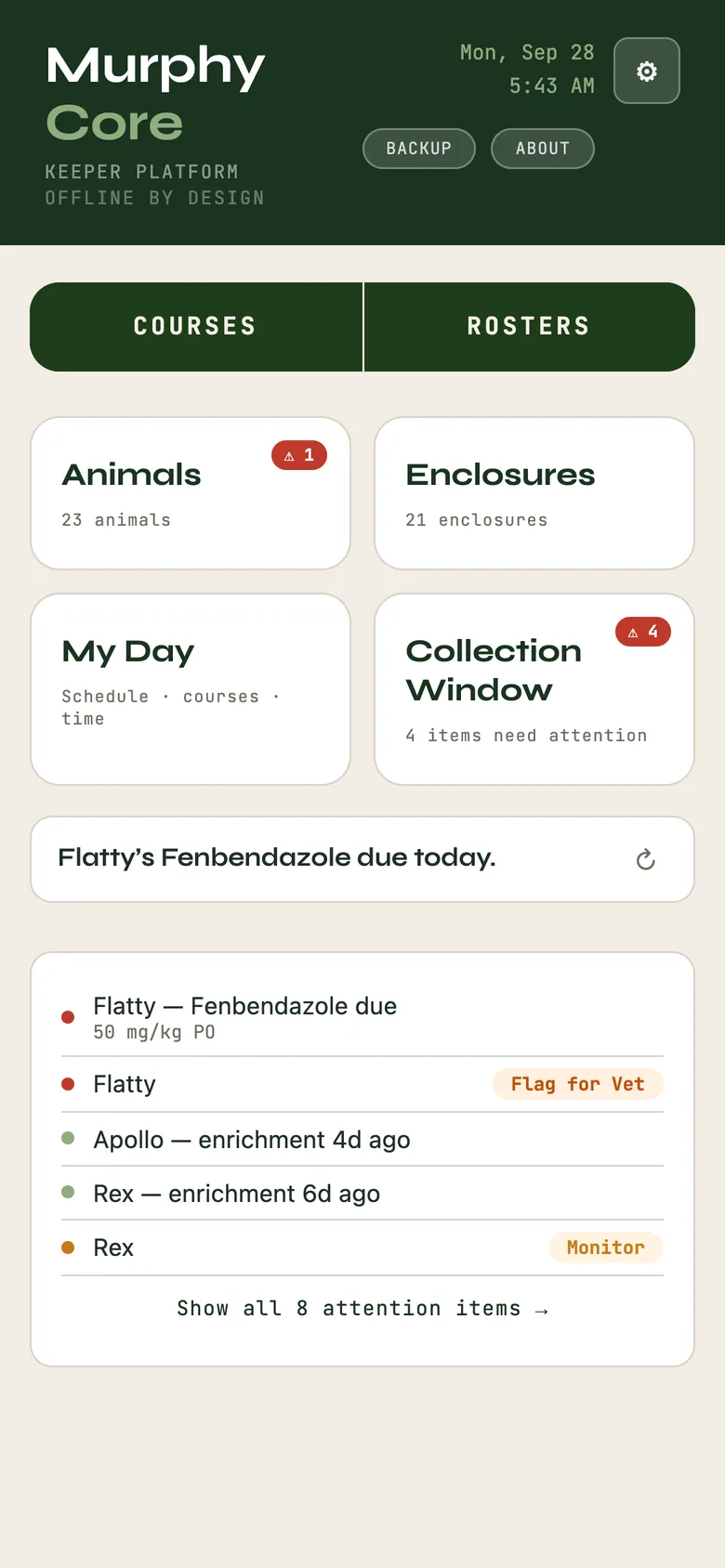
When you open Murphy you land on Home, a dashboard with four cards:
Animals: your collection, where you add and open each animal, with Feeding, Hydration, Health, Breeding, Training, Enrichment, Ambassador, Care and Placements across the top.
Collection Window: what needs attention right now, and every way to slice the whole collection.
Enclosures: your habitats with their temperature and humidity targets, how-tos and settings.
My Day: your schedule, courses, daily rhythm, controls and reports.
Above the cards sit Courses and Rosters: your recurring work and your named working lists. Tap a card to go into it; the back arrow always returns you here. That is the whole map.
Home: the four cards, your Courses and Rosters, and what needs you today.
Start here
Add your first animal
This is the whole thing. Murphy is quiet until your animals are in it, and an empty Murphy is hard to judge. A few minutes here changes that.
From Home, tap Animals.
Tap + Add.
Fill in what you have. Only a couple of fields matter to start: a common name, a nickname if you use one, and the species. Start typing the common or scientific name and Murphy suggests the taxonomy; pick it and the scientific name fills in.
Save. That is one animal in.
Now do it a few more times. Do not overthink the fields; everything in Murphy is editable later. The goal is to get past empty so the app has your real animals to work with. Every new animal starts not scored: Murphy never assigns a welfare number it has no basis for.
Keep a lot already? The gear menu has Add multiple animals for entering several at once, Import spreadsheet for a CSV or Excel file, and Import from ZIMS for a Species360 specimen report. Groups and schools are animals too: Track as a group or school keeps a count with its certainty instead of forcing one record per fish or frog.
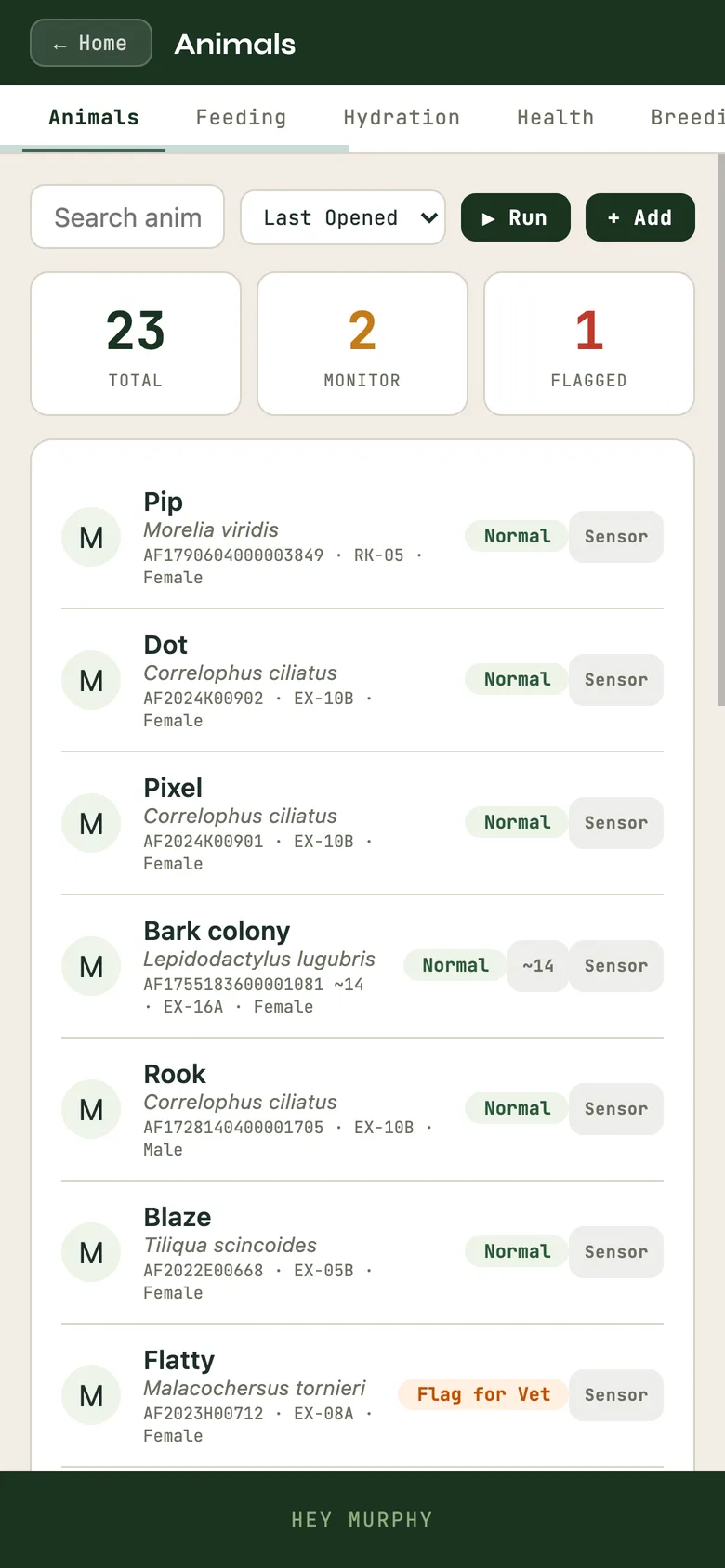
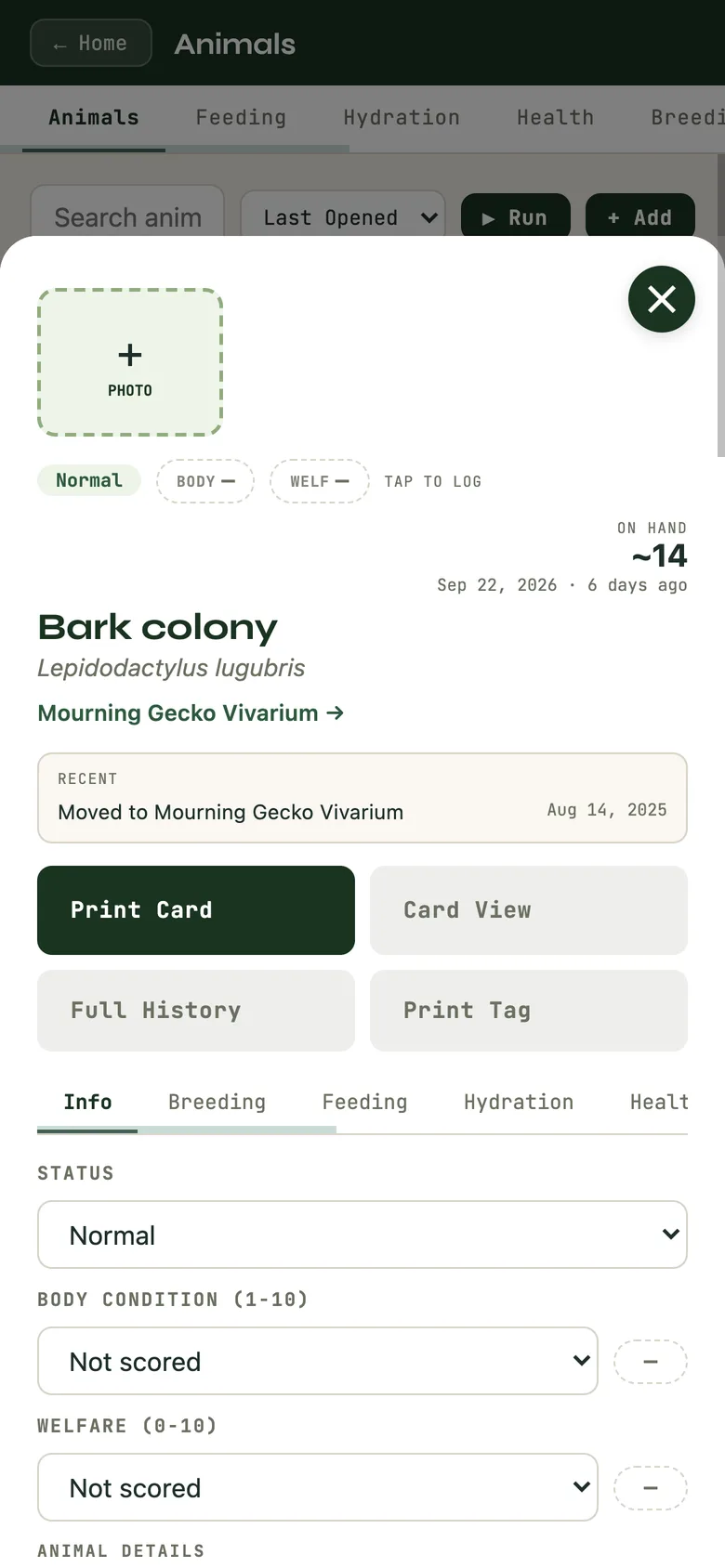
The Animals list. A group like the Bark colony shows its count (~14) in the row.
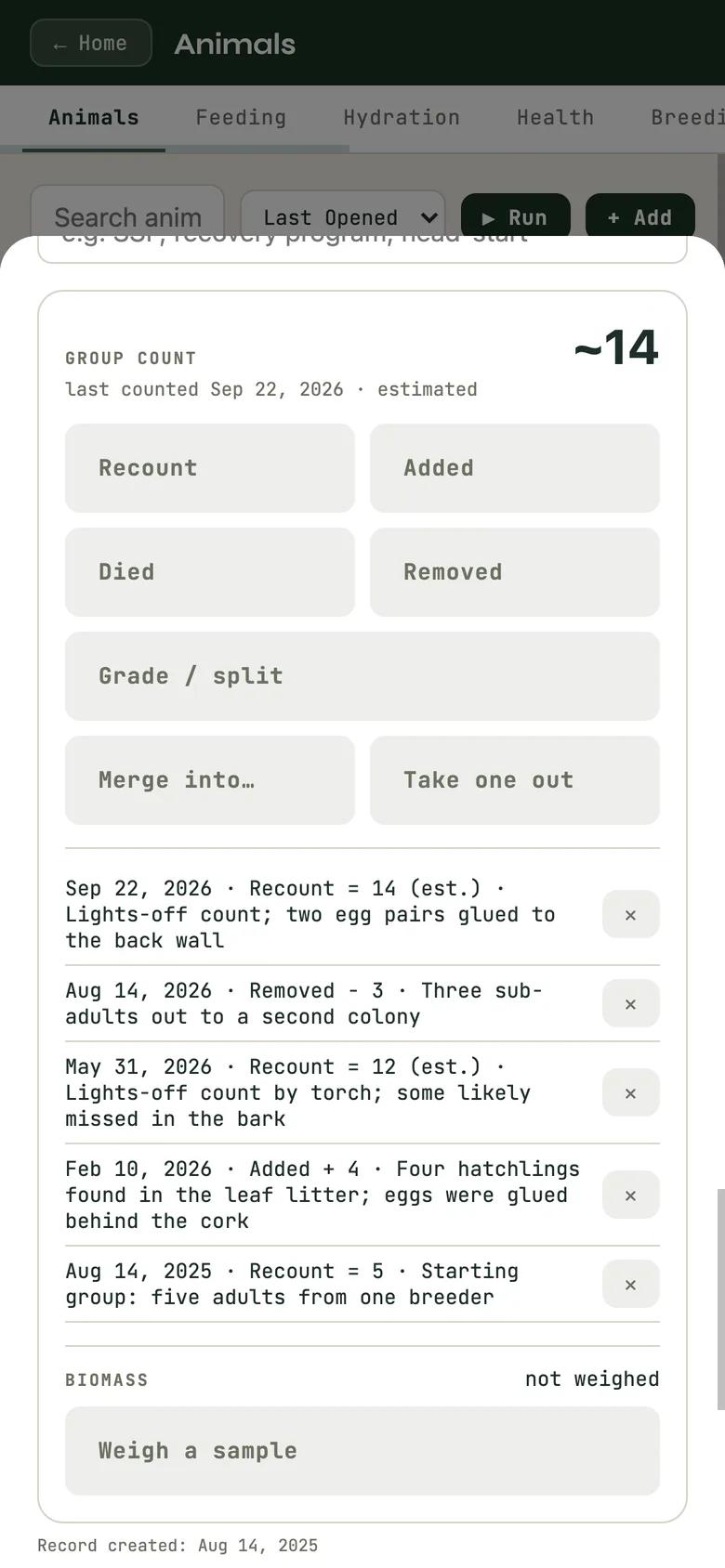
A group's record leads with its count; the count panel says how sure it is and keeps every recount.
The first-coffee moment
The Collection Window
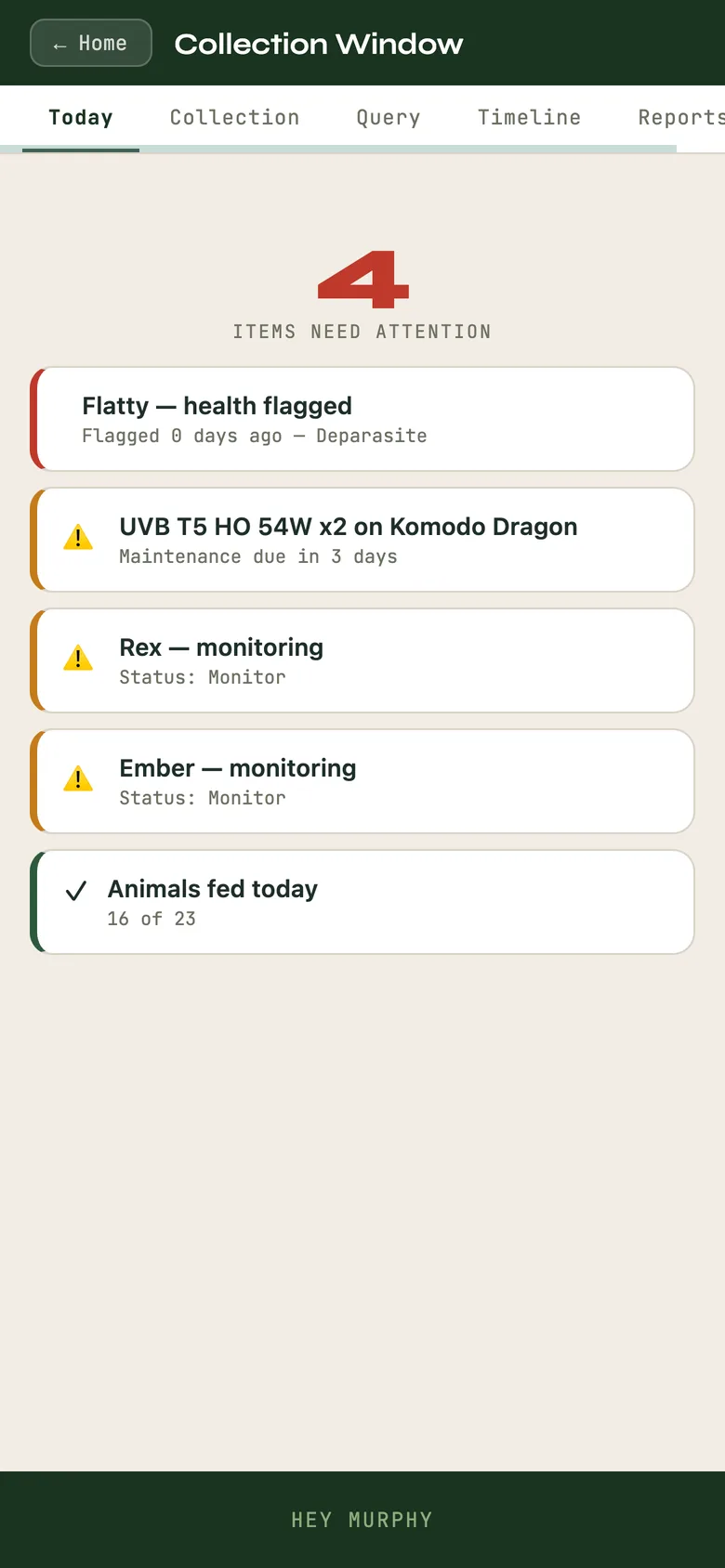
Back on Home, tap Collection Window. The Today tab is your attention surface: it counts what needs you and lists it in plain language, an enclosure whose service is overdue, an animal flagged to monitor, a clutch due to be checked. Each item says where and what, and tapping it takes you straight there.
The other tabs, Collection, Query, Timeline and Reports, slice the whole collection and pull citation-ready exports. Every export carries a header: facility, platform, export date, and the fact that the data is held on the device.
It is built for the moment you open Murphy with your first coffee: see what needs doing, go.
Collection Window, Today tab: what needs you, in plain words.
One animal, in one place
Everything about an animal, together
From Animals, tap any animal to open its record. Across the top are tabs, each one a part of that animal's life Murphy keeps:
Info: status, provenance, life stage, the basics, and the chips that give you the at-a-glance read.
Breeding: pairings, clutches and lineage for this animal.
Feeding: what was offered, how much was taken, refusals, mixed items with percentages.
Hydration: soaks, misting, water, on its own cadence.
Health: weights, medications and courses, a body map for wounds, sheds, notes.
Enrichment and Training: sessions and progress, with no aversives to log because Murphy does not offer them.
Ambassador, Stereotypy, Welfare and Score: behavioural and program tracking with the welfare floor built in.
The welfare floor
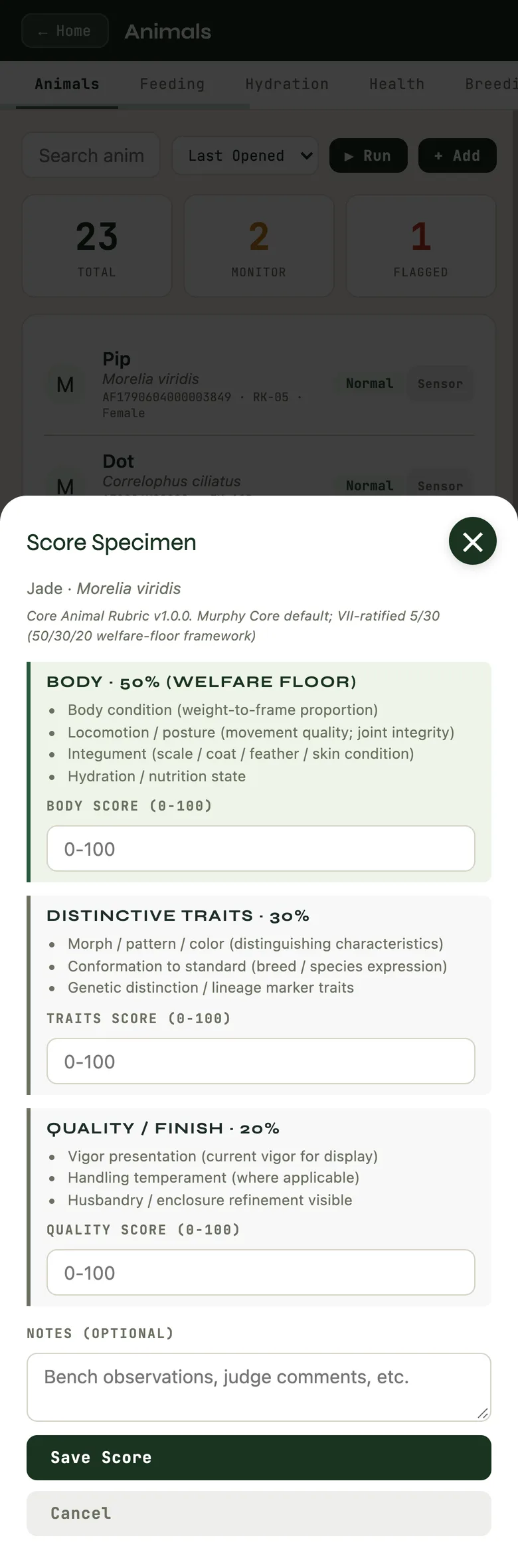
Score opens a 0 to 100 rubric: 50% body condition, 30% distinctive traits, 20% quality and finish. Body condition is the floor. An animal cannot score well on looks while its welfare lags, because the body half is scored first and the rest only counts when it is not welfare-compromising.
You do not have to use every tab. The point is that everything about one animal lives in one place instead of scattered across notebooks. Provenance has three honest states: wild-caught, captive-bred and unknown. Unknown is data. You do not have to pretend to a certainty you do not have.
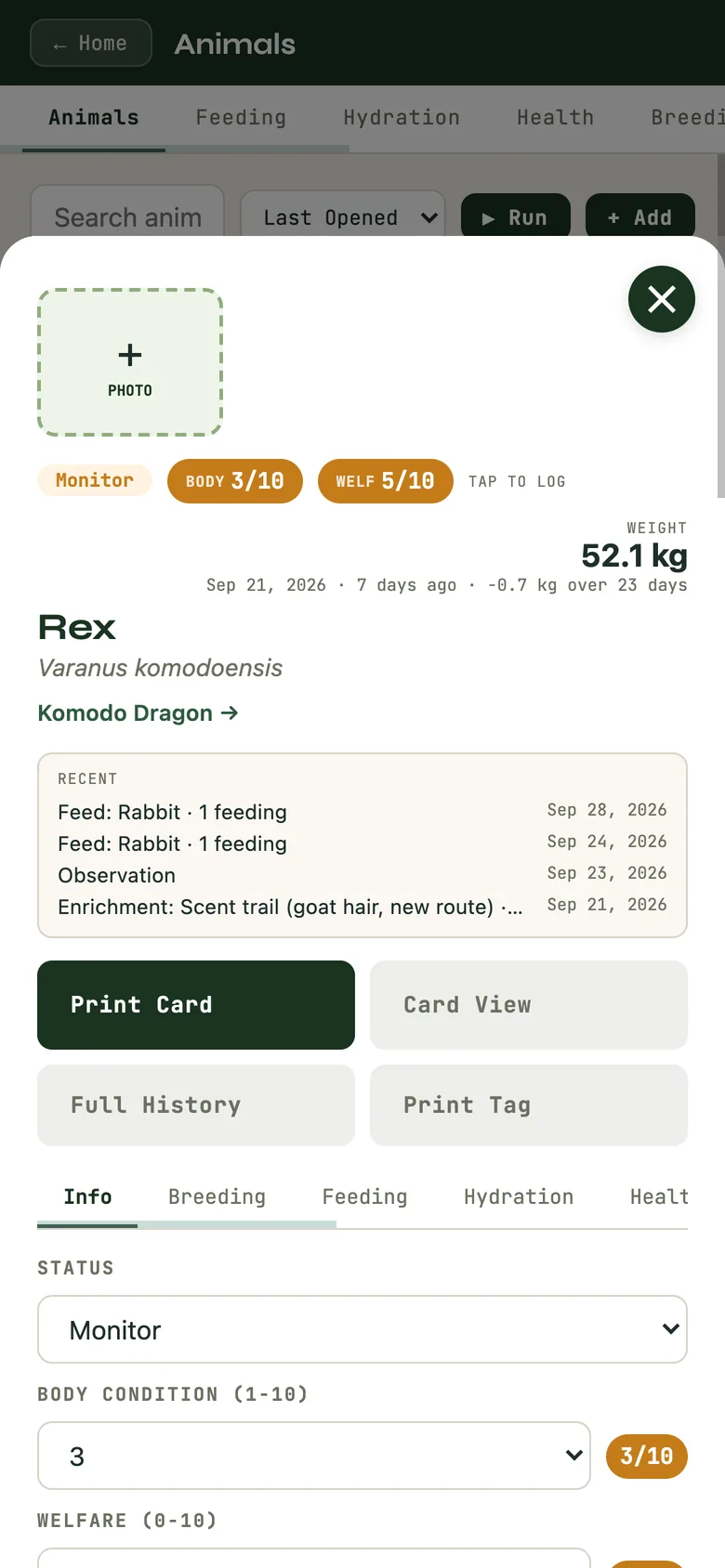
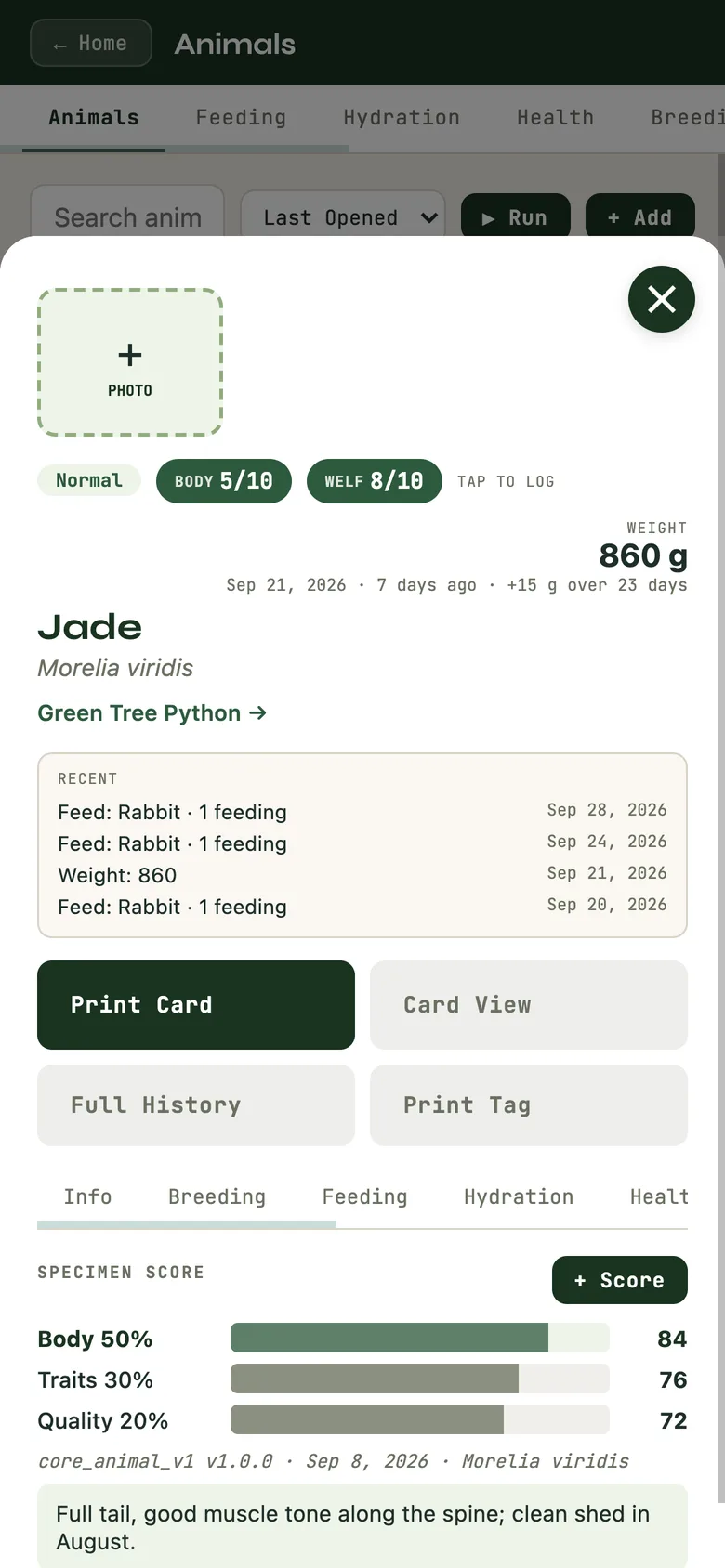
An animal record: status chips, latest weight and trend, recent entries.
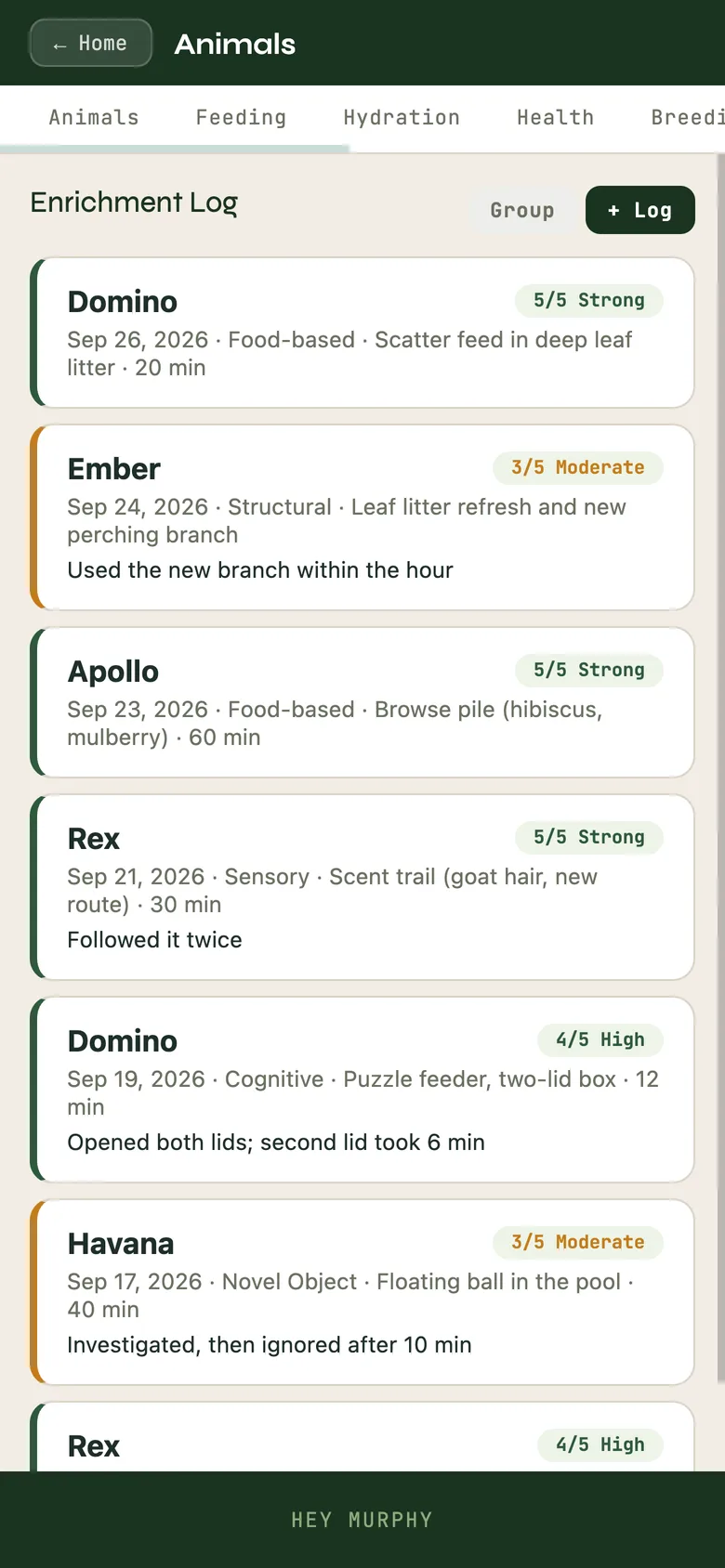
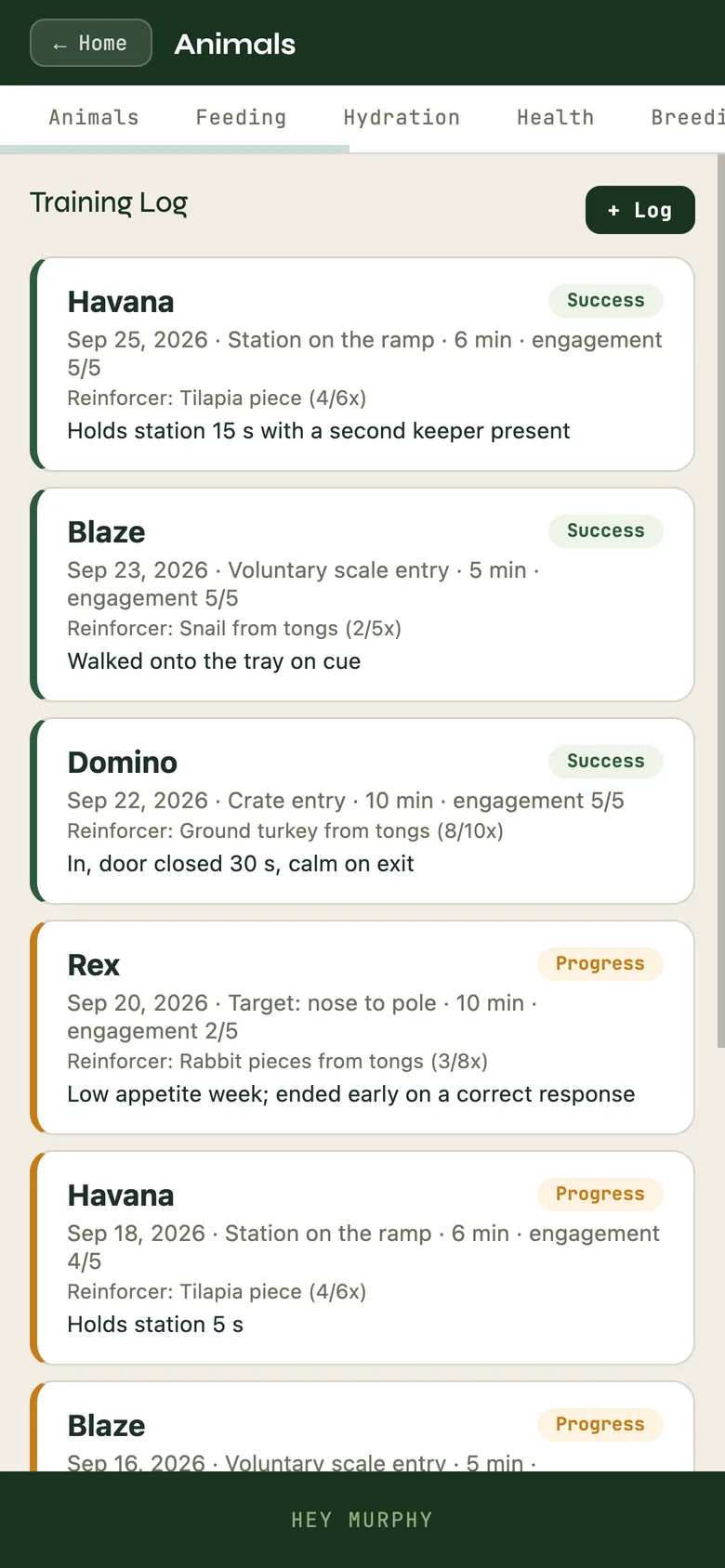
The Enrichment log and the Training log: what was offered, how the animal responded, the reinforcer and the outcome.
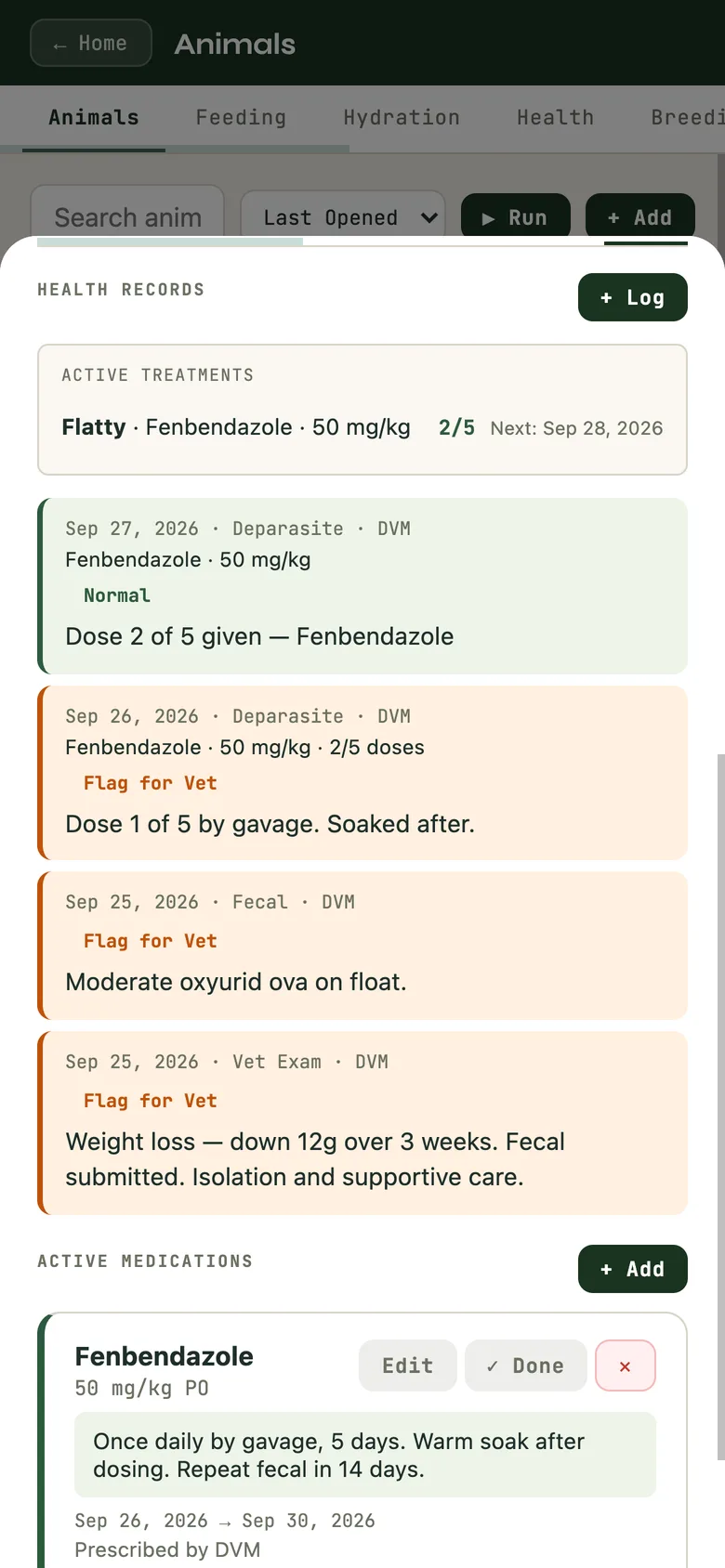
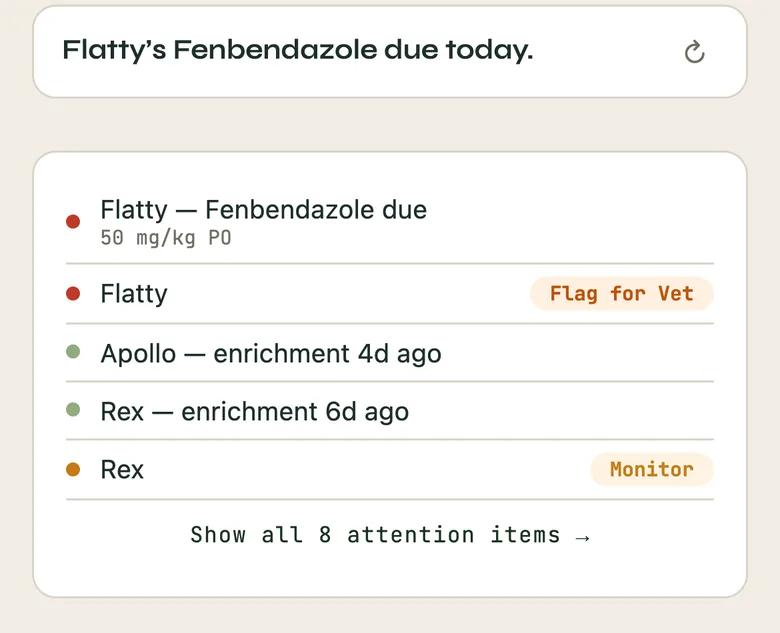
A medication course on the Health tab, doses given and the next one; the dose due today shows on Home.
Scoring an animal: body 50% (the welfare floor), traits 30%, quality 20%. A saved score keeps its three parts.
If you breed
Breeding and lineage
The Breeding tab is where Murphy goes deep.
Set up a pairing and track it as a real event.
Log a clutch, or a litter for live-bearers, or a spawn for fish and amphibians, and follow it to its outcomes. A brooding parent is recorded as brooding, not gravid: mouthbrooders and males carrying young are their own thing and Murphy says so.
Register hatchlings or offspring. Murphy runs the F-generation math and the sire and dam inheritance for you, and a clutch can graduate as individuals or as a school.
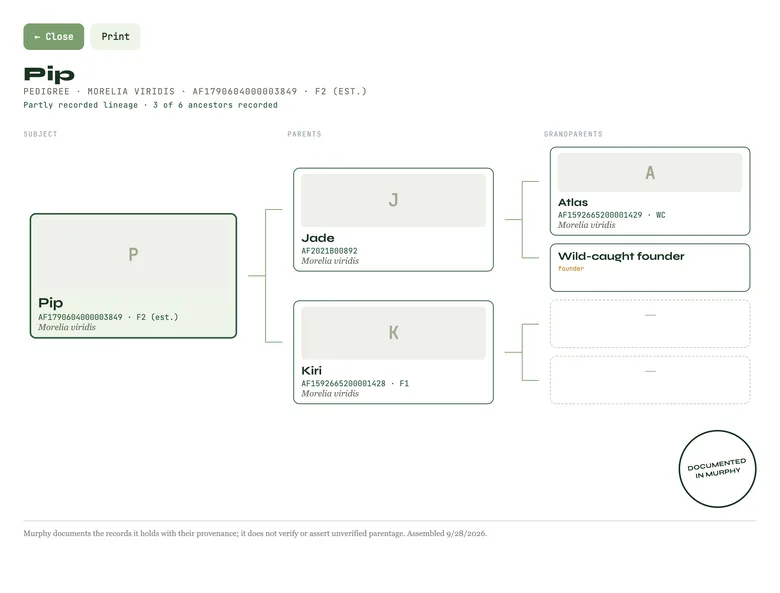
Walk multi-generation lineage: the pedigree builds as you go, and the Pedigree Certificate prints it.
Not sure who the mother is in a group? Parentage confidence records the candidate dams and how sure you are, instead of forcing a false certainty.
Recorded, asserted, unknown
Every lineage entry states what it rests on: recorded, bred in this collection with the chain intact; asserted, a named source said so; or unknown, stated plainly. Murphy does not certify that an animal is what a label says. It records how well that is known, and who is making the claim.
If breeding is your daily work, start here and let the rest of Murphy fill in around it.
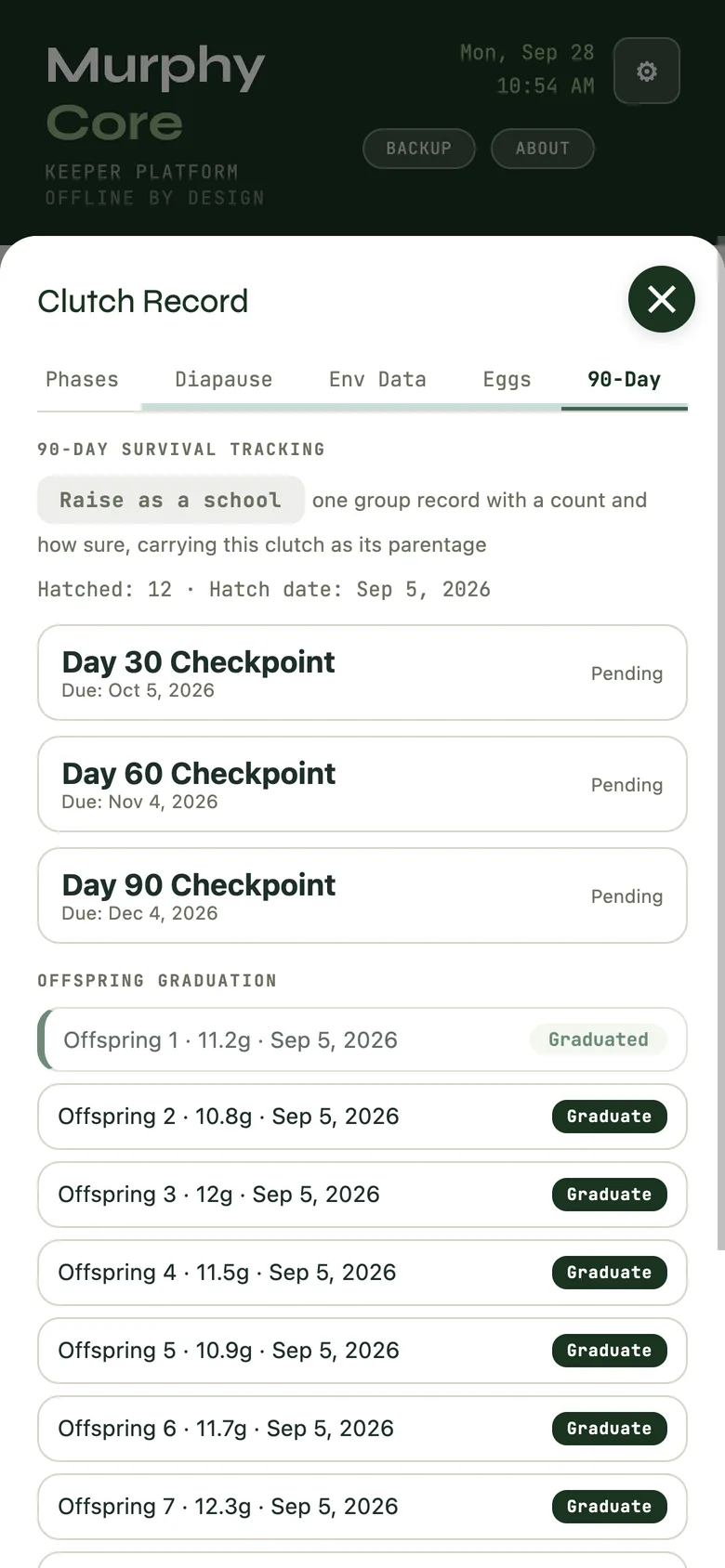
A clutch's 90-day tab: hatch count, the day 30, 60 and 90 checkpoints, and each hatchling ready to graduate.
A pedigree certificate that says how much of the lineage is on record: here, 3 of 6 ancestors.
The habitats
Enclosures
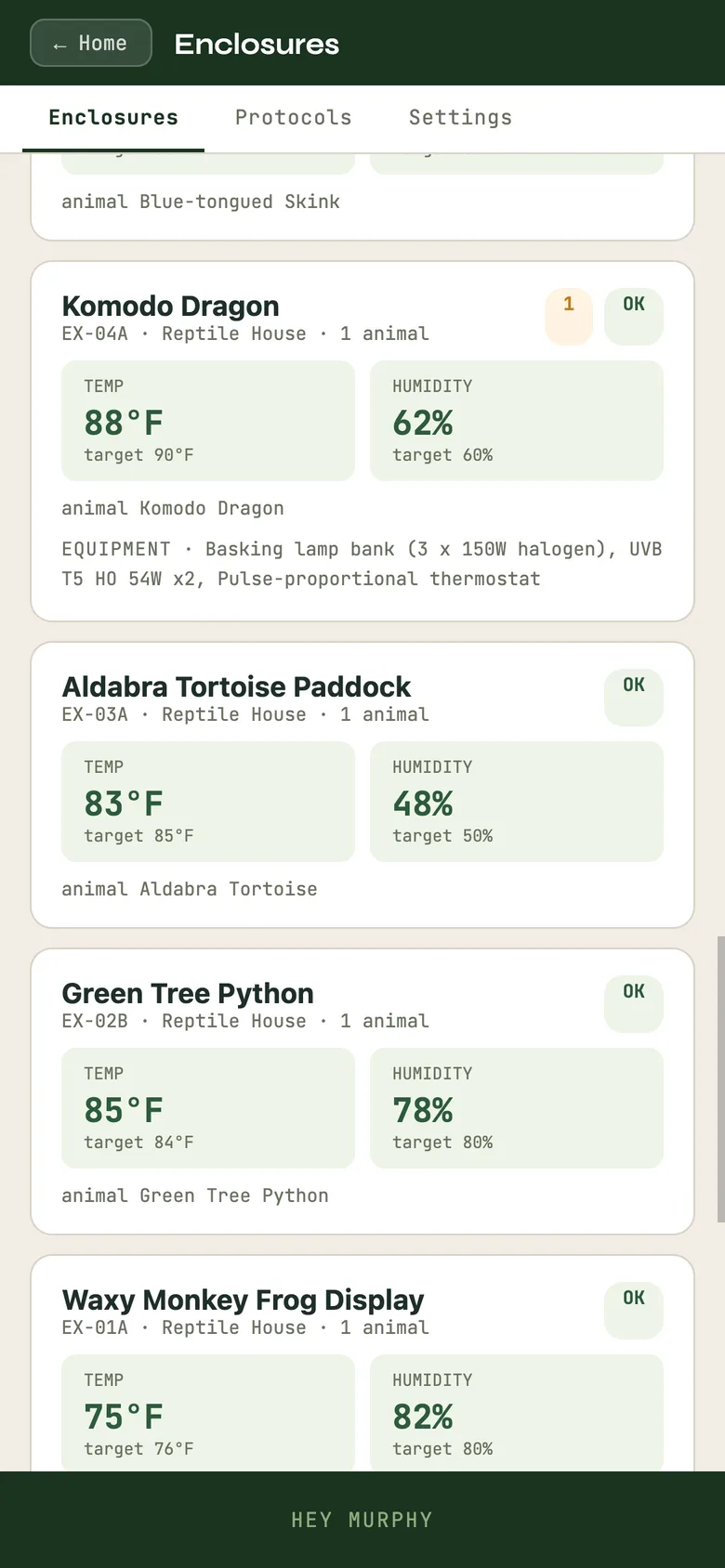
From Home, tap Enclosures. Each enclosure carries its dimensions, its temperature and humidity targets, the animals in it, its equipment with service dates, and its readings. Import sensor logs from a SensorPush export, and view the humidity graph against the targets. How-tos holds the way you do things, step by step; Settings holds the categories and vocabulary Murphy uses for your room.
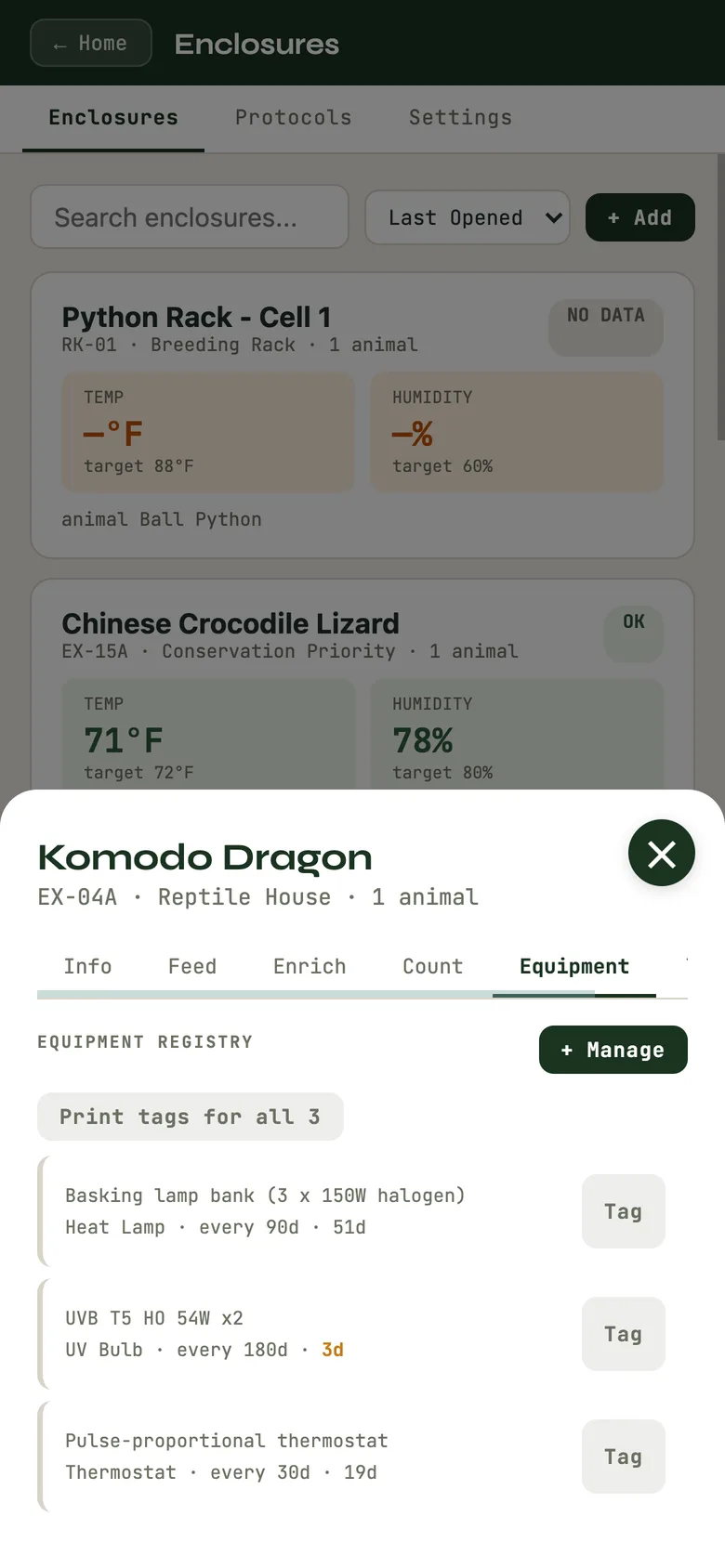
Every animal, enclosure, clutch and piece of equipment can print a QR tag. Any phone camera opens the code and lands on that record.
An enclosure against its targets, with its animal and equipment; the equipment list with what is coming due.
Schedule and daily rhythm
My Day: schedule, courses, calendar
From Home, tap My Day. Five tabs:
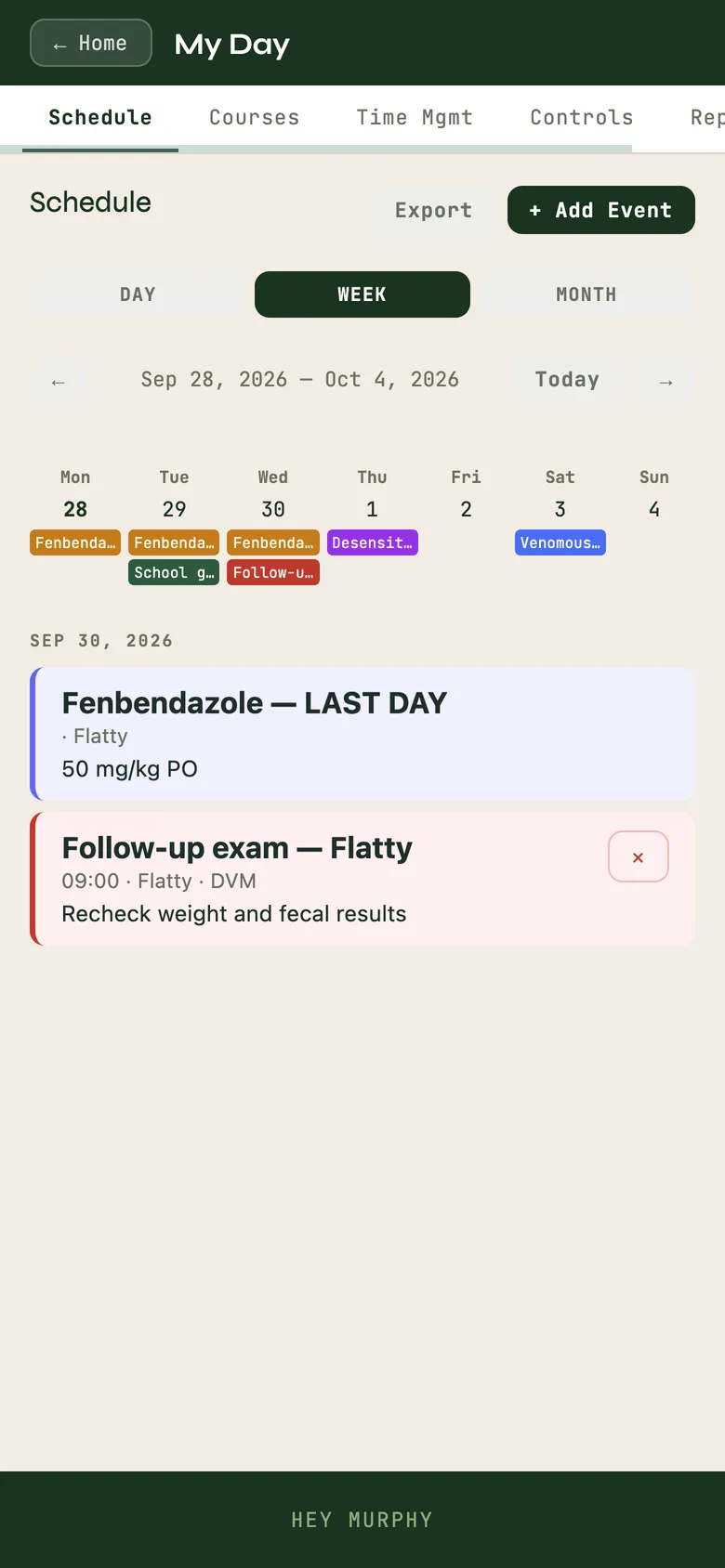
Schedule: a day, week and month calendar of events and medication doses. Add events, step through the week, export.
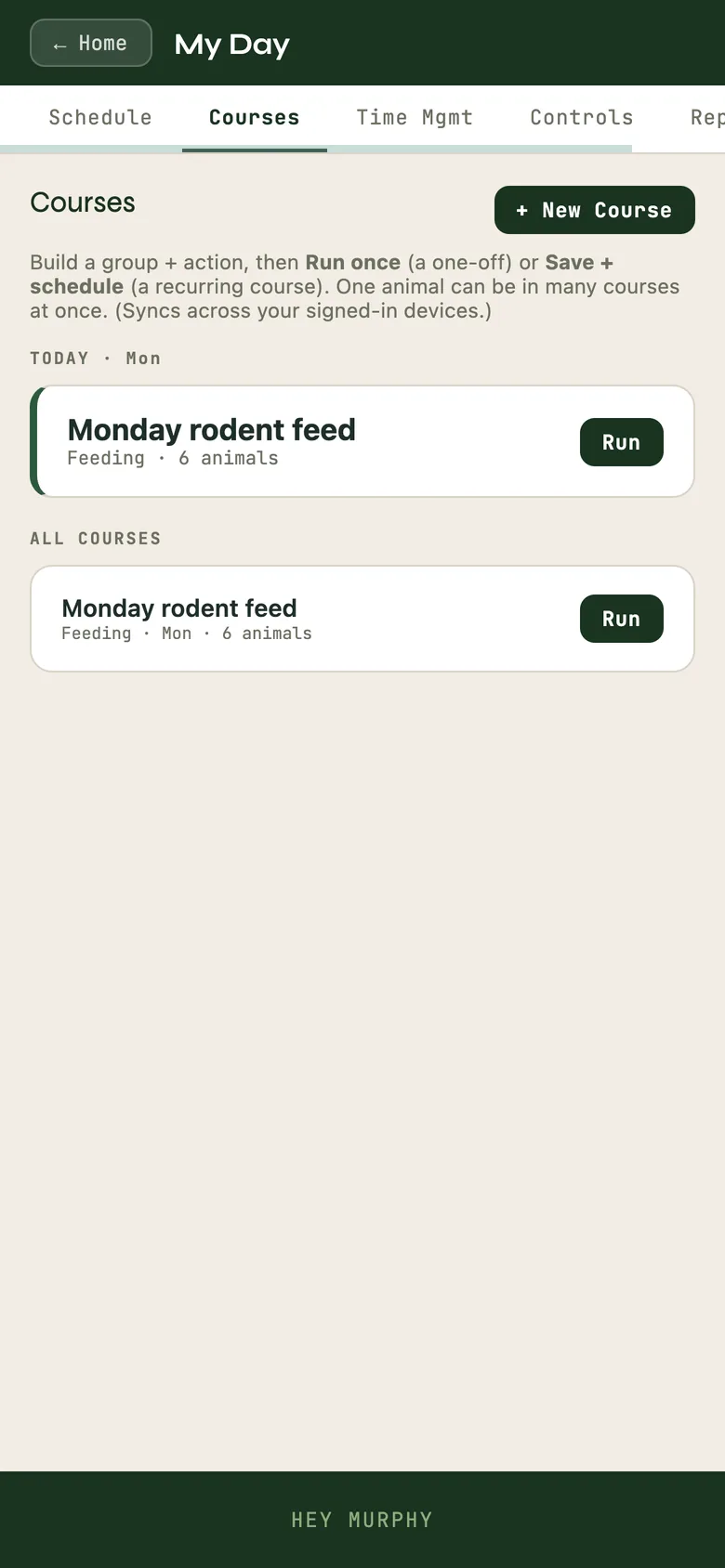
Courses: recurring work across many animals at once. If you run anything on a cycle, feed days, cleaning, weights, a wall chart of who gets what when, this turns the chart into software: name it, set the action and the days, add the animals, and Run it when you do the work. Murphy logs it across the whole group. Murphy also notices a rhythm you already keep and proposes it as a course; you decide.
Time Mgmt: the 5·2·1·20 rhythm (five hours a year, two a month, one a week, twenty minutes a day) and a to-do list.
Controls and Reports: see the next section.
There is no separate task list. Courses run the recurring work. What is due shows on Home and on Collection Window → Today: a feeding or a soak that has run past a weekly-or-longer rhythm, a medication dose, a care session from a plan or cadence you set. A medication dose that is due also shows on the Schedule.
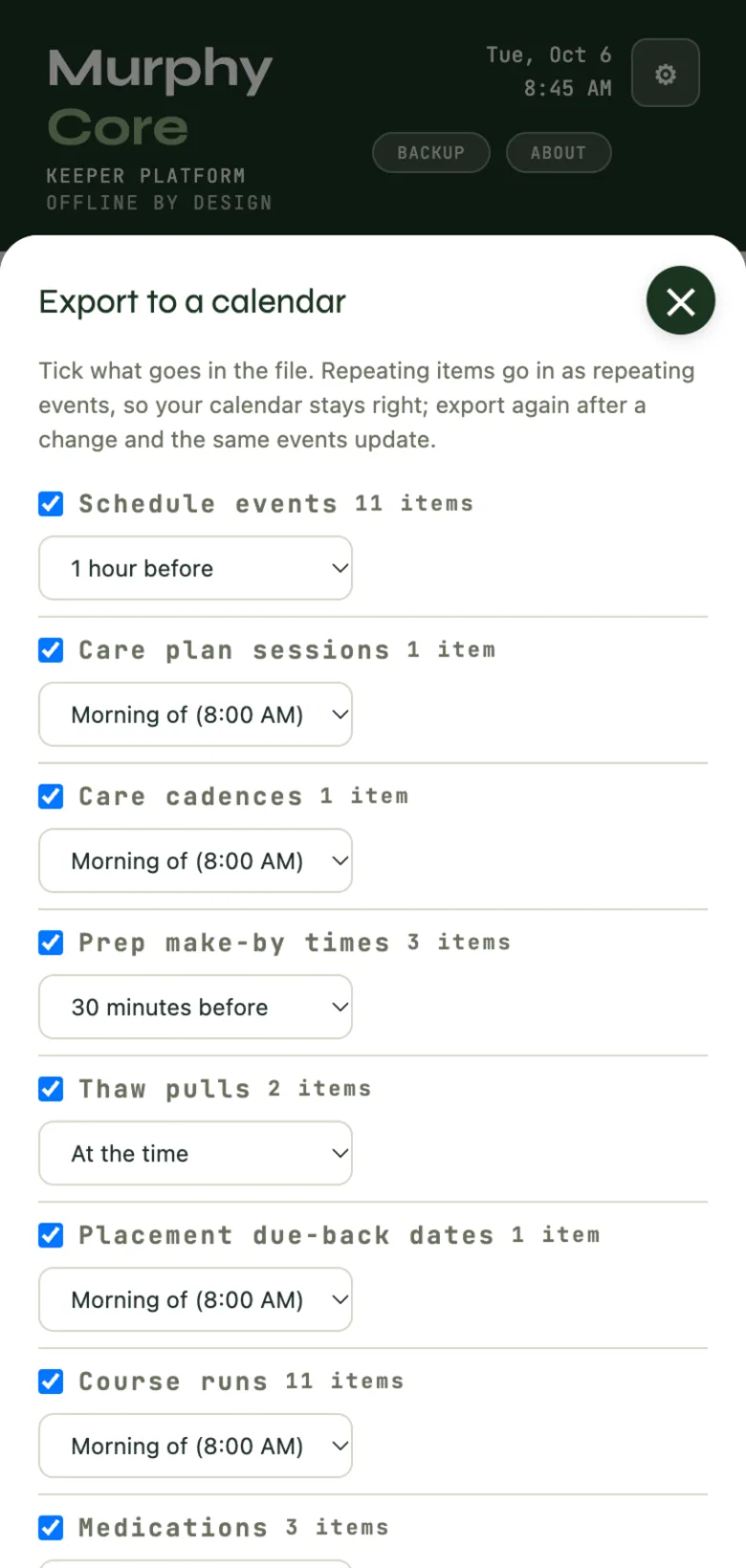
Calendar. In My Day → Schedule, Export writes a file for Apple, Google or Outlook. Tick the kinds that go in: schedule events, care plan sessions, care cadences, prep make-by times, thaw pulls, placement due-back dates, course runs and medications. Each kind has its own reminder preset, and you set the morning time that "morning of" reminders use. Notes, staff, care providers, placement parties and fees go in only if you tick Include private details, which starts unticked every time. Import lists a calendar file's events with none ticked; tick the ones to add. When an event names one of your animals, Murphy suggests it and you confirm. Importing the same file again adds no duplicates.
When you save something with dates, such as a medication course, a care plan or a course with days, Murphy offers Add to calendar?Add downloads a file with just that item. Don't ask again turns the offer off; Ask "Add to calendar?" after I save something with dates, on the export sheet, turns it back on.
Export to a calendar: tick the kinds, each with its reminder preset.
My Day, Schedule week view with a day open; Courses, like the Monday rodent feed.
Getting records out and in
Reports, exports and coming from ZIMS
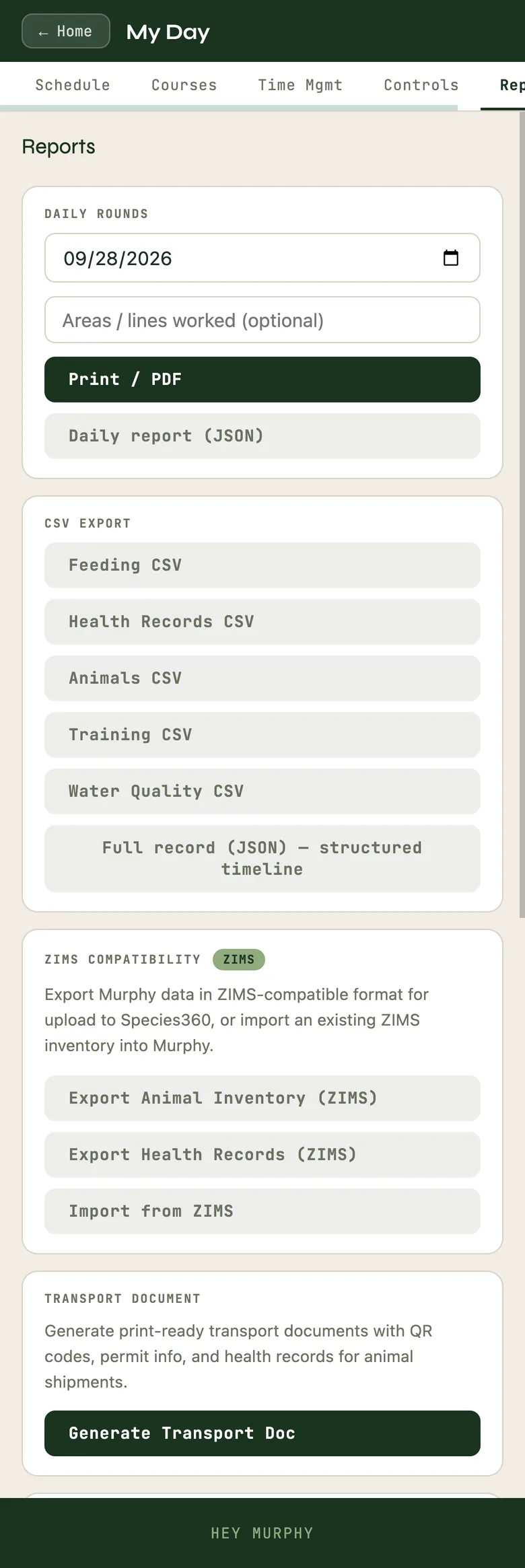
In My Day → Reports you can pull your records out whenever you want: a dated Daily Rounds as print or PDF, a Transport Document, and CSV exports of feeding, health, animals, training and water quality. The gear menu exports the animals list with or without provenance, and the full record as JSON. The Welfare Report and Weekly Summary print from Collection Window → Reports.
ZIMS. Export your Murphy data in a ZIMS-compatible format for Species360, or import an existing ZIMS inventory so you do not retype your collection. Pull a Specimen Report; Murphy tells you if it is the wrong file. Where ZIMS holds fewer states than Murphy does, the export collapses to what ZIMS can carry and your record keeps the full truth.
A preparation aid, not a filing
Transport documents and regulatory exports assist your own paperwork. Murphy cannot know what records it never held, and it does not claim a form revision is current. Confirm with the agency.
The Import wizard. From the gear menu, Import spreadsheet walks you through what you are bringing in: animals, feeding logs, health records, water quality, breeding and clutch records, weights, training, enclosures. One bit of order matters: import your enclosures first, so each animal lands against the right one.
My Day, Reports, with the export buttons.
Optional · paid
Keeping your records safe
Everything above is free and lives on your device. The gear menu has Backup Now and Restore from Backup at any time; your records are always yours to save out.
If you want them to survive a lost or replaced phone, Account signs you in and turns on Keep It Safe, with a password, a magic link by email, or Google. Signing in is optional and additive: your local data keeps saving either way, and syncing only adds an off-device copy. When sync is on, Home tells you plainly whether it is caught up or saving locally until the connection returns. One subscription covers every Murphy program.
 Murphy Core · How-to guide