Murphy Feeder keeps the records behind the animals you feed: roach and cricket colonies, worm drawers, brine shrimp hatches, phytoplankton and rotifer cultures. It tracks how many you have and how sure you are, what left each colony and where it went, and what it costs to feed the collection. Free, offline, on your device.
Feeder runs in your browser, but you do not want to dig up a link every morning. Add it to your Home Screen once and it opens like any other app, full screen, with its own icon. It works fully offline once it is there.
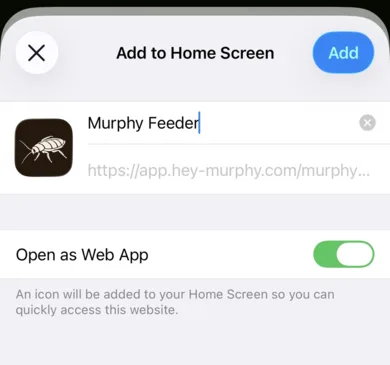
On an iPhone or iPad, open app.hey-murphy.com/murphy-feeder.html, tap the Share button and choose Add to Home Screen. On Android and desktop Chrome, Murphy offers the install itself when you arrive.
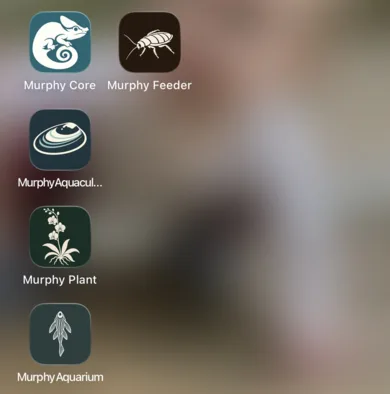
Share, then Add to Home Screen. Murphy Feeder then opens from its own icon, beside the other Murphy apps.
The map
How Feeder is laid out
Five buttons run along the bottom of every screen. Everything in the app lives under one of them.
Home: what is due today, the numbers that matter, and one thing worth doing.
Colonies: your colonies and cultures, plus Harvest, Hatchery, Breeding, Lifecycle and Mortality.
Bins: the containers, plus Environment readings, Feeding and Inputs & Cost.
Analytics: survival, production, cost and growth, a query builder and a timeline.
My Day: Today, field notes, how-tos, time management, reports, settings and help.
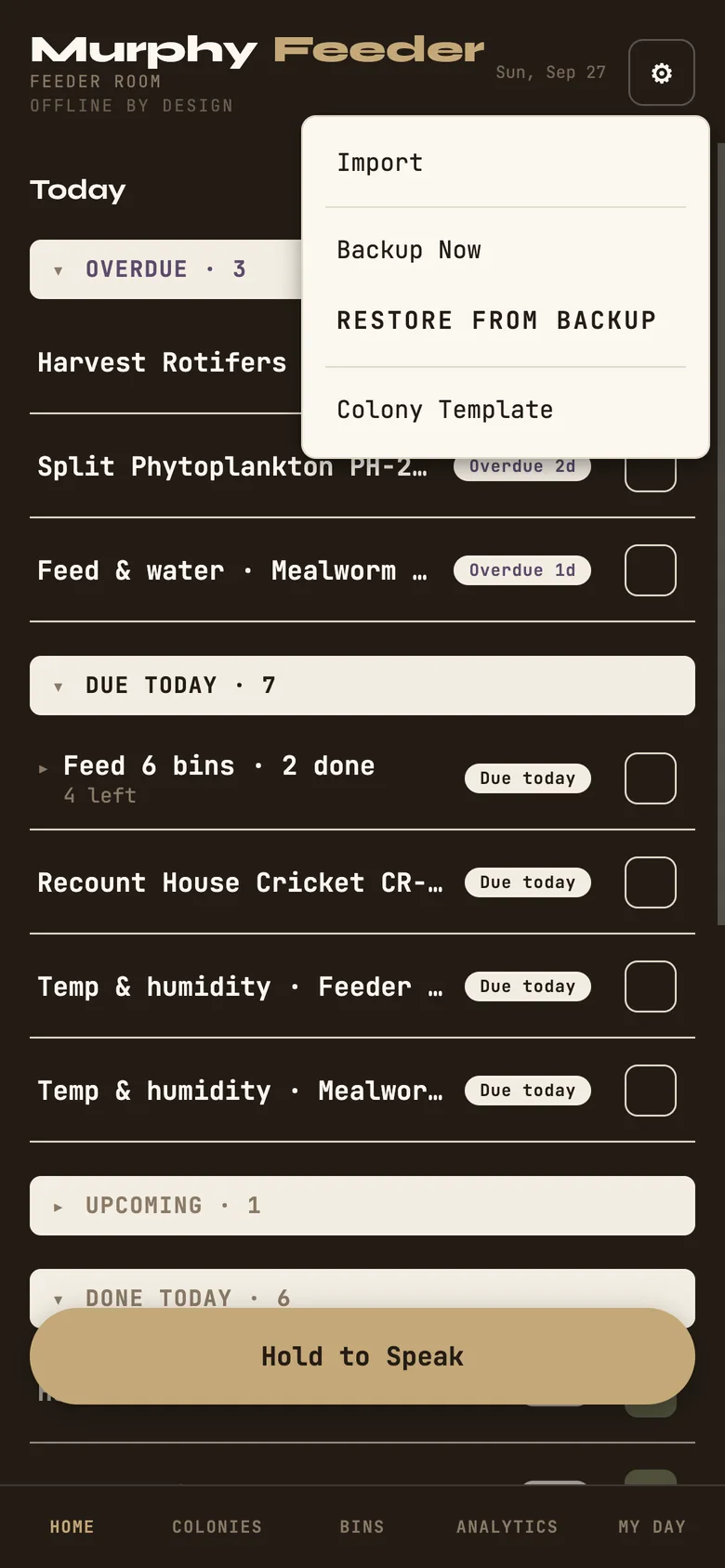
The gear in the top corner holds Import, Backup Now, Restore from Backup and a blank Colony Template for spreadsheet import. The Hold to Speak bar takes a voice note or a hands-free water-change command.
Home screen with the five-button bar visible and the gear menu open.
Start here
Your first bin and colony
Murphy is quiet until your colonies are in it. Two entries change that.
A bin
Bins → Bins → + Add
Give it an ID and a name, say what kind of container it is and how big, and pick the substrate if it has one. Racks, drawers, tubs and tanks are all bins to Murphy.
A colony
Colonies → + Add
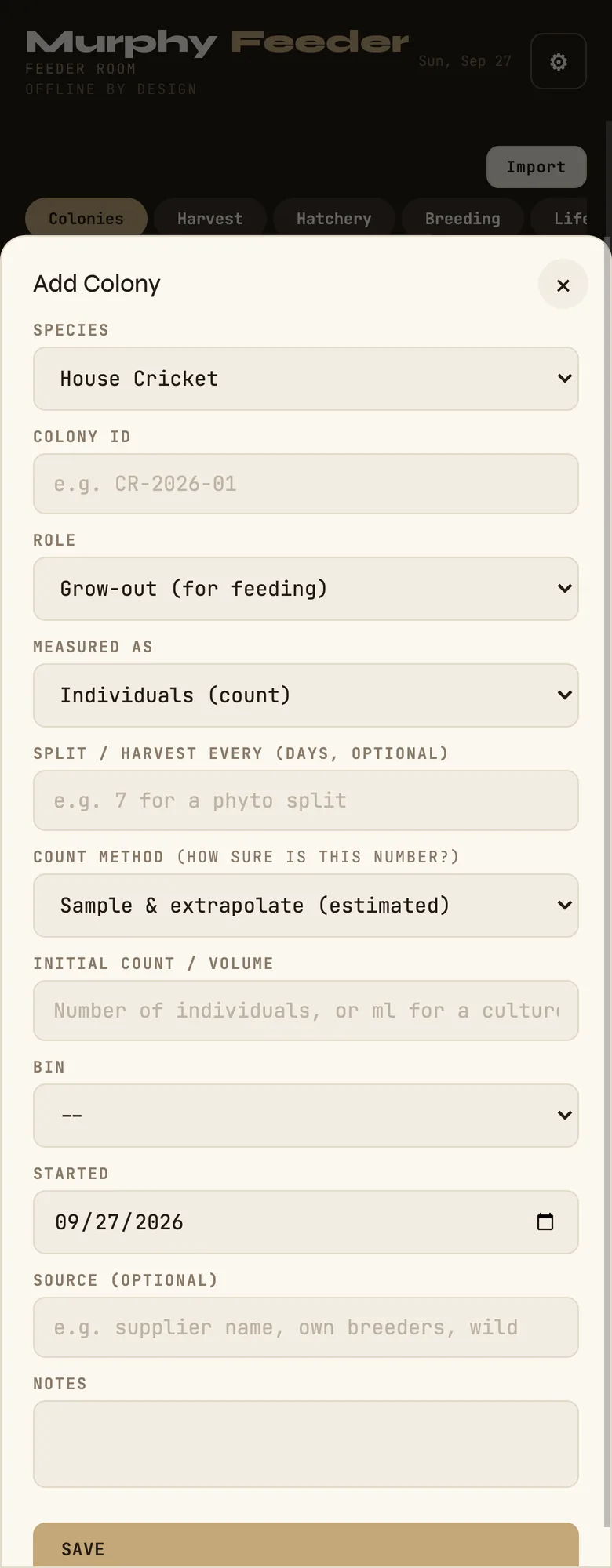
Species, how many you are starting with, and the one question most software skips: how was that counted? Counted each, a sample extrapolated, a scoop by volume, or a visual estimate. Put the colony in a bin and save. For a liquid culture, choose volume as what it is measured as, and Murphy keeps it in millilitres from then on.
Do it a few more times. Every field is editable later; the goal is to get past empty so the app has your real room to work with. If you already keep a spreadsheet, the gear menu's Import walks you through a CSV or Excel file, and Colony Template gives you the exact columns it expects.
The Add Colony form, with the count method: how sure is this number?
The idea underneath
Counts are honest
From the app's own help
A hand tally is a fact; a scoop or a visual guess is an estimate. Murphy keeps the difference: 400 was counted, ~400 was estimated, 400? nobody has said. Mortality subtracts from whatever certainty the count had. It never turns a guess into a fact.
That tilde follows a number everywhere it appears, on the colony card, in Analytics, in every report. When a count is estimated and getting old, the card says a recount is due.
Counting
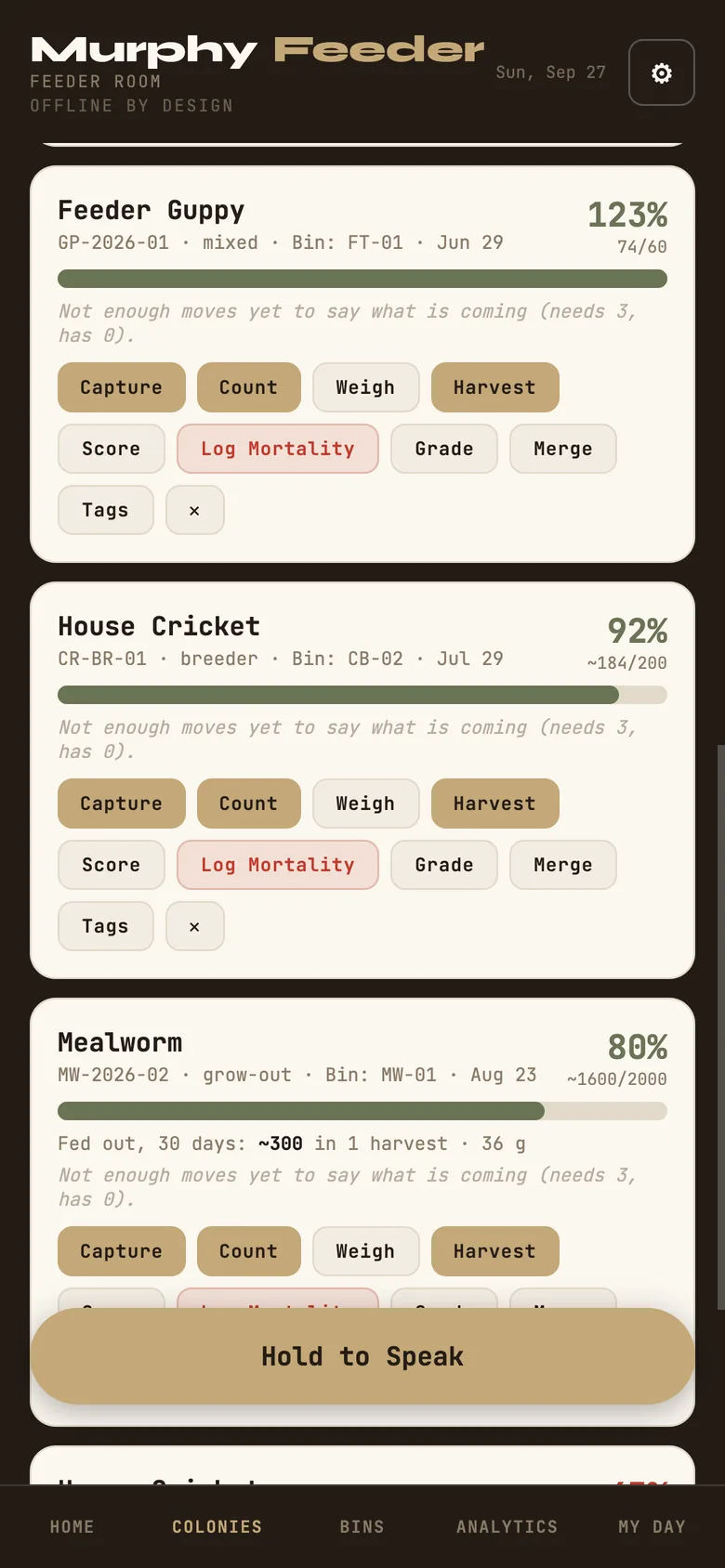
Tap Count on a colony card and a full-screen tally opens. Tap to count, use Lap to mark where you were, and switch between counting the whole colony, the live ones, or the dead. A dead count is logged as mortality; a total or live count re-establishes the number on hand as a fact. Saving a count of zero asks you first, because a zero is a real answer and not a slip.
A counted colony (74) beside an estimated one (~184).
The first-coffee moment
Home and Today
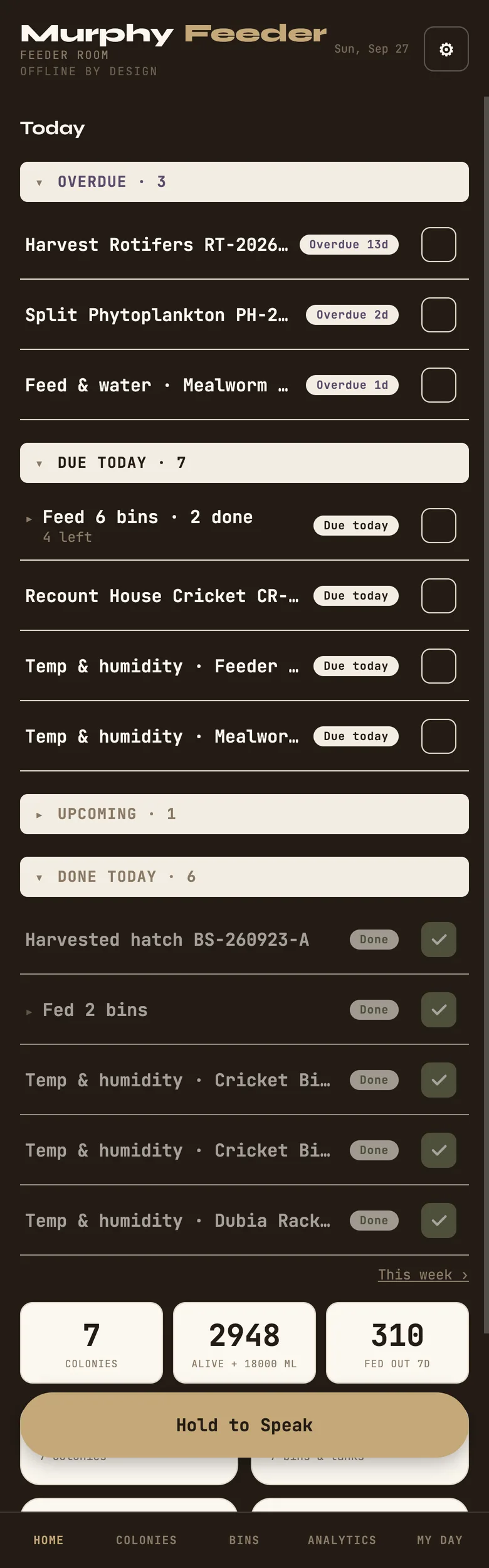
Home shows what is due, worked out from the cadences you set and never from a list you keep by hand: feed and water for each bin, temperature and humidity checks, culture splits that are coming up, hatches that are ready. Bins that share a task can be checked off together, and the check-off can be undone.
Under the list, the numbers: how many you have alive, how many you started with, mortality, and the cultures kept apart in millilitres so a litre of rotifers never adds itself to a count of crickets.
Home: overdue, due today, and what is already done.
What leaves, and what it cost
Harvest and cost
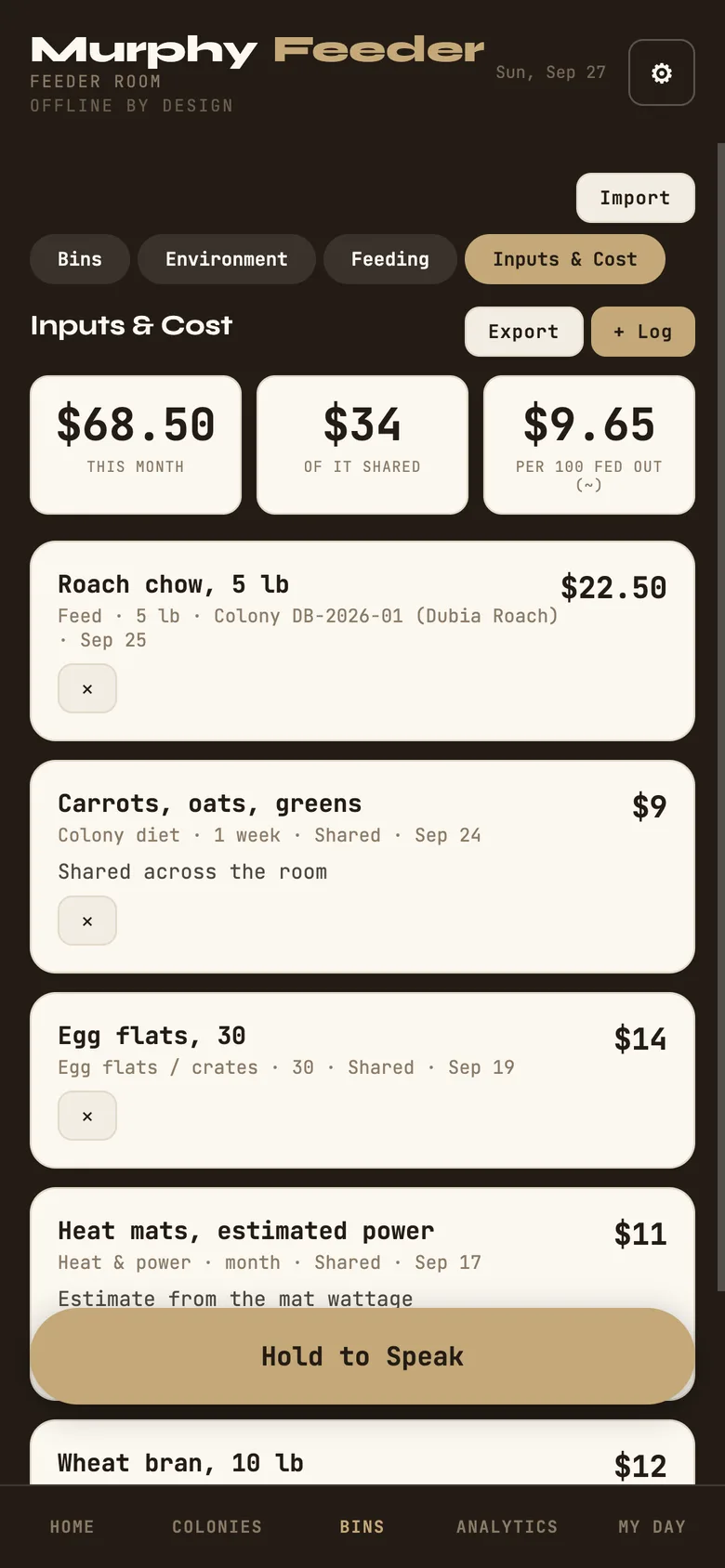
Tap Harvest on a colony when feeders leave it and say where they went: fed to the collection, sold, culled, or somewhere you name. Weigh them if you like. Log Inputs under Bins → Inputs & Cost with what each cost: feed, water, substrate, egg flats, heat, equipment.
From the app's own help
The Cost Report then gives cost per 100 fed out and an implied cost per destination. A derivation from your own numbers, never a guess. Shared costs stay shared; Murphy does not split them for you.
A harvest entered by mistake is voided, not deleted: it stays in the list, struck through, and the count goes back to the colony. Nothing in Feeder vanishes silently.
Inputs & Cost, with the cost per 100 fed out.
Liquid stock
Cultures
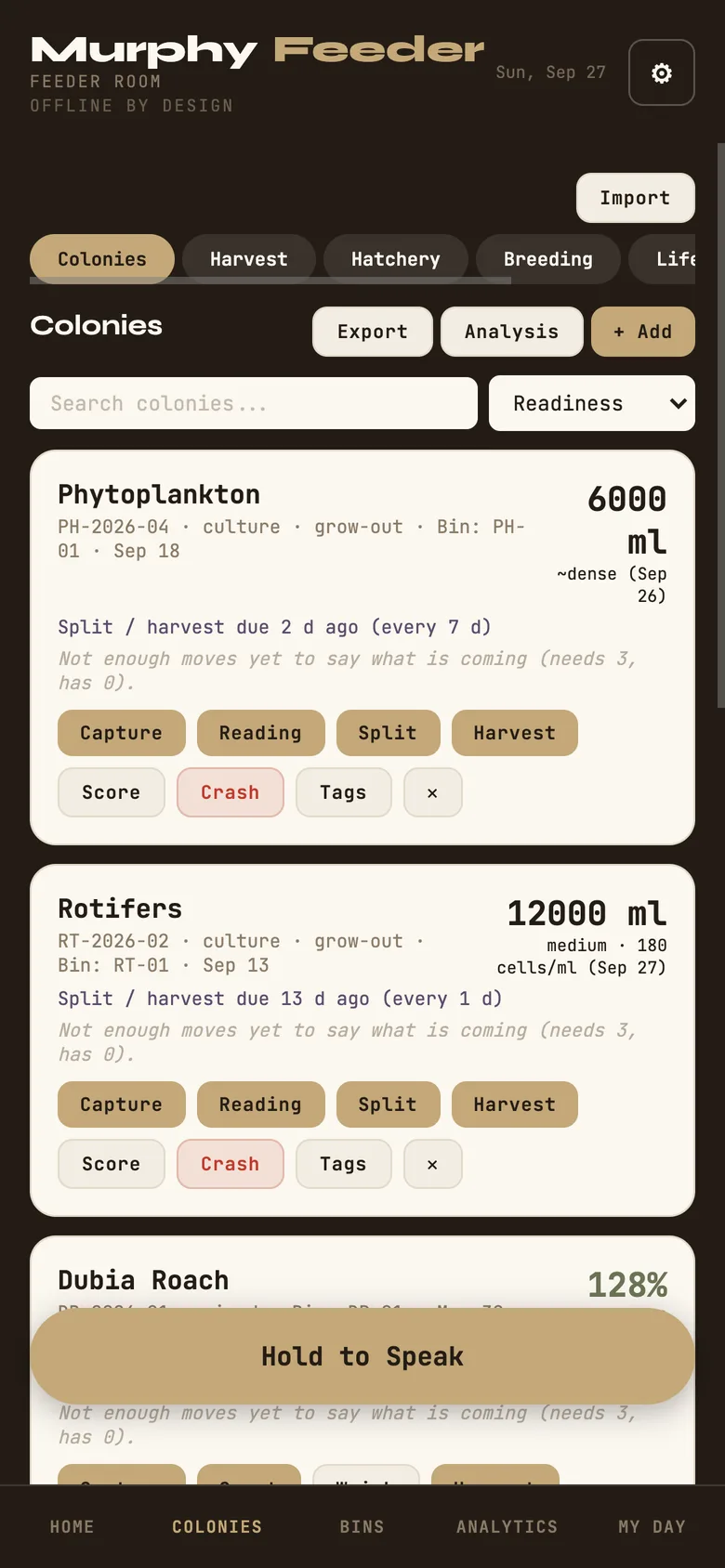
Phytoplankton, rotifers, copepods, vinegar eels, microworms and brine shrimp are cultures, kept by volume. A culture card shows millilitres on hand with its certainty, the last density reading, and when the next split is due. A culture does not have a survival percentage, because a culture that grew is not 140% alive; it is measured, not survived.
Reading records density and volume. Split moves a measured volume into a new culture that knows where it came from. Harvest takes millilitres out to feed with, and those millilitres ride the same fed-out ledger as the insects, kept in their own column.
A culture card: volume, the last density reading, and when the split is due.
Sorting a colony
Life stages and grading
A colony can be worked as one unit, or a life stage can be its own unit: eggs, juveniles and adults as separate records that move between each other. A stage move is one transfer, recorded once, so the numbers on both sides stay in step.
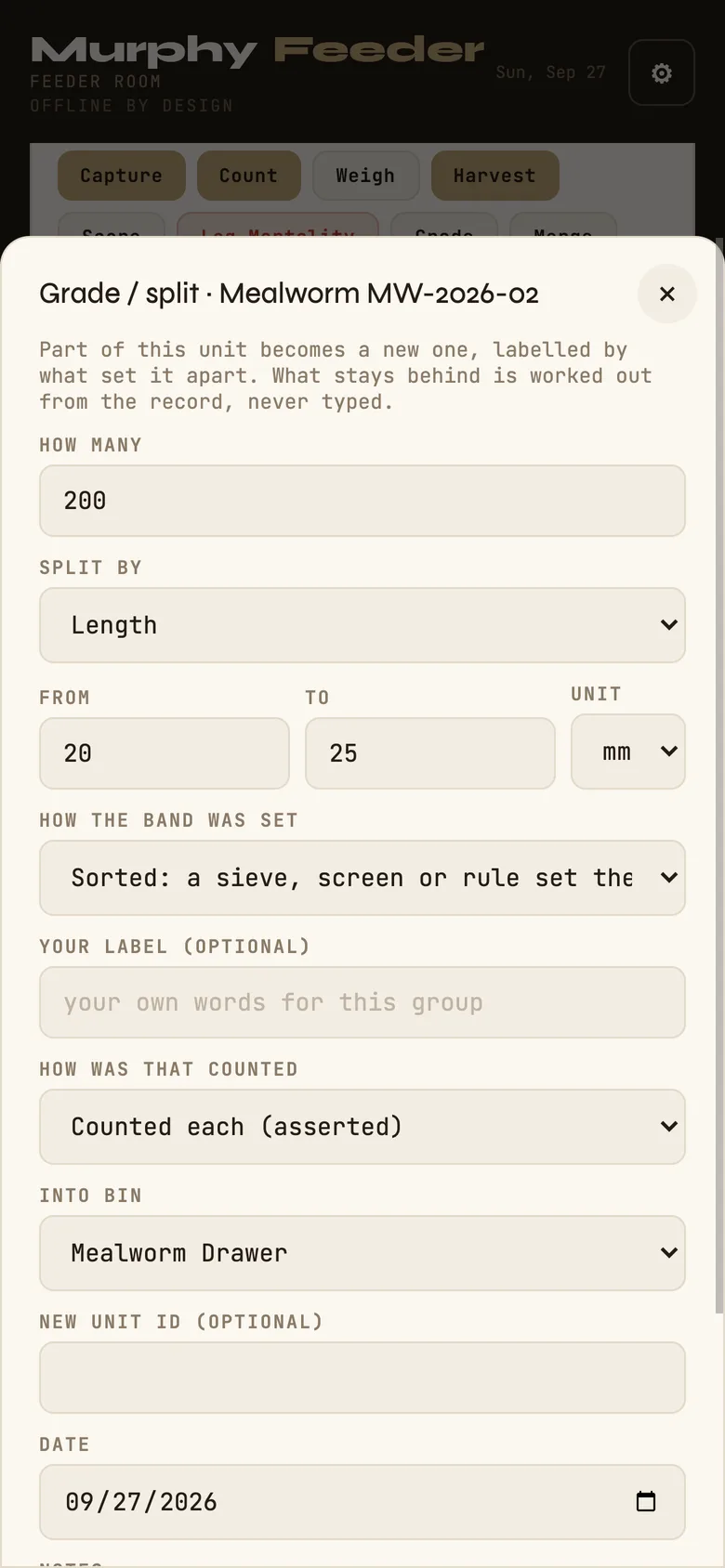
Grade sorts part of a colony out by size or weight, or by your own rule, into a new unit labelled by what set it apart: "10 to 12 mm", "over 2 g", "breeders". Murphy asks how the band was set, because a sieve, a ruler and a judgement are three different kinds of knowing. What stays behind is worked out from the record, never typed, and the card notes when a sample from the remainder is a sample of what was left. Merge puts units back together, keeping graded bands side by side rather than blurring them into one.
The Grade form, setting a 20 to 25 mm band.
Brine shrimp
Hatchery
Colonies → Hatchery → + Set Hatch
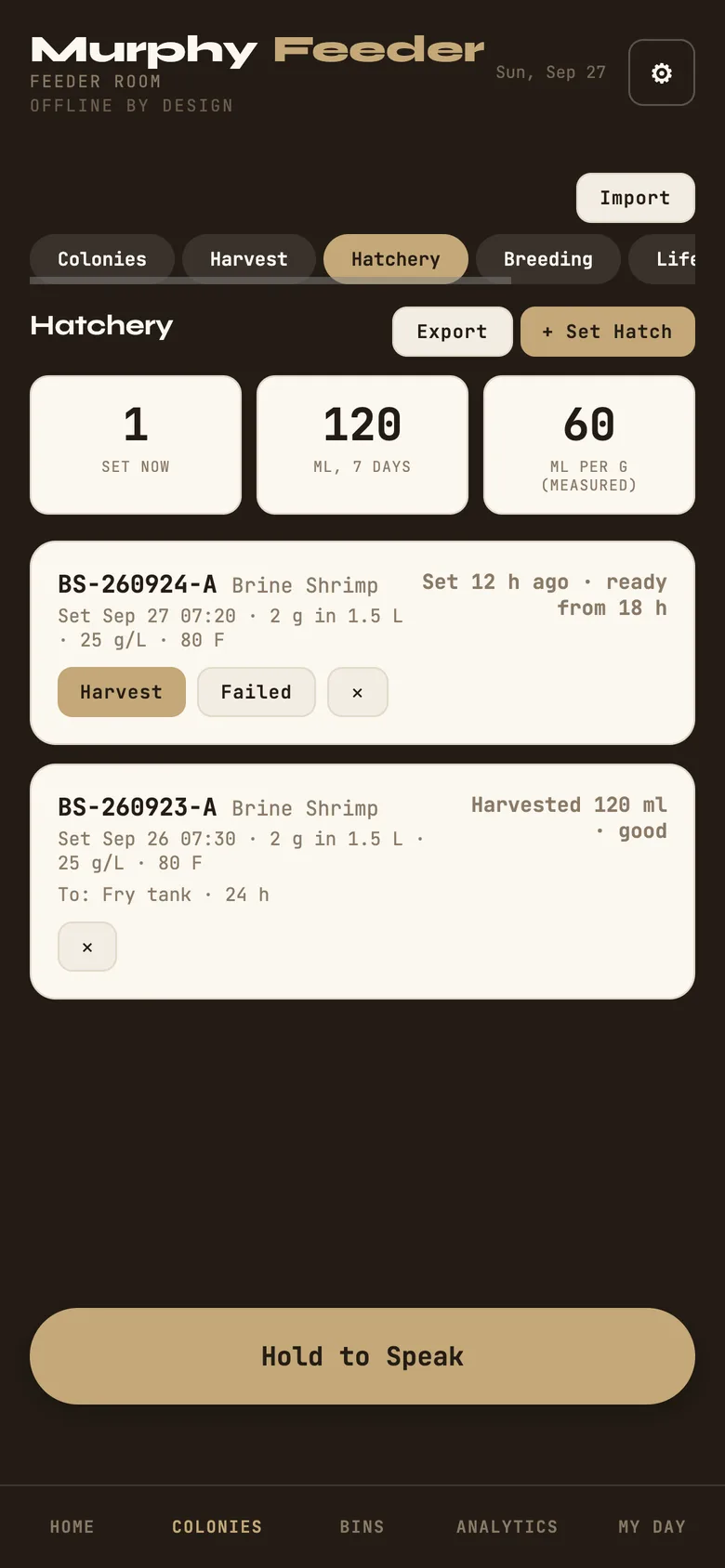
A hatch is a batch, not a colony: eggs go into salt water at a time, and eighteen to thirty-six hours later nauplii come out or nothing does. Record the grams of eggs, the water, the salt and the temperature; the last setup is pre-filled for next time. The card counts up from set, says when the batch is ready, and says when it is late and the nauplii are losing value.
Harvest records the millilitres of nauplii, how that was measured, and the quality you judged. Failed records that nothing came out and why. The yield rides the fed-out ledger in millilitres, and Murphy works out millilitres per gram of eggs from measured harvests only, and says so.
The Hatchery: one batch set, one harvested.
The room
Environment and water changes
Bins → Environment → + Log
Temperature and humidity for insect bins; pH, dissolved oxygen and nitrite for aquatic ones. Each reading is flagged against the range for that measure, and Analytics shows the recent readings by bin.
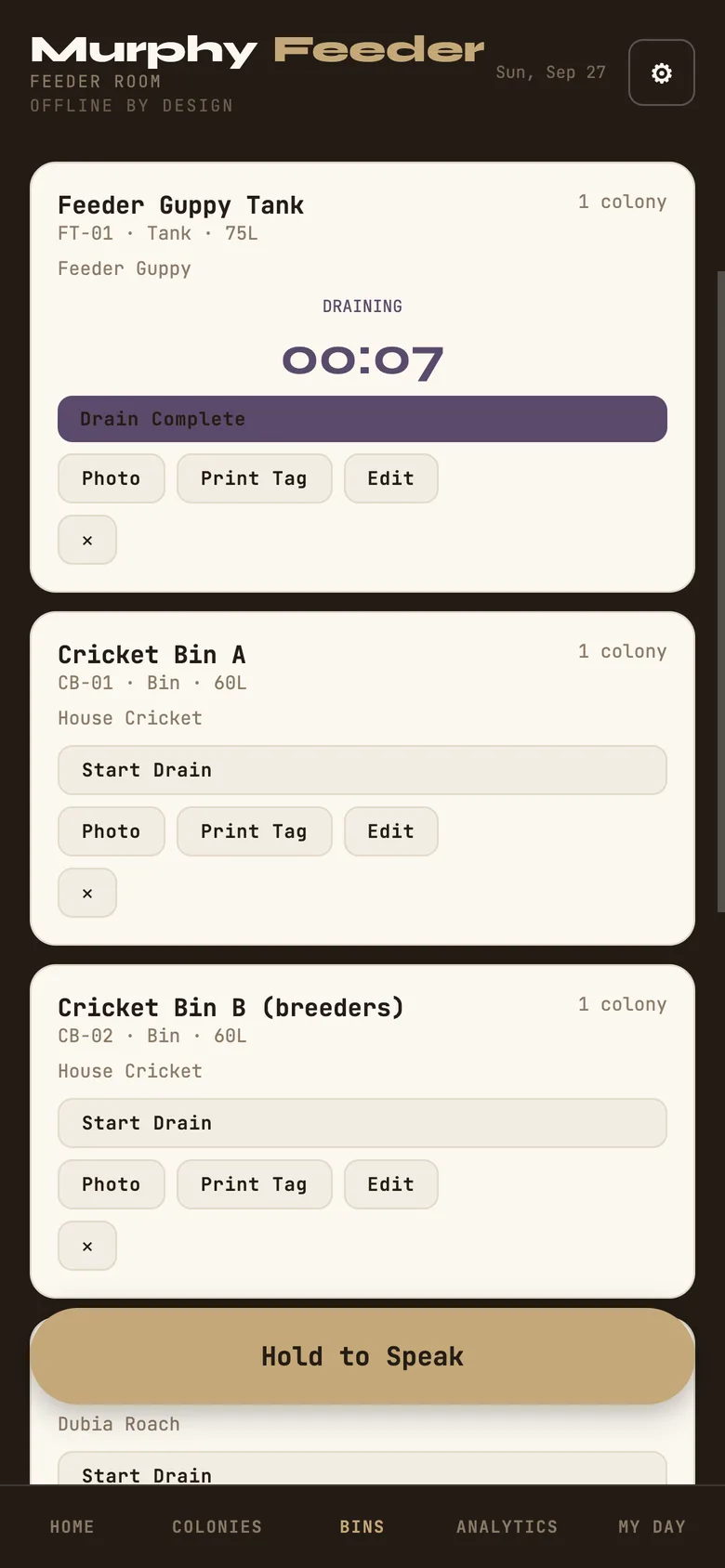
Aquatic bins carry a two-phase water change timer: start the drain, mark it complete, fill, mark that complete, and Murphy records the duration and the percentage changed, then shows your average drain and fill time per bin. Say "start water change" and the bin's name into Hold to Speak and the timer starts hands-free; "finish water change" stops it. The voice commands are English words for now.
A bin card mid water change, with the drain timer running.
What the records add up to
Analytics
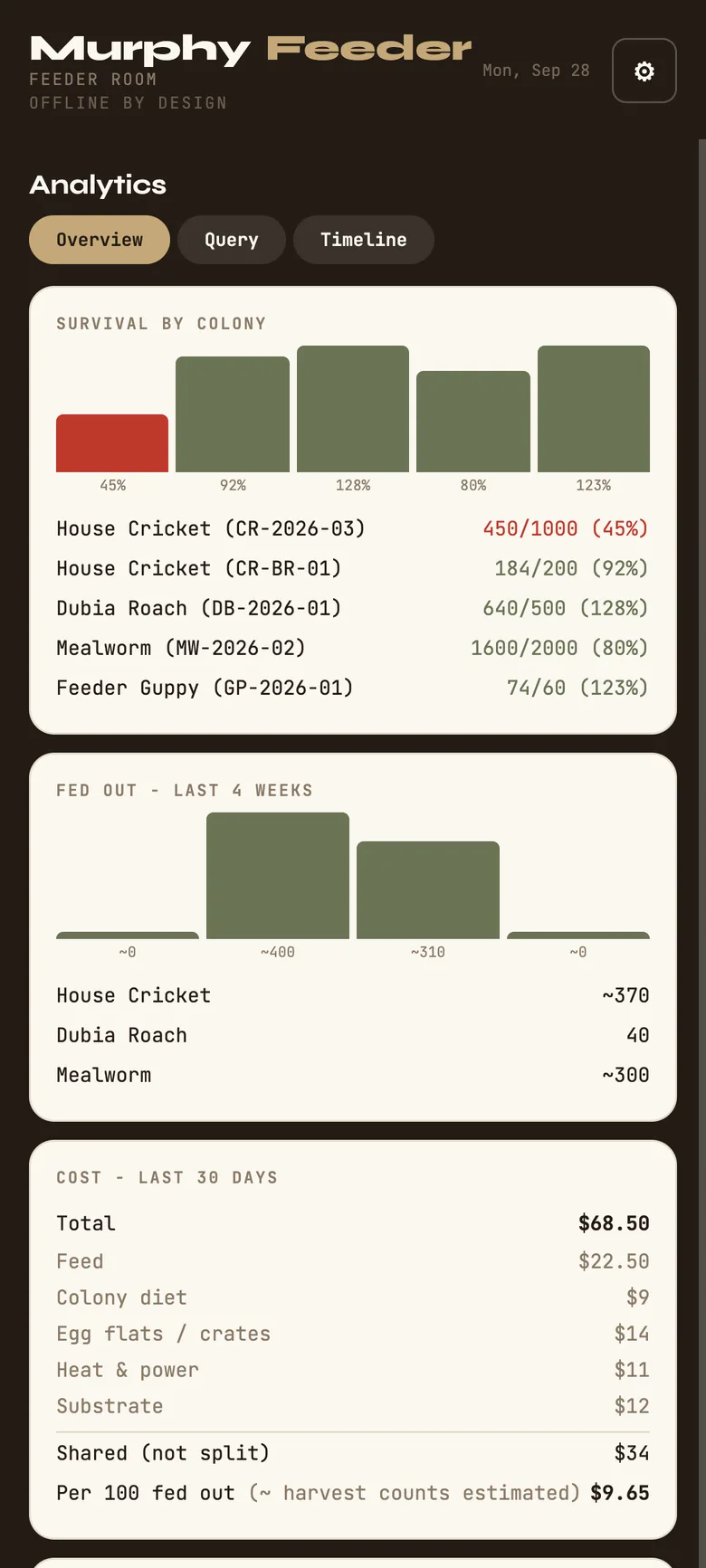
Survival by colony, with the count certainty carried through.
Fed out, last four weeks, against the weekly production target you set in Settings.
Cost, last 30 days, by category, with shared costs shown as shared and cost per 100 fed out.
Growth: average length over time from the measurements you take, with a "ready" mark when a colony reaches the feed-out size you set.
Recent environment and the mortality log.
The Query tab slices any record type by colony and date range. The Timeline puts environment, mortality, breeding, harvests, inputs and feedings on one searchable line.
Analytics: each colony's survival bar, and what was fed out over four weeks.
The keeper's side
My Day: notes, planner, reports
Today: the same due list as Home, with this week's calendar under it.
Notes: field notes, typed or spoken, tagged and searchable.
How-tos: your standing procedures, step by step.
Time Mgmt: the 5·2·1·20 rhythm (five hours a year, two a month, one a week, twenty minutes a day) and a facility calendar you can export to Apple, Google or Outlook.
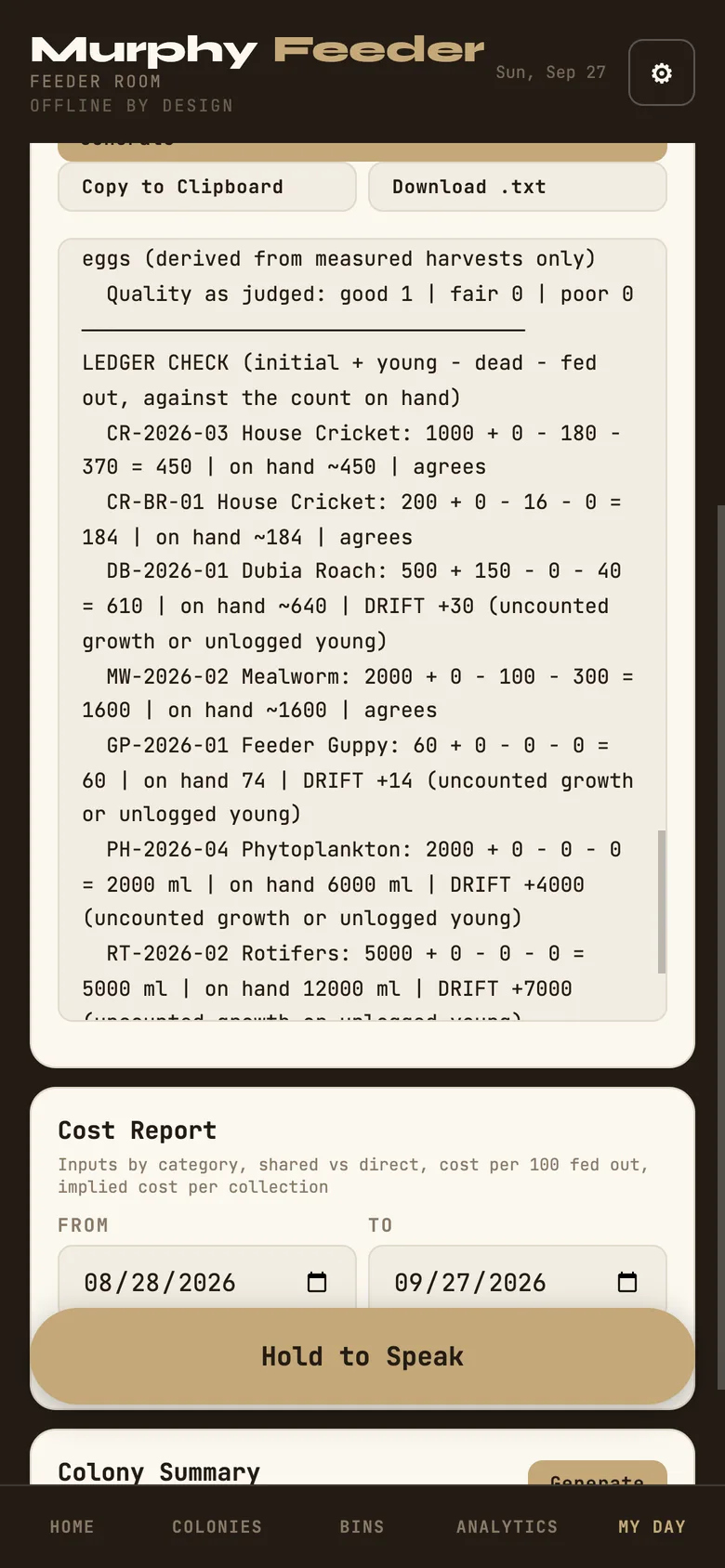
Reports: a Daily Report of today's readings, feedings, mortality, harvests, water changes and notes; a Production Report for any period, with a ledger check that says whether initial plus young minus dead minus fed out agrees with the count on hand, and names the drift when it does not; a Cost Report; and a one-page Colony Summary. Copy to the clipboard or download as text.
Settings: facility and keeper names, currency, weekly production target, feed-out size, length-to-weight formulas you enter yourself, CSV exports of every record type, backup and account.
A generated Production Report, scrolled to the ledger check.
On the bin
Tags
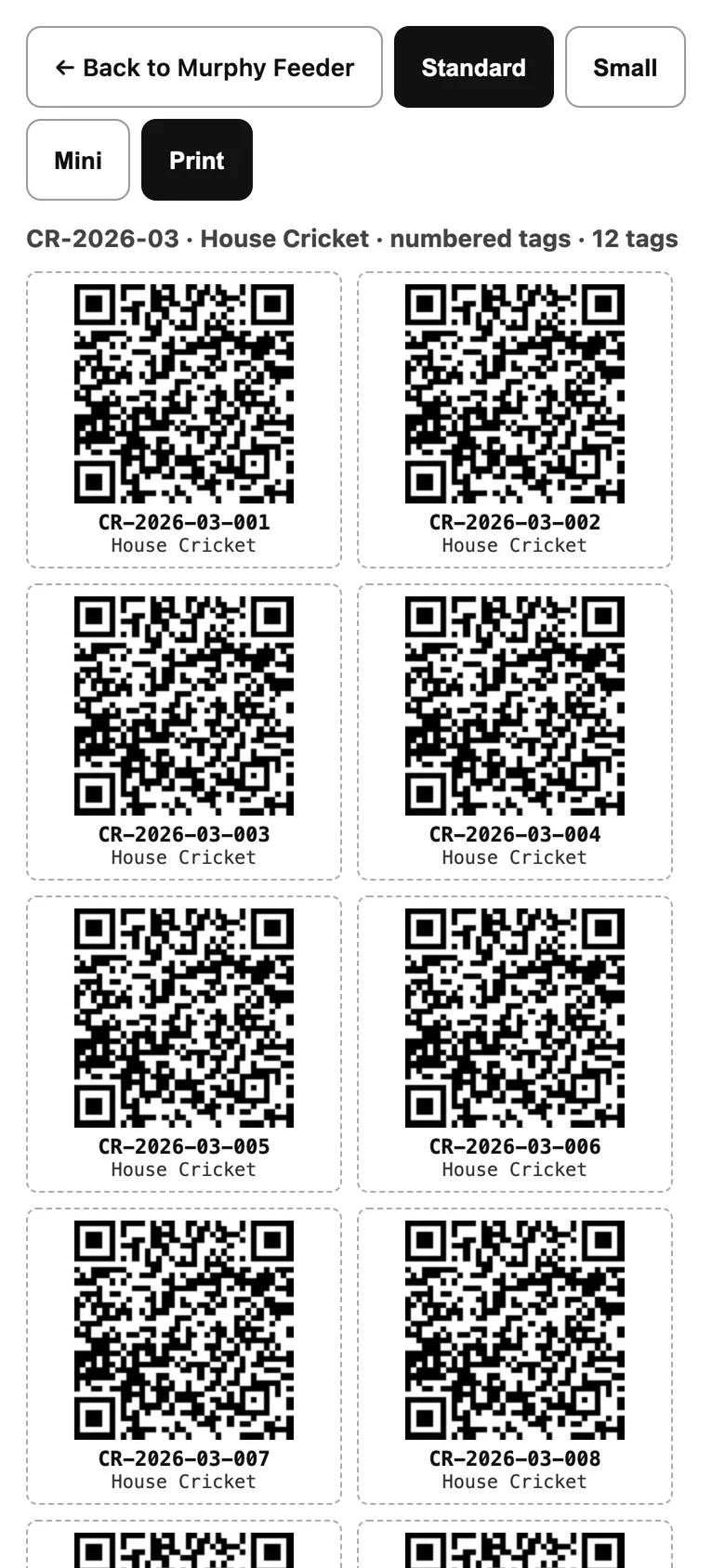
Print Tags on a colony card prints a sheet of numbered QR tags, one per animal or container, in the size you choose. Print Tag on a bin card does the same for the bin. Any phone camera opens the code and lands on that record in Murphy; Scan Tag on Home reads it from inside the app.
A printed tag sheet of numbered QR tags.
Optional · paid
Keeping your records safe
Everything above is free and lives on your device. Backup Now in the gear menu writes a complete file you can keep anywhere, and Restore from Backup brings it back onto any device; a safety copy is taken before a restore replaces anything.
If you want the records to outlive the phone, My Day → Settings → Open Account signs you in and turns on Keep It Safe. Syncing is optional and additive: your local data keeps saving either way, and the account line on Home tells you plainly whether it is caught up, last synced on a given day, or saving locally until the connection returns. One subscription covers every Murphy program.
 Murphy Feeder · How-to guide