Murphy Plant · How-to guide

How to use Murphy Plant.

Murphy Plant keeps a plant collection the way a grower actually works it. A plant in soil is watered; a plant in LECA has its reservoir refilled and flushed; a mounted orchid is soaked. The words follow the medium, the calendar follows your own cadences, and every cutting, seedling and cross knows where it came from. Free, offline, on your device.
Do this once

Put Murphy Plant on your Home Screen

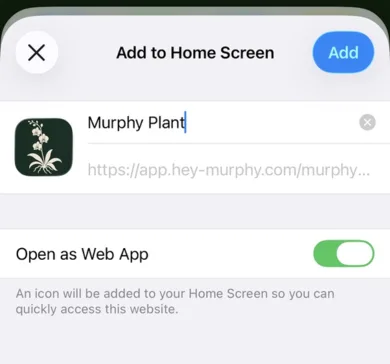
Open app.hey-murphy.com/murphy-houseplant.html, tap the Share button and choose Add to Home Screen. On Android and desktop Chrome, Murphy offers the install itself. Once installed it opens full screen from its own icon and works fully offline. Murphy Plant opens straight to your plants; a PIN is optional, and you can set or remove one at any time.

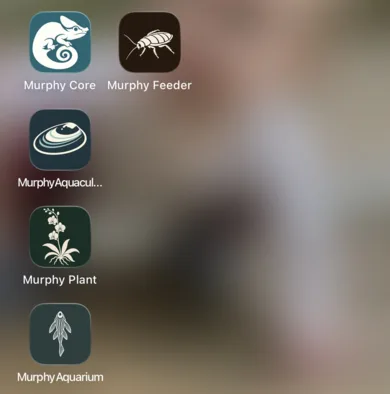
The Add to Home Screen sheet for Murphy Plant on an iPhone.The Murphy apps on an iPhone home screen.
Share, then Add to Home Screen. Murphy Plant then opens from its own icon, beside the other Murphy apps.
The map

How Murphy Plant is laid out

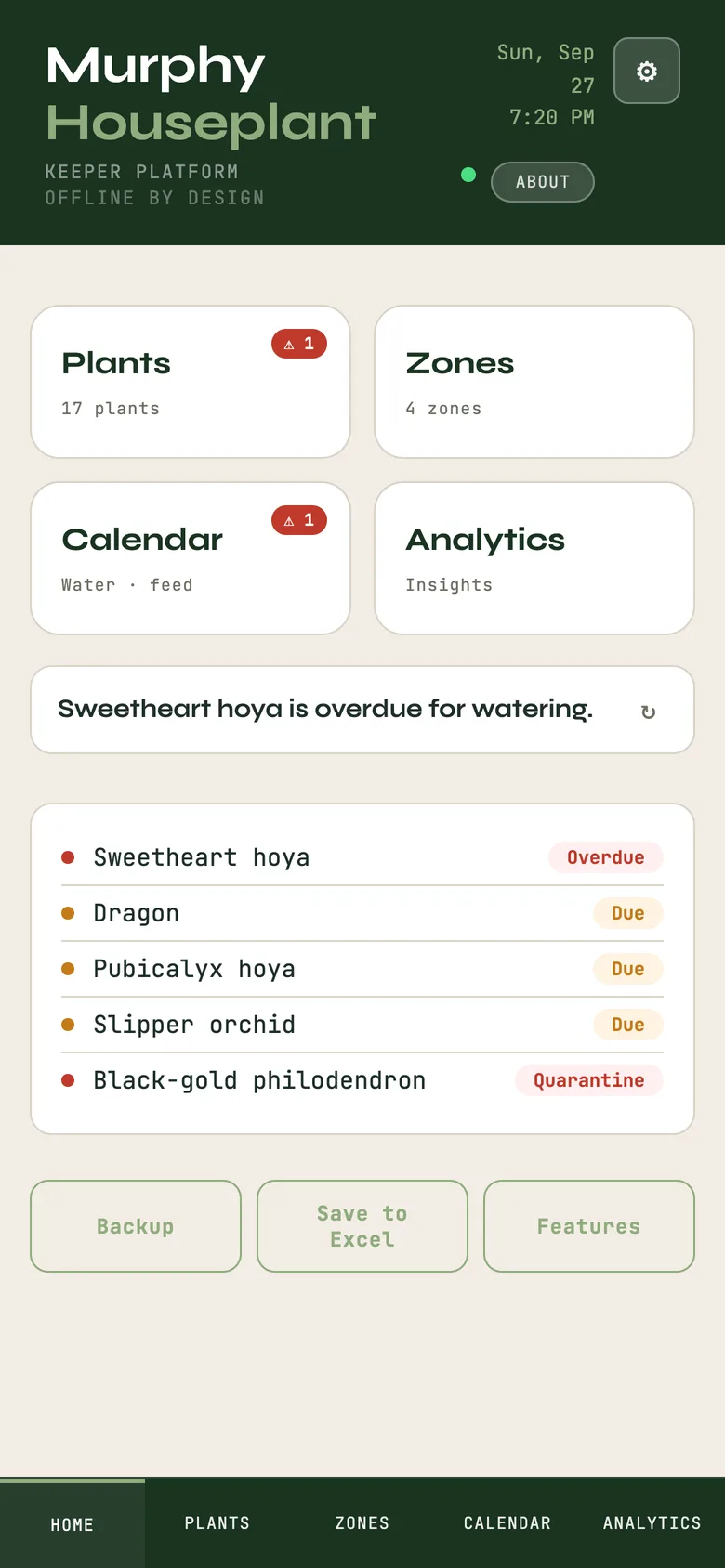
Five tabs along the bottom:

The gear menu holds Import, Backup Now, Restore from Backup, Print Tags, Account and the PIN.

Murphy Plant Home with today's due list and the five tabs.
Start here

Your first plant

Plants → + Add Plant

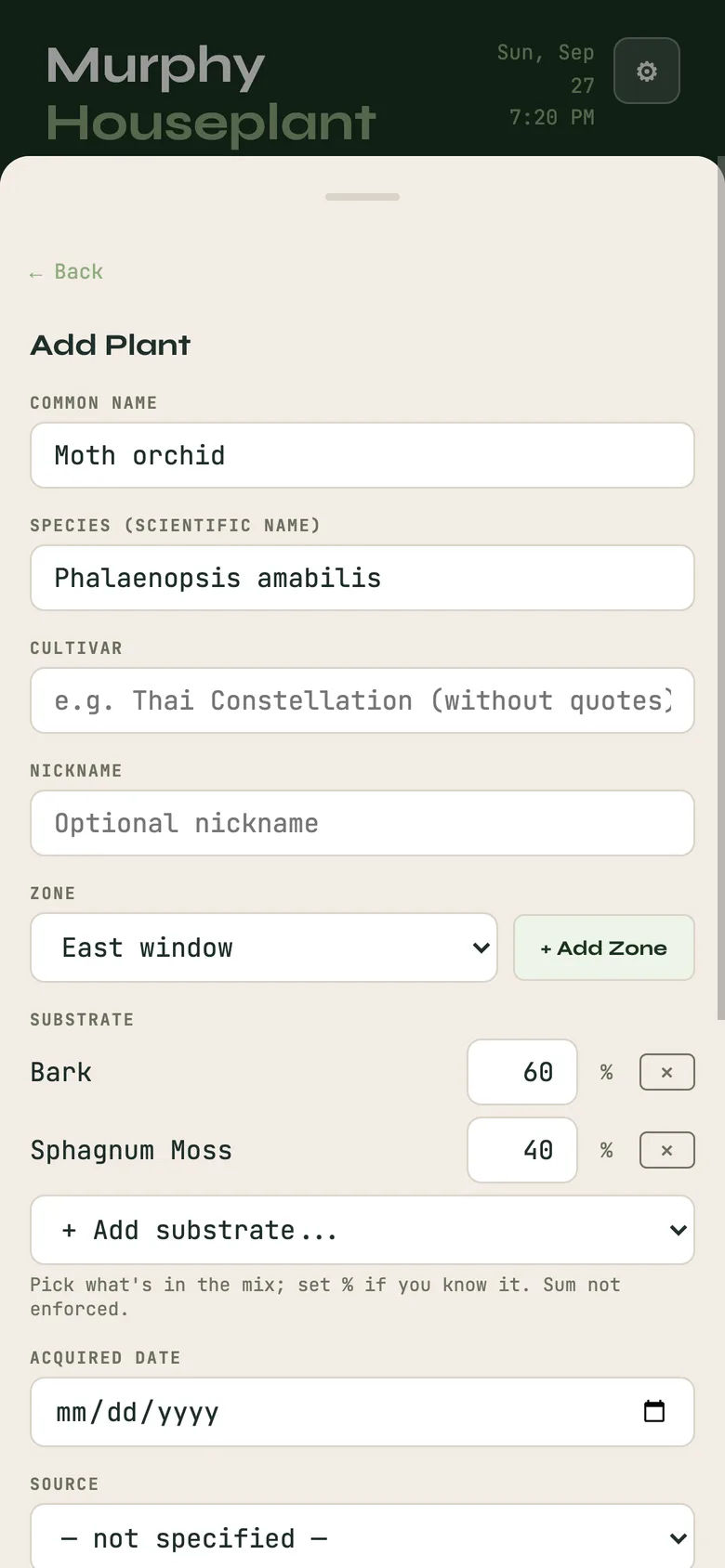
Name it, choose the medium it is growing in (bark, sphagnum, potting soil, cactus mix, LECA, perlite, pumice, coco coir, charcoal, a mix of these, or mounted), put it in a zone, and say where it came from. One field most software skips is here on purpose: provenance: gift, purchase, trade, self-propagated, grown from seed, inherited, found or rescued, unknown, or not specified. Unknown is a valid answer; a label from a garden centre and a plant from a named grower are two different kinds of knowing, and the record keeps the difference.

Add a few more. Everything is editable later. If you keep a spreadsheet, Import in the gear menu previews the file before anything is written.

The Add Plant form, with a potting mix built from the substrate list.
The idea underneath

Care by medium

From the record model

Care vocabulary follows the growing medium: soil is watered, semi-hydroponic media have reservoirs refilled and flushed, mounted plants are soaked. In an inert medium the refill is the feed.

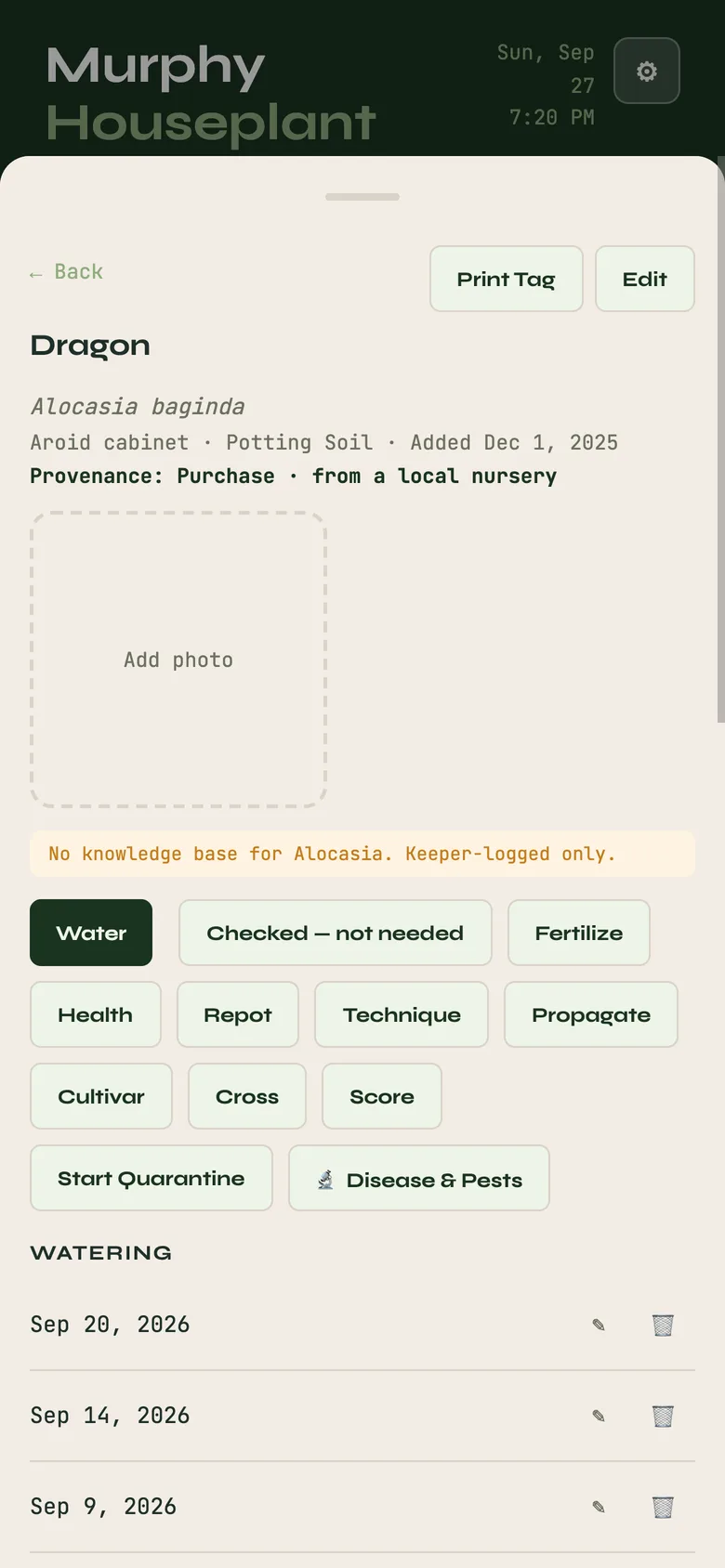
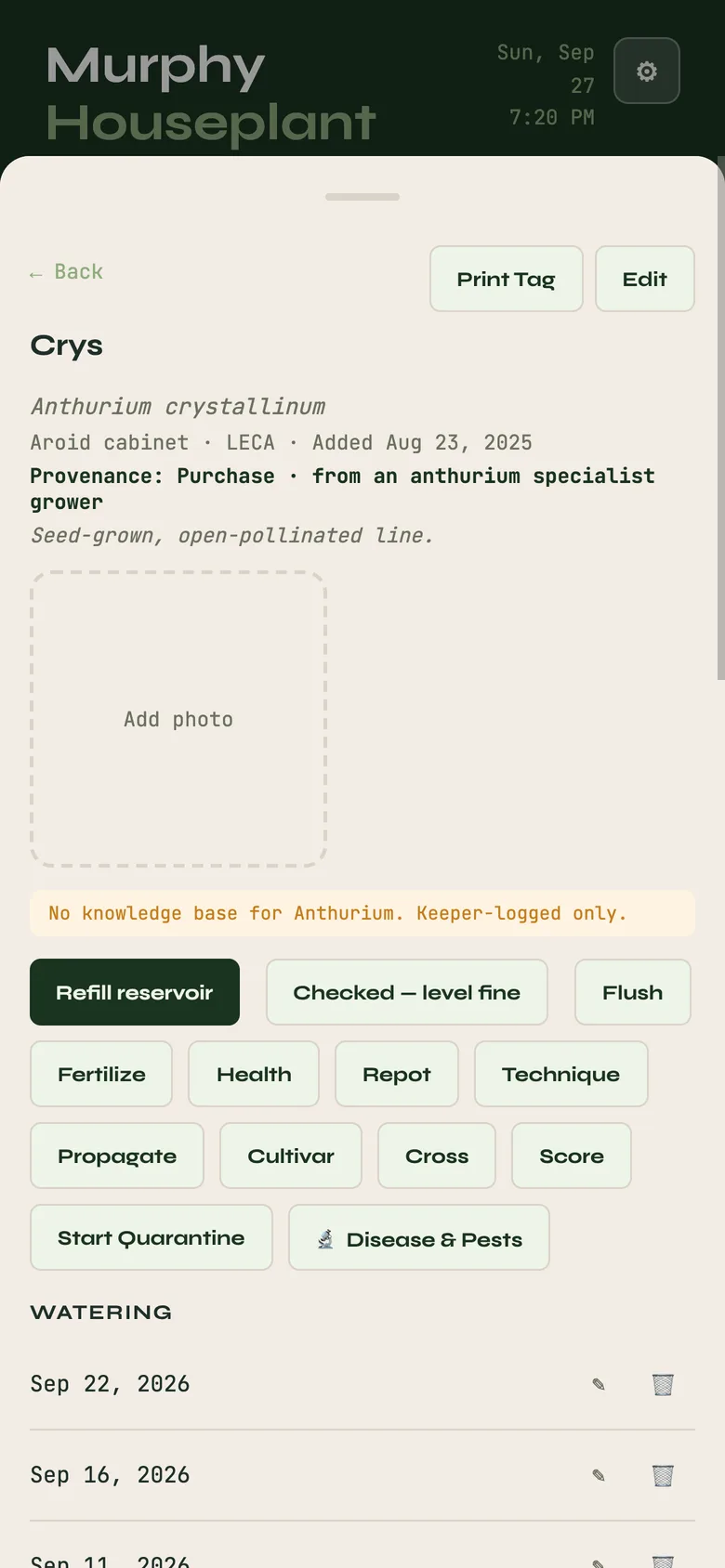
Open a plant and the actions offered are the ones that make sense for what it grows in. A soil plant offers Watered; a LECA plant offers Refill reservoir and Flush; a mounted plant offers Soak. Fertilize, Repot and Replace the medium are there for every plant. Each act writes a dated record, and the next due date is worked out from that record and the plant's cadence.

A check that did not end in watering is a record too: Checked, still damp, Checked, level fine or Checked, not needed is logged, so the calendar knows you looked and the plant did not need it. That is the difference between a reminder app and a record.

Two plant cards: one in soil offering Water, one in LECA offering Refill reservoir and Flush.Two plant cards: one in soil offering Water, one in LECA offering Refill reservoir and Flush.
Two plant cards: one in soil offering Water, one in LECA offering Refill reservoir and Flush.
Where they live

Zones and the calendar

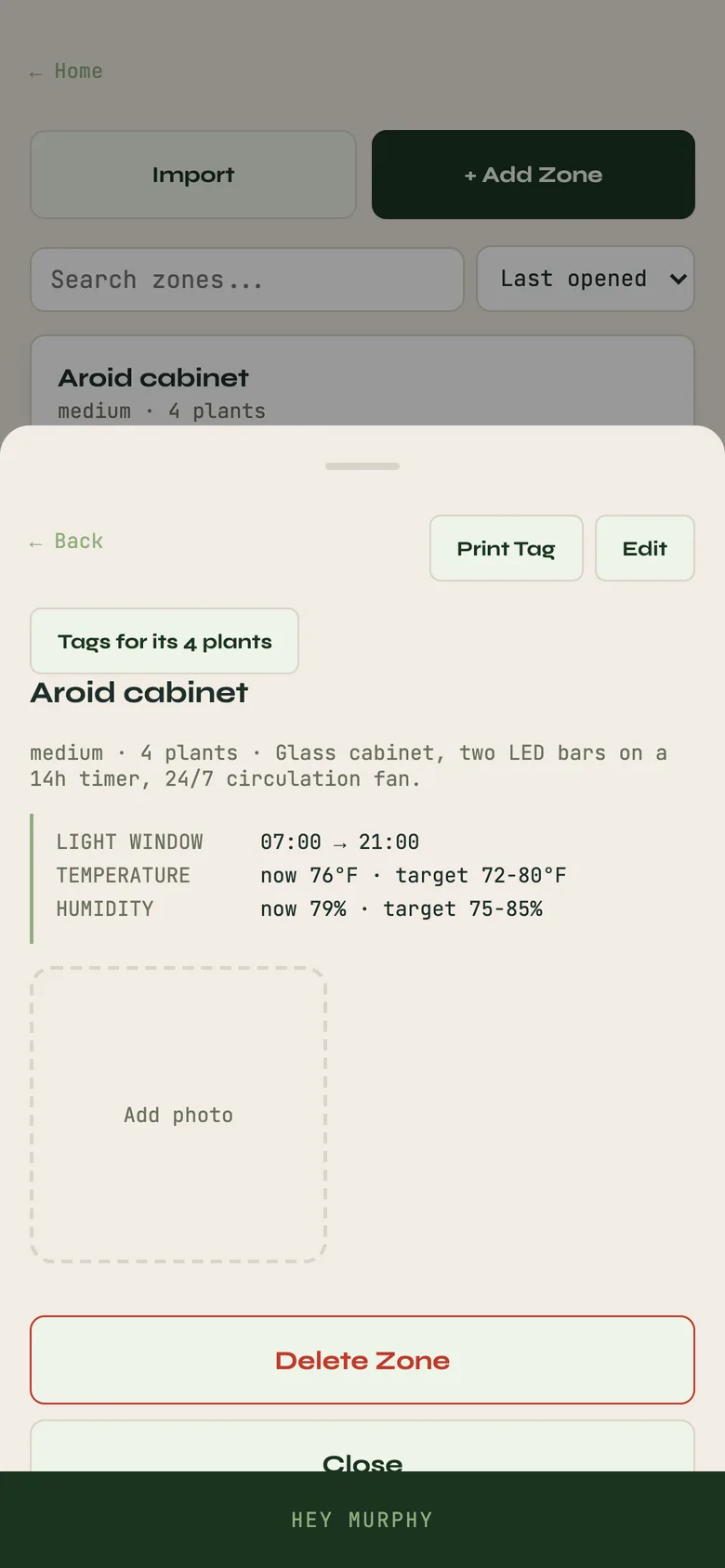
A zone is a place: the east window, the grow cabinet, the bathroom shelf. Plants belong to zones, and a zone card shows what is in it, so you can work a shelf at a time. Zones print their own tags, as do plants, so a QR label on the pot or the shelf opens the record.

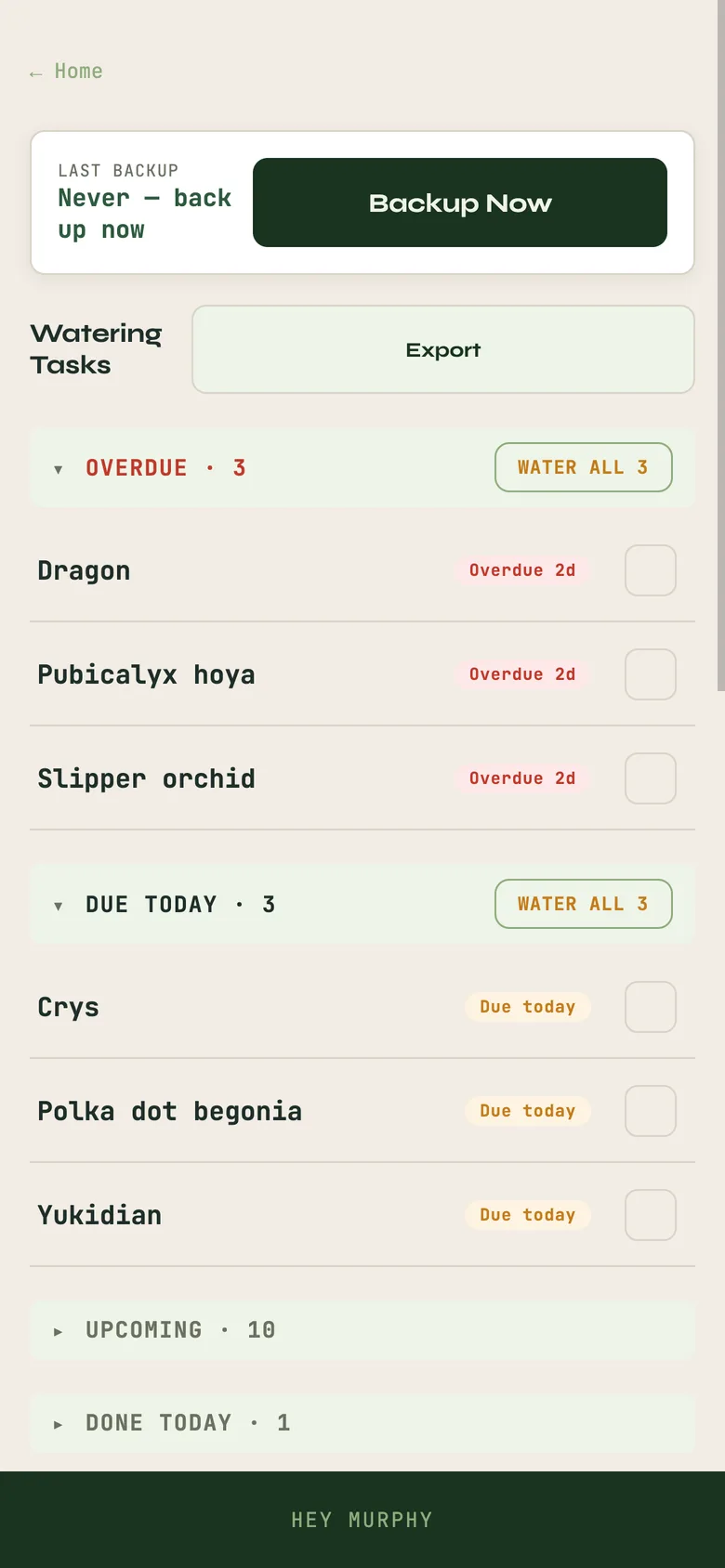
The Calendar is the whole collection's due list by day, week and month, built from the cadences you set per plant and the records you write. Nothing is due because a generic schedule says so.

A zone with its light, temperature and humidity, and the Calendar's watering list.A zone with its light, temperature and humidity, and the Calendar's watering list.
A zone with its light, temperature and humidity, and the Calendar's watering list.
Making more

Propagation, crosses and cultivars

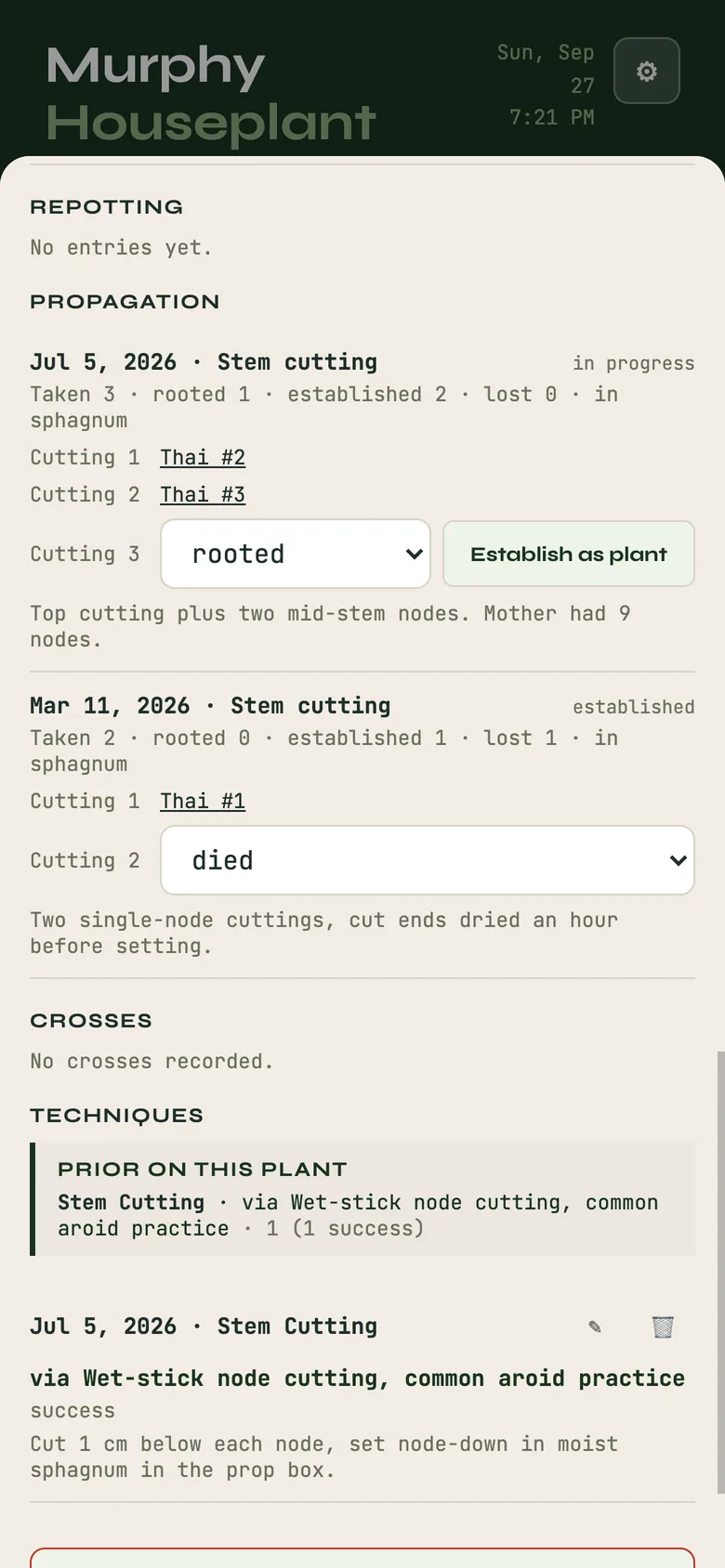
Propagate records a cutting, a division, an offset, a leaf or a node taken from a mother plant, with the method and the date. The propagation lives as its own record while it roots; Establish as plant turns it into a plant that knows its mother, and Mark failed is an honest end. A cutting knows its mother from the day it is taken.

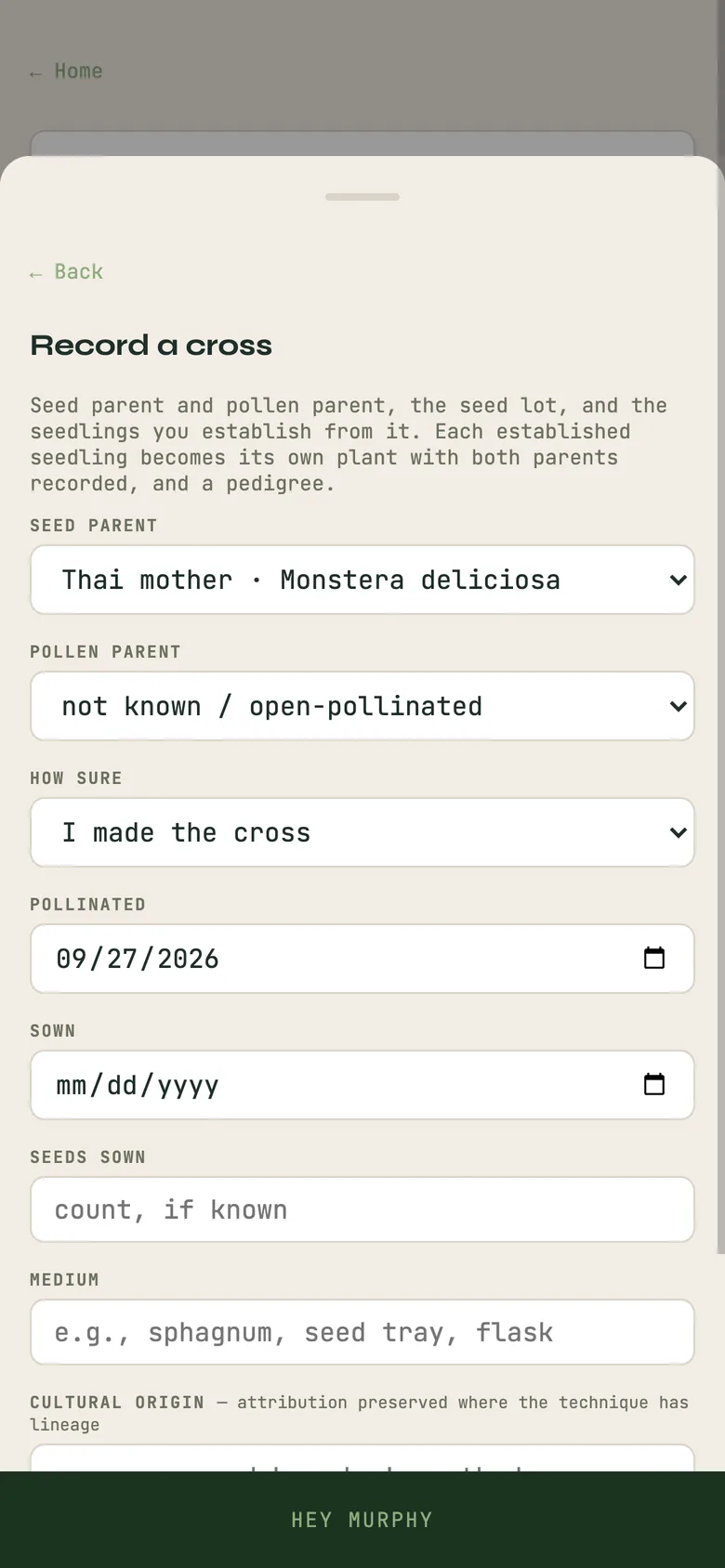
Cross records sexual reproduction: the seed parent, the pollen parent, the date, and what came of it. Establish a seedling makes a plant with both parents recorded, and from there the pedigree builds the same way it does for an animal.

Cultivar prepares the record a registrar or a society will ask for when you name something new: the name check, the origin and description, the parentage as recorded, the photographs, printed as a dossier. Murphy does not register anything; it puts your own evidence in one place and says how well each part is known.

A mother plant's card listing its cuttings, and the Cross form.A mother plant's card listing its cuttings, and the Cross form.
A mother plant's card listing its cuttings, and the Cross form.
What it rests on

Provenance and the pedigree

Recorded, asserted, unknown

Every lineage entry states what it rests on: recorded, propagated or crossed in this collection with the chain intact; asserted, a named source said so; or unknown, stated plainly. Murphy does not certify that a plant is what a label says. It records how well that is known, and who is making the claim.

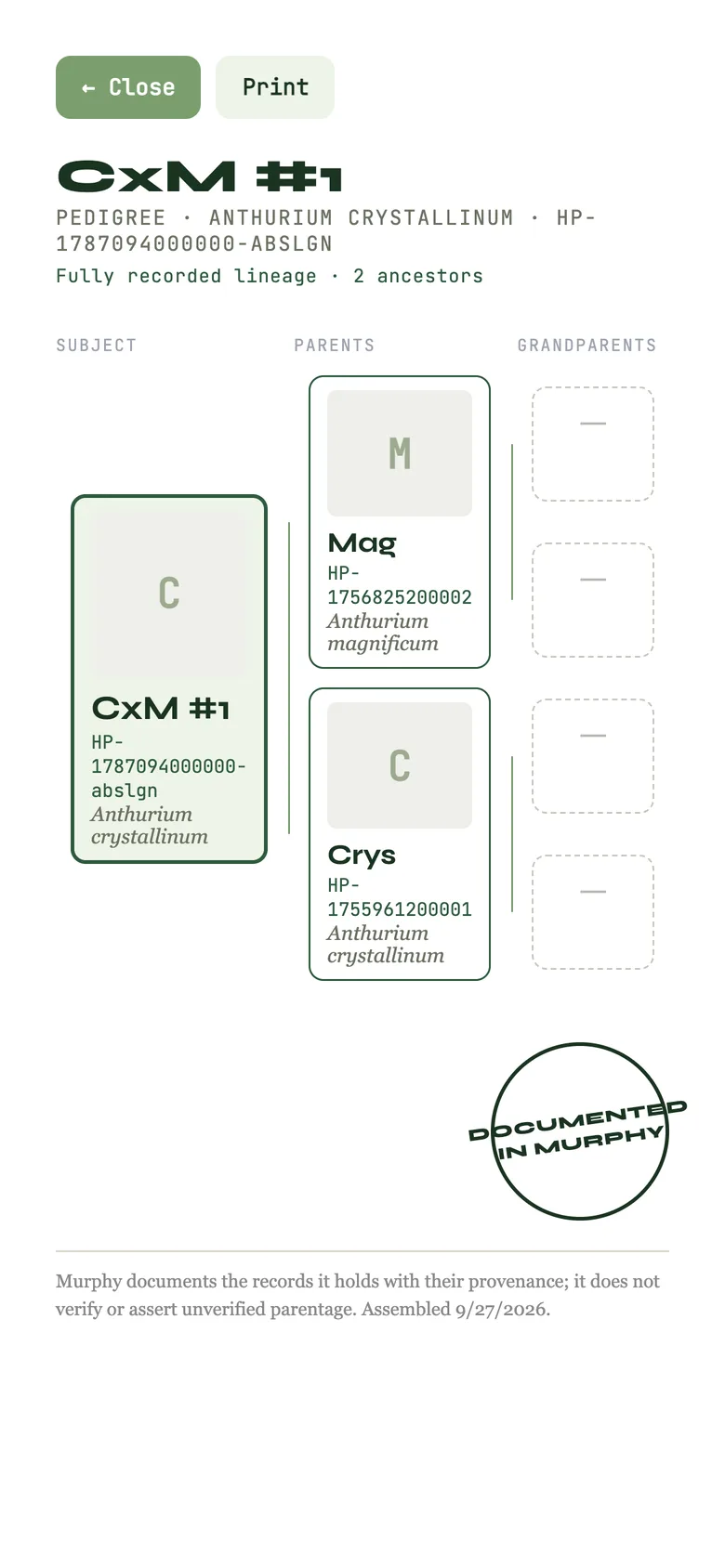
Pedigree prints a certificate for any plant with recorded parents: the same layout Murphy uses for animals and corals, with each ancestor's evidence tier shown. Clones do not need a pedigree, and Murphy does not draw one for them; a cutting's card simply names its mother.

A pedigree certificate for a seedling from a recorded cross.
How they are doing

Health, scoring and analytics

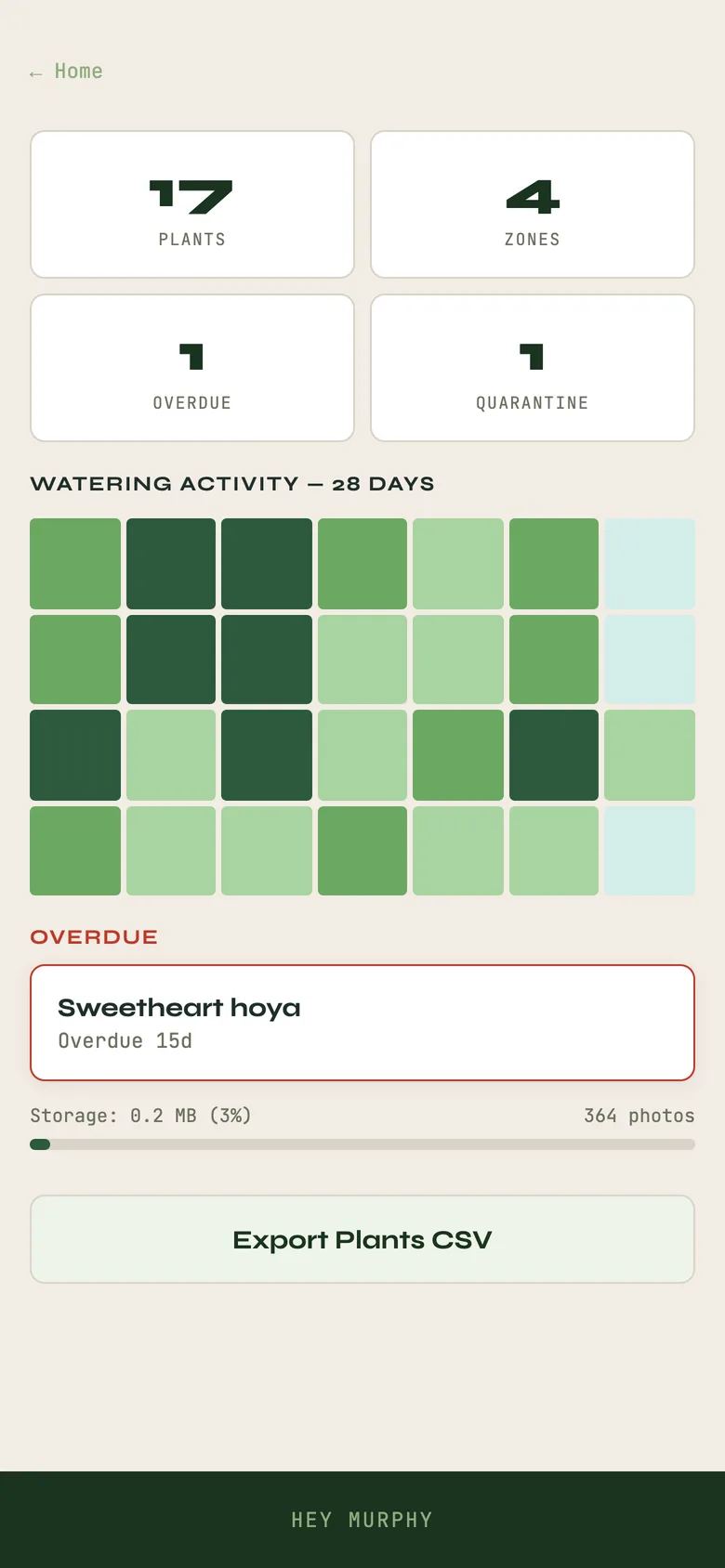
Health logs disease and pests with the treatment. Score opens the same 0 to 100 rubric every Murphy program uses, 50% body, 30% distinctive traits, 20% quality and finish, with body as the floor. Analytics turns your own records into the trends you were looking for, from the care history you have written and nothing else.

Analytics with a 28-day watering heatmap.
Optional · paid

Keeping your records safe

Everything above is free and lives on your device. Backup Now and Restore from Backup are in the gear menu, and Murphy Plant can also Save to Excel for a human-readable copy. Account signs you in and turns on Keep It Safe, which syncs the same records to your other devices; it is optional and additive. A Plants-only Keep It Safe is $5.99 a month, and one full subscription covers every Murphy program.